
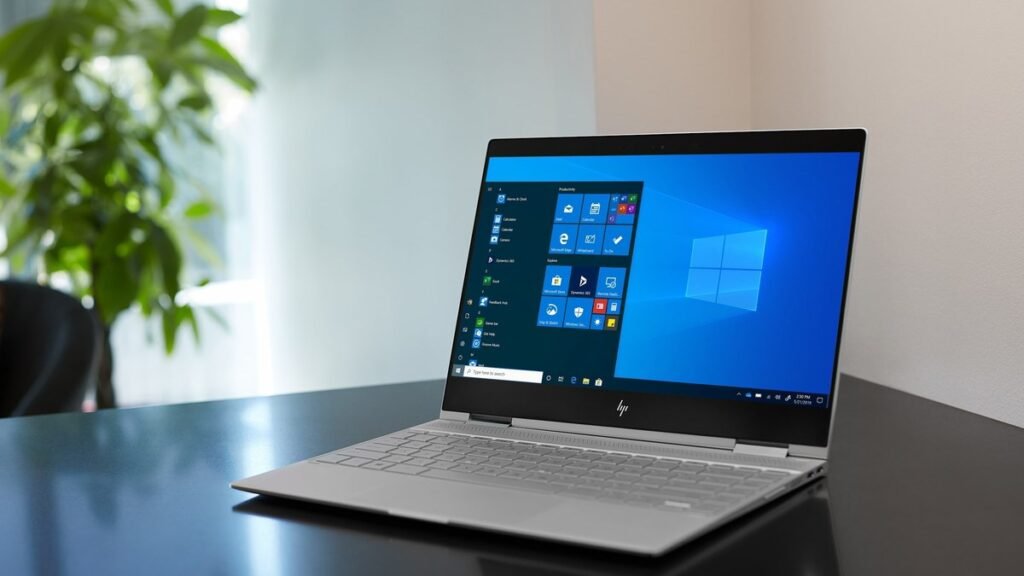
Forty hours. Read that again. The battery figure attached to the HP OmniBook 3 16 looks like a typo — until you realize the longest-lasting MacBook in the same testing tops out around 21 hours. This 16-inch Windows laptop is rated to last nearly twice as long as Apple’s best. Welcome to our HP OmniBook 3 16 review: we’ll unpack what that number actually means, where the compromises hide, and who should genuinely buy one.
Short version first: if battery life is your number-one priority — students, commuters, frequent travelers, this is for you — nothing else in this price range stays alive this long. But “lasts the longest” isn’t the same as “the best laptop.” This guide covers how HP squeezed record-breaking endurance out of a mid-range machine, what to check before buying (display, ports, performance), and how it stacks up against the Windows battery-life competition. The fine print matters — so let’s read it.
How a Windows laptop finally hit 40 hours of battery
For years, marathon battery life belonged to Apple. Intel and AMD chips in Windows laptops were powerful but thirsty, and the math never worked: a bigger battery meant a heavier laptop, and nobody wanted to carry that. The OmniBook 3 16 breaks the stalemate with two changes that matter more than anything else in the spec sheet.
First: the processor. The OmniBook 3 16 runs Qualcomm’s Snapdragon X — an ARM chip built more like a phone processor than a traditional laptop CPU. ARM chips sip power during the light, bursty work that fills most of a day: typing documents, browsing with too many tabs open, sitting in video calls. That efficiency compounds over hours. It’s the same reason your phone lasts a day on a tiny battery while an old Intel laptop couldn’t.
Second: the display. HP paired the frugal chip with a modest 16-inch 1920×1200 IPS panel instead of a power-hungry OLED or high-refresh screen. Reviewers consistently note it tops out around 300 nits with a limited color gamut — not great for photo editing, but dramatically cheaper to keep lit. A big, dim, efficient LCD plus a frugal chip plus a 68Wh battery. That’s the whole trick. No magic — just disciplined trade-offs.
So what do the numbers look like in practice? HP claims up to 45 hours — a best-case figure. Independent testing varies by method: one outlet recorded 34 hours and 5 minutes of YouTube streaming, a record for a Windows laptop. PCWorld measured nearly 22 and a half hours on a higher-priced configuration. The honest read: two days for light-to-moderate use, and a comfortable all-day-plus for heavy days. Either way, it laps the ~21-hour MacBook figure by a wide margin.
HP OmniBook 3 16 review: what to check before buying
Record battery life doesn’t mean record everything. Set your expectations before spending money.
1. Match the laptop to your workload
The Snapdragon X is Qualcomm’s entry-level ARM part — an 8-core CPU that’s genuinely good at multitasking, office work, and media, with multicore scores that hang with mid-range Intel Core Ultra and AMD Ryzen machines. What it isn’t: a workstation chip. Single-core speed lags pricier silicon, the integrated GPU won’t tempt anyone shopping for gaming or 3D work, and some niche Windows software still runs through an emulation layer on ARM. Most everyday apps are fine — but check anything specialized you depend on first. If your day is documents, browser, video calls, and streaming, you’re the target audience. If it’s Premiere timelines or AAA games, look elsewhere.
2. Know exactly what you’re getting in the display
This is the biggest visible compromise. The 16-inch panel hits around 300 nits — fine indoors, less comfortable in bright sunlight or outdoors — and its color coverage is narrow enough that creative work is off the table. On the plus side, it’s anti-glare, which helps in offices and classrooms. Think of it as a big, comfortable reading-and-typing surface rather than a showcase screen. If display quality matters to you, budget laptops with better panels exist. They just won’t last 30+ hours.
3. Check the ports, keyboard, and the little things
The practical stuff is sensible: USB-C with Power Delivery — it charges over a compact 65W brick barely bigger than a phone charger (handy, since you’ll rarely need to carry it) — plus USB-A and HDMI on most configurations. Two things reviewers flag: no Thunderbolt 4 or USB4, so high-speed external SSDs and docks run at standard USB speeds; and no Wi-Fi 7. The keyboard has decent travel but feels stiff until you adjust. The speakers are thin and treble-heavy. None of these are dealbreakers at the right price, but worth knowing.
4. Pick the right configuration — prices swing wildly
This is important: the OmniBook 3 16 ranges from roughly $520 (16GB RAM, 512GB storage at entry level) to around $1,140 for the configuration some reviewers tested. At $520, the compromises — dim screen, modest speakers, no Thunderbolt — are easy to forgive. It’s arguably the best battery-per-dollar laptop on the market. At $1,140, the value math gets much tougher, and machines like the best laptop for most people start looking competitive. Our advice: buy at the lower end of the price range, where this laptop’s one superpower shines brightest.
Our pick: the 40-hour Windows laptop
HP OmniBook 3 16
There’s exactly one reason to buy this laptop, and it’s a great one: it outlasts everything else near its price. The Snapdragon X platform, frugal display, and 68Wh battery deliver real-world endurance reviewers keep calling record-breaking. For students, commuters, writers, and travelers, that changes how you use a laptop. The charger stays home.
Beyond battery, it’s a solid everyday performer: 16GB of RAM and a fast 512GB SSD in the typical configuration, good multicore performance for office multitasking, and a compact 65W USB-C charger that can also top up your phone. It’s a Copilot+ PC too, so Windows 11’s on-device AI features are all here.
Pros:
- Battery life is in a different league — 22 to 34+ hours in independent tests depending on the workload
- Excellent value at entry-level pricing (around $520 for 16GB/512GB)
- Good multicore performance for productivity and multitasking
- Compact 65W USB-C charger doubles as a phone charger
Cons:
- Dim ~300-nit display with narrow color gamut — not for creative work or bright outdoor use
- Entry-level Snapdragon X chip: weak integrated graphics, no Thunderbolt 4, no Wi-Fi 7
Best for: Students, commuters, writers, and travelers who rank battery life above everything else and mostly live in a browser, documents, and video calls.
If even this much battery somehow isn’t enough — or you want a backup for long trips — our roundup of the best power banks of 2026 covers compact high-capacity options. And if you’d rather charge fast than charge rarely, check the best GaN chargers of 2026 — compact GaN bricks are the ideal travel companion for a laptop like this.

HP OmniBook 3 16 vs. the battery-life competition
| Laptop | Tested battery life | Price (from) | Best for |
|---|---|---|---|
| HP OmniBook 3 16 | 34h 5min (streaming test); ~22.5h (PCWorld test) | ~$520 | Maximum endurance per dollar |
| HP OmniBook 5 14 | 28h+ (streaming test) | ~$700 | Endurance + nicer OLED display |
| MacBook Air (M4) | ~21h (source figure) | ~$999 | macOS users; best efficiency + performance balance |
| Typical Intel/AMD Windows laptop | 8–14h | ~$500 | Shoppers who prioritize performance or screen quality |
The takeaway is stark: the OmniBook 3 16 doesn’t just win on battery — it wins by a margin that changes the category. Every rival gives you something the HP doesn’t: a better display, a faster chip, a more premium build. Just decide which side of that trade you live on.
HP OmniBook 3 16 review: FAQs
How long does the HP OmniBook 3 16 battery really last?
Depends on the test. HP claims up to 45 hours — a best-case figure. Independent results: 34 hours 5 minutes of YouTube streaming in one outlet’s drain test, nearly 22.5 hours in PCWorld’s battery test, and 18 hours 42 minutes in the PCMark 10 video benchmark. In real-world mixed use — browsing, documents, video calls — expect two comfortable days of light use or one very long day of heavy use. Either way, it’s the longest-lasting Windows laptop in its class.
Is the Snapdragon X chip good enough for everyday work?
For typical productivity — yes. The 8-core Snapdragon X handles multitasking, office apps, web browsing, and media playback smoothly, with multicore scores comparable to mid-range Intel Core Ultra and AMD Ryzen laptops. It’s not the chip for gaming, video editing, 3D rendering, or niche x86-only software. Check that any specialized apps you rely on run well on Windows on ARM before buying.
Does the HP OmniBook 3 16 have a good display?
It’s the main compromise. The 16-inch 1920×1200 IPS panel hits around 300 nits with a limited color gamut — fine for documents, browsing, and video, but not bright enough for comfortable outdoor use and not accurate enough for photo or video editing. The anti-glare coating helps in offices and classrooms. If screen quality is a priority, this isn’t your laptop.
What ports and charging does it have?
USB-C with Power Delivery, USB-A, and HDMI on typical configurations — but no Thunderbolt 4/USB4 and no Wi-Fi 7. Charging runs through a compact 65W USB-C brick small enough to double as a phone charger. Fitting, since you’ll rarely need to carry it. If you need blazing-fast external storage or docks, the missing Thunderbolt is worth noting.
Which configuration should I buy?
Aim for the lower end — around $520 gets you 16GB of RAM and a 512GB SSD, the sweet spot where this laptop’s battery-per-dollar is unbeatable. Approaching $1,100+, the compromises (dim display, entry-level chip) are harder to justify against premium alternatives. More RAM and storage are nice, but they don’t change what this laptop is for.
Final verdict
Verdict: the HP OmniBook 3 16 is a specialist that knows exactly what it is. It trades display quality, graphics power, and premium ports for one extraordinary ability — staying alive. With 22 to 34+ hours of tested battery life depending on workload, it outlasts the best MacBook by a wide margin and embarrasses typical Windows laptops. And the entry price around $520 makes the compromises easy to accept. Students, commuters, writers, and travelers who live in a browser and hate hunting for outlets: put it at the top of your shortlist. Gamers, creators, and anyone who needs a bright, color-accurate screen: spend your money elsewhere. This isn’t a sprinter trying to be the best laptop. It’s a marathon runner trying to be the last one still going — and at that, it’s currently unbeatable.
Affiliate Disclosure: This article contains affiliate links. If you purchase through them, we may earn a commission at no extra cost to you.
Where to Buy: Check Price on Amazon · See Amazon Deals · Compare Prices on Daraz · Check Daraz Deals · Check AliExpress Price · See AliExpress Deals
Check the price on AliExpress — the global marketplace with millions of tech products.
As an AliExpress affiliate, we may earn a commission on qualifying purchases.
















Pingback: How to Make Laptop Battery Last Longer (2026 Guide)