
<h2>Introduction</h2>
<p>GaN chargers have hit the point where you don’t need to spend a fortune to get something small, powerful, and versatile. What used to be a premium niche — tiny chargers that could fast-charge a laptop — is now firmly mainstream, and prices have dropped so far there’s little reason to keep the bulky brick that came in your phone box years ago.</p>
<p>Still carrying the big charger that came with an older phone or laptop? Upgrading to GaN can make your travel bag noticeably lighter. One good GaN charger can replace two or three separate adapters — fewer cables, less weight.</p>
<p>In this guide, we’ll explain what GaN actually is, how to pick the right wattage for your devices, and our top three picks for 2026: one for travel, one for your desk, and one that’s just a little more fun than the average charging brick.</p>
<h2>What Is GaN, and Why Should You Care?</h2>
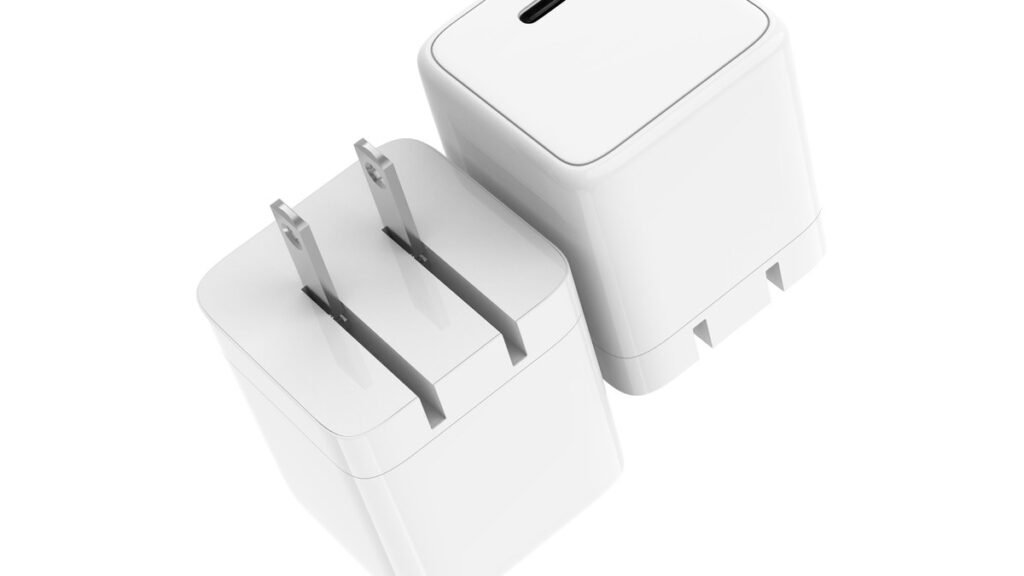
<p>GaN stands for gallium nitride, a semiconductor material that’s gradually replaced traditional silicon in premium chargers. In plain terms: GaN components handle higher voltages and switch faster than silicon while generating less heat. That efficiency lets manufacturers build smaller, cooler power adapters — a lot of charging power without the giant brick.</p>
<p>The practical difference is easy to feel. A traditional 65W laptop charger is roughly the size of a deck of cards (or bigger). A 65W GaN charger can be closer to a matchbox while delivering the same power. Less heat also means the charger runs cooler, and its components tend to last longer.</p>
<p>You may also see terms like "GaN II" or "GaNPrime" on packaging. These are manufacturer-specific names for newer generations of the technology, generally promising slightly better efficiency or smarter power distribution between ports. For most buyers the takeaway is simple: any reputable GaN charger from the last couple of years will be dramatically smaller and cooler-running than an old silicon brick of the same wattage.</p>
<h2>How to Choose the Right GaN Charger</h2>
<p>Before looking at specific models, it helps to know what you actually need. Three things matter most: wattage, ports, and build quality.</p>
<h3>1. Pick the right wattage</h3>
<p>Wattage determines how fast a charger can charge — but only up to what your device supports. A phone that tops out at 25W won’t charge any faster on a 100W charger, though the bigger charger isn’t harmful: your device only draws what it needs.</p>
<p>As a rough guide:</p>
<ul>
<li><strong>20–30W:</strong> Enough for most phones at full fast-charging speed, plus earbuds and smartwatches.</li>
<li><strong>45W:</strong> Covers phones, tablets, and smaller accessories with headroom to spare. A good single-device travel size.</li>
<li><strong>65W:</strong> The sweet spot for most people. Enough for phones, tablets, and many thin-and-light laptops (including most 13-inch ultrabooks).</li>
<li><strong>100W and above:</strong> For power-hungry laptops (15–16 inch models, gaming laptops) or for charging several devices at full speed simultaneously.</li>
</ul>
<p>Only have one phone and already have chargers everywhere you need them? No urgent reason to upgrade. But if you travel, or you’re tired of carrying three different bricks, stepping up to a 65W multi-port GaN charger is one of the most practical upgrades you can make.</p>
<h3>2. Count your ports (and check how power is shared)</h3>
<p>More ports mean fewer chargers to pack — but read the fine print. Many multi-port chargers advertise a big total wattage (say, 65W) that only applies when a single port is in use. Plug in two or three devices and the power gets split between them. Usually that’s fine — your phone and earbuds don’t each need 65W — but if you plan to fast-charge a laptop and a tablet at the same time, look for a model whose per-port output stays high with multiple devices connected. USB-C ports deliver the highest wattages; USB-A ports are handy for older accessories but top out much lower.</p>
<h3>3. Don’t ignore safety and build quality</h3>
<p>Stick to established brands with proper safety certifications (UL, CE, FCC marks). Good GaN chargers include over-current, over-voltage, over-temperature, and short-circuit protection. Foldable prongs are a genuine quality-of-life feature for travel — they stop the charger from snagging everything else in your bag. And if a deal looks too good to be true from a brand you’ve never heard of, it probably is. A cheap charger connected to a $1,500 laptop is not where you want to cut corners.</p>
<h2>The Best GaN Chargers of 2026</h2>
<h3>Best Value: Tessan 65W GaN Travel Charger</h3>
<p>The Tessan 65W GaN Travel Charger is for anyone who wants one charger to handle several devices — and at its price, it’s hard to argue with.</p>
<p>It’s roughly 2.8 × 2.1 × 2.1 inches, weighs about 8.1 ounces, and has a foldable plug that keeps it pocket-friendly. You get four USB ports — two USB-C and two USB-A — with up to 65W available from a single port. That’s enough for many laptops, phones, tablets, and other accessories.</p>
<p>Its biggest advantage is convenience. Instead of packing separate chargers for your phone, tablet, and laptop, you can potentially replace several of them with one compact adapter. For frequent travelers that consolidation alone is worth it: fewer bricks, fewer cables, less weight.</p>
<p><strong>Pros:</strong></p>
<ul>
<li>65W is enough for most ultrabooks plus smaller devices</li>
<li>Four ports cover a full travel kit (laptop + phone + earbuds + watch)</li>
<li>Foldable plug and compact size for packing</li>
<li>Strong value for the wattage</li>
</ul>
<p><strong>Cons:</strong></p>
<ul>
<li>65W is shared across ports, so charging a laptop and tablet simultaneously means slower speeds for each</li>
<li>No display or smart features — it’s a straightforward workhorse</li>
</ul>
<p><strong>Best for:</strong> Travelers and minimalists who want one charger for everything.</p>
<h3>Best for a Desk: Anker 200W Prime 6-Port Charger</h3>
<p>Charging several devices at your desk? The Anker 200W Prime 6-Port Charger makes a lot more sense than a compact travel brick.</p>
<p>Four USB-C ports and two USB-A ports, with up to 200W of total output. A single USB-C port can deliver up to 100W, so it’s suitable for demanding devices like full-size laptops. That headroom means you can fast-charge a laptop, top up a tablet, and keep your phone and accessories trickling along — all from one power strip-friendly unit.</p>
<p>It’s fairly heavy — more than a pound. On a desk, that’s not necessarily a bad thing: a heavier charger won’t budge every time you unplug a cable, and this one is clearly designed to live in one place rather than travel.</p>
<p><strong>Pros:</strong></p>
<ul>
<li>200W total output handles a full desk of devices</li>
<li>100W single-port output for demanding laptops</li>
<li>Six ports eliminate the need for multiple bricks at a workstation</li>
</ul>
<p><strong>Cons:</strong></p>
<ul>
<li>Heavy — not a travel charger</li>
<li>Overkill (and overpriced) if you only charge a phone and earbuds</li>
</ul>
<p><strong>Best for:</strong> Desk setups, home offices, and anyone charging 3+ devices daily in one place.</p>
<h3>Most Fun: Anker 45W Nano Charger (with Display)</h3>
<p>The Anker 45W Nano Charger is one of those accessories that adds a little personality to something normally pretty boring. Its built-in display shows charging status, battery levels, and temperature — genuinely useful at a glance, and undeniably cool on a desk.</p>
<p>The foldable plug also rotates, so it’s easier to position depending on how your outlet is oriented — a small detail that anyone who’s fought with a wall outlet behind furniture will appreciate.</p>
<p>At around $39.99, it’s not the cheapest 45W charger around, but the screen makes it more interesting than the average charging brick. And 45W is plenty for phones, tablets, and most accessories at full speed.</p>
<p><strong>Pros:</strong></p>
<ul>
<li>Built-in display shows real-time charging info</li>
<li>Rotating foldable plug adapts to awkward outlets</li>
<li>Compact 45W size ideal for everyday carry</li>
</ul>
<p><strong>Cons:</strong></p>
<ul>
<li>Premium price for the wattage — you’re paying for the display</li>
<li>45W won’t fast-charge most laptops</li>
</ul>
<p><strong>Best for:</strong> Everyday carry, nightstands, and anyone who likes their tech with a little flair.</p>
<h2>GaN vs. Traditional Silicon Chargers: Quick Comparison</h2>
<table>
<tr><th></th><th>GaN Charger</th><th>Traditional Silicon Charger</th></tr>
<tr><td><strong>Size</strong></td><td>Up to 50% smaller at the same wattage</td><td>Bulky, especially above 45W</td></tr>
<tr><td><strong>Heat</strong></td><td>Runs cooler and more efficiently</td><td>Runs hotter under load</td></tr>
<tr><td><strong>Weight</strong></td><td>Lighter — better for travel</td><td>Heavier bricks</td></tr>
<tr><td><strong>Price (2026)</strong></td><td>Now close to silicon prices</td><td>Slightly cheaper at low wattages</td></tr>
<tr><td><strong>Best for</strong></td><td>Travel, multi-device charging, laptops</td><td>Basic single-device charging on a budget</td></tr>
</table>
<p>The price gap that once made GaN a luxury has largely closed. In 2026, a good GaN charger often costs only a few dollars more than its silicon equivalent — and the size and heat advantages make it worth it for almost everyone.</p>
<div class=”ggz-affiliate-box” style=”background:#f7f9fc;border:1px solid #e2e8f0;border-radius:12px;padding:20px 22px;margin:28px 0;text-align:center;”><a href=”https://www.amazon.com/dp/B0CL6TJP9Y/?tag=genzgadgetszo-20″ target=”_blank” rel=”nofollow sponsored noopener” style=”display:inline-block;background:#ff9900;color:#fff;font-weight:700;padding:12px 28px;border-radius:8px;text-decoration:none;”>Check Price on Amazon</a><p style=”font-size:12px;color:#718096;margin:10px 0 0;”>As an Amazon Associate I earn from qualifying purchases.</p></div>
<h2>Frequently Asked Questions</h2>
<h3>Are GaN chargers safe for my phone and laptop?</h3>
<p>Yes. Reputable GaN chargers include the same (usually better) protection circuitry as traditional chargers — over-current, over-voltage, over-temperature, and short-circuit protection. Your device also negotiates power delivery with the charger, so it only draws what it can handle. Stick to known brands with proper certifications and you’ll be fine.</p>
<h3>Will a 65W charger damage my phone?</h3>
<p>No. Chargers don’t "push" wattage into your device — your phone pulls only what it needs. A 65W charger connected to a phone that charges at 25W will simply deliver 25W. Higher wattage just gives you headroom for bigger devices.</p>
<h3>What does it mean when a charger says "65W total"?</h3>
<p>It means 65W is the maximum combined output across all ports. With one device plugged in, that device can get the full 65W. With three devices plugged in, the 65W gets split between them (the exact split varies by model). If you regularly charge a laptop and a phone together, check the manufacturer’s port-distribution table.</p>
<h3>Is GaN worth it in 2026, or should I wait?</h3>
<p>It’s worth it now. GaN is mature technology at this point, prices have fallen to near-parity with silicon chargers, and there’s no revolutionary successor on the immediate horizon that would make today’s GaN chargers obsolete. If your current charger is bulky, hot, or can’t keep up with your devices, upgrading today is a safe bet.</p>
<h3>Can one GaN charger really replace all my chargers?</h3>
<p>For most people, yes — a single 65W multi-port GaN charger can handle a phone, tablet, earbuds, and an ultrabook. The exception: a power-hungry 16-inch or gaming laptop, which may want 100W+ to itself. In that case, keep a high-wattage charger for the laptop and use the 65W GaN brick for everything else.</p>
<h2>Final Verdict</h2>
<p>If you regularly carry multiple chargers, upgrading to GaN is one of the easiest quality-of-life improvements you can make in 2026. Start with your use case: grab the <strong>Tessan 65W</strong> if you want one travel charger for everything, the <strong>Anker 200W Prime</strong> if your desk looks like a charging station, or the <strong>Anker 45W Nano</strong> if you want something compact with a bit of personality.</p>
<p>Frequent travelers will feel the difference immediately — fewer bricks, fewer cables, and a noticeably lighter bag. And with prices finally down to earth, there’s never been a better time to make the switch.</p>
Affiliate Disclosure: This article contains affiliate links. If you purchase through them, we may earn a commission at no extra cost to you.
Where to Buy: Check Price on Amazon · Compare Prices on Daraz · Check Daraz Deals · Check AliExpress Price · See AliExpress Deals
Check the price on AliExpress — the global marketplace with millions of tech products.
As an AliExpress affiliate, we may earn a commission on qualifying purchases.

















Pingback: Samsung Galaxy A17 5G Review: Best $200 Phone?
Pingback: Best Tech Stocking Stuffers 2026: 20 Under $50
Pingback: Kindle Colorsoft vs Paperwhite: Which E-Reader Wins in 2026?
Pingback: Best Drones for Beginners 2026: 5 Easy Flyers