
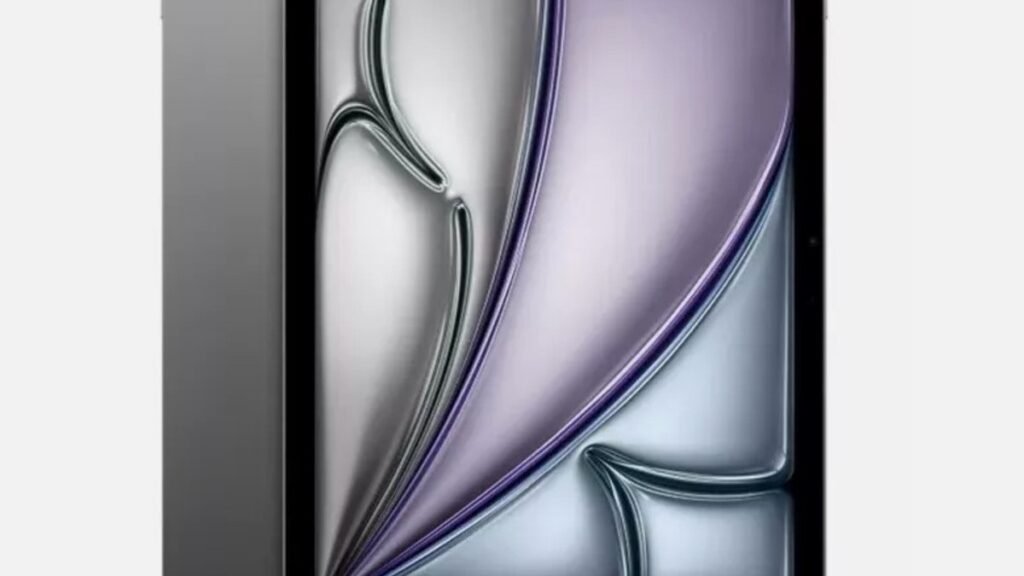
If you want a tablet that simply works — no research project required — the iPad Air M4 is where the smart money goes. It’s not the cheapest iPad, and it’s certainly not the most powerful. That’s exactly why it makes sense: you get the vast majority of what Apple’s expensive tablets offer, without paying for features most people will never touch. This guide breaks down why the Air keeps winning the “best tablet for most people” argument, where the iPad Pro genuinely earns its premium, and when a discounted older model is the better buy.
The short version: the M4 chip inside the Air is more than powerful enough for everything a normal person does on a tablet — split-screen multitasking, note-taking, drawing, video editing, gaming. The compromises (60Hz display, Touch ID instead of Face ID) are luxuries, not necessities. And with Apple raising iPad prices in 2026, choosing the right model matters more than ever.
Why the iPad Air M4 Wins for Students

The iPad Air has quietly become Apple’s most sensible tablet, and the M4 version cements that. The M4 chip delivers performance that’s effectively indistinguishable from the Pro in everyday tasks — web browsing, streaming, note-taking apps, even Final Cut Pro timelines don’t make it break a sweat. With 12GB of unified memory, it should also stay fast through years of software updates, which matters when you’re buying a device you expect to keep through college.
The 11-inch Liquid Retina display is excellent for the things students actually do: reading PDFs, watching lectures, sketching diagrams. The one honest compromise is the 60Hz refresh rate. The iPad Pro’s 120Hz ProMotion display is visibly smoother, and once you’ve used it, you notice the difference. But most people adapt within a day — and for reading, video, and note-taking, 60Hz is simply not a problem.
What are you actually giving up versus the Pro? Touch ID instead of Face ID, no tandem OLED display, no 120Hz, no Thunderbolt port, two speakers instead of four. Nice things — but for note-taking in a lecture hall or Netflix on the couch, they’re luxuries. Reviewers have landed in the same place: the Air is “the best iPad and the best tablet (for most people),” while the Pro’s extras are hard to justify at a $400+ premium.
How to Choose the Right iPad in 2026
Apple’s lineup has never been more confusing — or more expensive. Here’s how to think through it.
1. Match the tablet to your actual workload
Be honest about what you’ll do with it. Reading, web research, note-taking, streaming, light photo editing, casual gaming: the Air handles all of it. Color-critical video editing, 3D modeling, music production with dozens of tracks, machine learning coursework: that’s Pro territory. Good rule — if you can’t name a specific project that needs Pro features, you don’t need the Pro.
2. Budget for the accessories, not just the tablet
This is the trap. The Apple Pencil Pro and Magic Keyboard are sold separately, and together they can approach the cost of the Air itself. A Pencil transforms note-taking far more than an extra chip generation does. The practical strategy: buy the cheaper iPad plus the accessories, rather than stretching for the Pro with nothing to write or type with.
3. Watch the price — Apple’s 2026 hike changed the math
Apple raised iPad prices in June 2026, with the Air now starting around $749 instead of $599. That jump makes older models much more interesting. A discounted M3 Air or a good refurbished M2 Air can deliver 90% of the experience for significantly less. Find one at a steep discount and it may genuinely make more sense than paying full price for the newest model.
4. Consider the Android alternatives honestly
On Android, the Galaxy Tab S11 is the polished pick, and Samsung includes the S Pen in the box — something Apple would never do. If you’re deep in the Android ecosystem, it’s worth a look; our take on Samsung’s Galaxy Tab S11 Ultra covers the high end. And if battery life is your priority, the OnePlus Pad 4 lasts two days on a charge. But for app quality, update longevity, and the note-taking ecosystem, the iPad still leads.
The iPad Lineup: Which One Should You Actually Buy?
Our pick for most people: iPad Air M4
The Air M4 is the “Pro model for most people” — M4 chip, 12GB RAM, laminated Liquid Retina display, Apple Pencil Pro support and Magic Keyboard compatibility, starting around $749. It handles split-screen multitasking, drawing, video editing, and gaming without complaint. The 60Hz display and Touch ID are the visible compromises, and neither should bother a student or casual user.
Pros:
- M4 performance matches the Pro in everyday tasks
- Apple Pencil Pro support for note-taking and drawing
- Lighter and cheaper than the Pro by a wide margin
- 12GB RAM and Wi-Fi 7 keep it future-proof
Cons:
- 60Hz display — no ProMotion smoothness
- Price hike to ~$749 stings; accessories cost extra
Best for: Students, note-takers, casual creatives and anyone who wants a do-everything tablet.

For demanding pros: iPad Pro
The iPad Pro earns its premium in exactly three scenarios: you need the tandem OLED display with 120Hz ProMotion (digital artists, video editors), you need Thunderbolt for external displays and fast storage, or you want Face ID and the thinnest design Apple makes. For everyone else, it’s a $400+ surcharge for features that sit idle.
Pros:
- Best tablet display Apple makes — OLED, 120Hz, HDR
- Thunderbolt port for pro workflows
- Thinnest, most premium build
Cons:
- Significantly more expensive
- Overkill for note-taking, reading and streaming
Best for: Professional video editors, digital artists and anyone whose work genuinely pushes hardware.
The value play: discounted M3 Air or refurbished M2 Air
Here’s the open secret of the 2026 iPad lineup: last year’s Air is still excellent. An M3 Air at a discount, or a refurbished M2 Air from a reputable seller, delivers the same great display, Pencil support, and more-than-enough performance for hundreds less. The differences between M2, M3, and M4 in real student workloads are marginal. Put the savings toward the Pencil Pro.
Pros:
- Big savings over the M4 Air with minimal real-world compromise
- Same display quality and accessory support
- More budget left for Pencil and keyboard
Cons:
- Shorter remaining software-update runway
- Refurbished stock varies — buy from reputable sellers
Best for: Budget-conscious students who want the iPad experience without the 2026 prices.
iPad Air M4 vs the Alternatives
| Tablet | Chip | Display | Starting price | Best for |
|---|---|---|---|---|
| iPad Air M4 | M4 | 11″/13″ LCD, 60Hz | ~$749 | Most people, students |
| iPad Pro | M5 | 11″/13″ OLED, 120Hz ProMotion | ~$999+ | Pro creatives |
| Discounted M3 / refurb M2 Air | M3 / M2 | 11″ LCD, 60Hz | Often $400–550 | Value seekers |
iPad Air M4 FAQs
Is the iPad Air M4 worth it for students?
Yes — it’s arguably the best student tablet you can buy. The M4 chip handles note-taking, research, multitasking, and creative apps smoothly, the display is comfortable for hours of reading, and Apple Pencil Pro support makes it a genuine notebook replacement. Just remember the accessories are extra: a cheaper iPad plus a Pencil beats a Pro with no Pencil.
Should I get the iPad Air M4 or the iPad Pro?
Get the Air unless you can name a specific reason you need the Pro. The Pro’s advantages — OLED 120Hz display, Thunderbolt, Face ID — matter for professional video editors, digital artists, and 3D work. For note-taking, streaming, browsing, and light creative work, the Air does the same job for much less. The $400+ you save buys the Pencil Pro and a keyboard, with change left over.
Is the 60Hz display a dealbreaker?
For most people, no. The Pro’s 120Hz ProMotion display is smoother, especially when scrolling or drawing — artists working on large canvases in Procreate will feel it. But for reading, video, web browsing, and general use, 60Hz is perfectly fine, and most users stop noticing within a day. Don’t pay $400 extra just for refresh rate unless your work demands it.
Which size should I buy: 11-inch or 13-inch?
The 11-inch is more portable — it fits in a small bag and is comfortable to hold for reading. The 13-inch gives you genuinely usable split-screen multitasking and a better canvas for drawing and video editing, but it demands bag space. For lecture-hall note-taking and couch use: 11-inch. For replacing a laptop: 13-inch. And if reading comfort is your top priority, a matte-display tablet like the TCL NXTPAPER 11 Plus is worth a look as a second device.
Should I wait for the next iPad?
Probably not. The M4 Air is a spec-bump generation — fast, refined, and likely to stay current for years thanks to 12GB of RAM. iPad upgrades are incremental now; waiting rarely buys you a transformative change. The better move is watching for discounts on the M4 or picking up a discounted M3 Air.
Final Verdict: iPad Air M4
The iPad Air M4 isn’t the most exciting iPad — it’s simply the one that makes the most sense for the most people. Students get Pro-adjacent performance, great Pencil support, and years of updates without the Pro’s price tag. The 2026 price hike stings, and it makes discounted older Airs genuinely worth considering — but the formula hasn’t changed: unless your coursework or creative work specifically demands OLED, ProMotion, or Thunderbolt, the Air is the right iPad. Buy the accessories, skip the Pro, and spend the savings on something fun.
Affiliate Disclosure: This article contains affiliate links. If you purchase through them, we may earn a commission at no extra cost to you.
Where to Buy: Check Price on Amazon · See Amazon Deals · Compare Prices on Daraz · Check Daraz Deals · Check AliExpress Price · See AliExpress Deals
Check the price on AliExpress — the global marketplace with millions of tech products.
As an AliExpress affiliate, we may earn a commission on qualifying purchases.

















Pingback: Best Cheap Tablet Under $150: Why Fire HD 10 Still Wins
Pingback: OnePlus Pad 4 Review: Two-Day Battery Tablet
Pingback: Galaxy Tab S11 Ultra vs iPad Pro: Which to Buy?