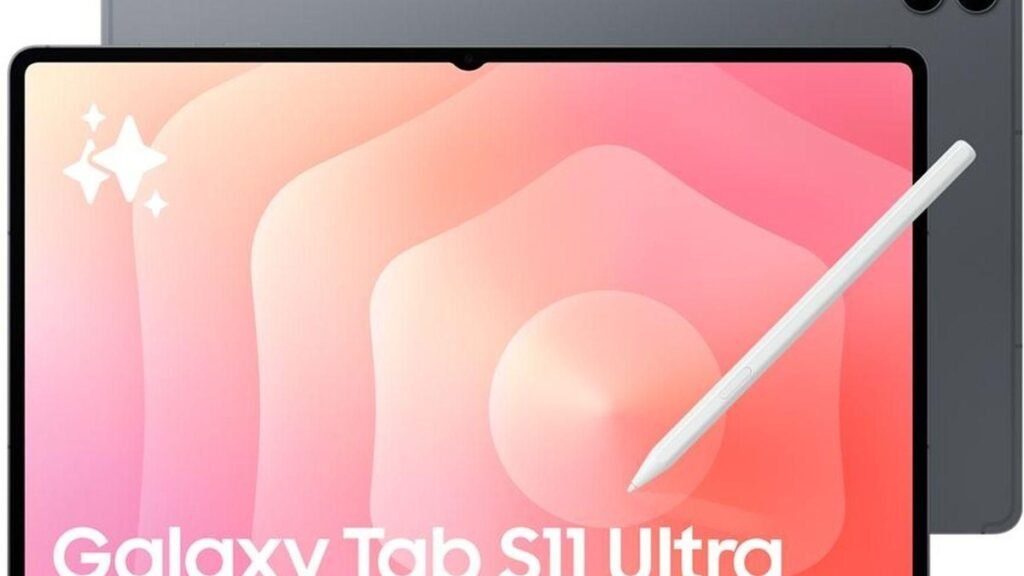
Let’s be honest up front: the Galaxy Tab S11 Ultra is ridiculous — and that’s exactly the point. Samsung didn’t chase subtlety here. They built the biggest, most powerful Android tablet on the planet, then priced it like a laptop. That’s what makes the Galaxy Tab S11 Ultra vs iPad Pro debate worth having properly. You’re not really comparing two tablets. You’re deciding where laptop money should go.
So here’s the no-fluff version of this guide. That 14.6-inch display? Genuinely jaw-dropping. The Dimensity 9400+ chip? Fast enough for anything Android can throw at it. The S Pen comes in the box, and DeX keeps pretending it can replace your laptop. But it’s heavy, it’s pricey, and Samsung made a few odd compromises along the way. Below, we break it all down — then stack it against the iPad Pro so you can pick the absurdly good tablet that actually deserves your money.
What Even Is an “Absurd-Flagship” Tablet?
Some tablets travel. Others anchor. The Tab S11 Ultra is firmly the second kind — a 14.6-inch AMOLED slab closer in size to some laptops than to an iPad mini. That’s the whole idea. This isn’t the tablet you toss in a tote for the bus. It’s built for people whose tablet is the main device: artists working on a huge digital canvas, multitaskers running three apps side by side, movie lovers who want a personal cinema that fits in a backpack.
Its only real rival is the 13-inch iPad Pro — the only other tablet playing the “no compromises” game. Both cost well over $1,000. Both take keyboard accessories. Both want to replace your laptop. So the choice is blunt: Samsung gives you the bigger screen and the more open platform; Apple gives you the faster chip and the better creative apps. Pick your priority.
What to Consider Before Buying a Tab S11 Ultra
1. Be honest about the size and weight
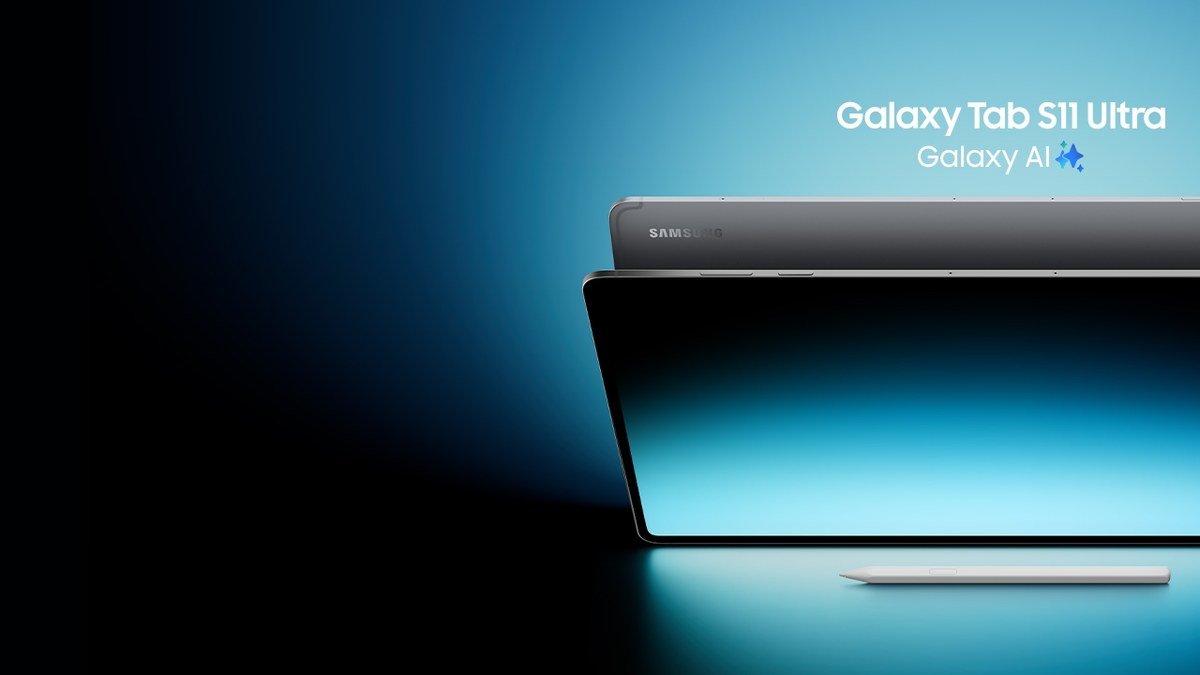
Look, 692 grams doesn’t sound like much — until you’re holding a 14.6-inch screen above your face in bed. This is not a one-handed tablet. It’s impossibly thin at 5.1mm and disappears into a backpack just fine, but actually using it handheld gets tiring fast. If your tablet life is mostly couch and commute, save your wrists: a smaller tablet like the TCL Nxtpaper 11 Plus or even the standard iPad will make you happier. The Ultra needs a desk, a stand, or a keyboard case to shine. Give it one and it’s fantastic.
2. Price it against laptops, not just tablets
Don’t compare this to other tablets — compare it to laptops. At around $1,199 to start (with bigger storage pushing toward $1,600, before the keyboard cover), you’re spending real laptop money. That’s fair if the tablet itself is the point: drawing, movies, touch-first work. But if you’re just going to strap on a keyboard and live in a browser, a laptop gives you more for every dollar. See our best laptop of 2026 guide for the other side of that trade.
3. Set DeX expectations correctly
Samsung DeX turns the tablet into a desktop-like workspace — windows, taskbar, external monitor support — and it’s genuinely useful for multitasking. Just go in with the right expectations. Reviewers say this generation’s DeX feels like a step back in a few places, and it’s still Android underneath: great for juggling apps and media, not a substitute for desktop software. Treat DeX as a nice bonus, not the reason you buy.
4. Know who it’s NOT for
Quick reality check: students hauling a tablet across campus all day, commuters, and anyone on a tight budget should look elsewhere. The cheaper Galaxy Tab S10 FE+ covers the basics for much less, and the OnePlus Pad 4 offers remarkable battery life for less money. The Ultra only makes sense if you specifically want the biggest and most powerful — everyone else would be paying for screen they don’t need.
Galaxy Tab S11 Ultra: The Full Breakdown
Display: the reason this tablet exists
This is the reason the Ultra exists. The 14.6-inch Dynamic AMOLED 2X panel (120Hz, up to 1,600 nits peak) is simply stunning — enormous, vivid, and the 16:10 aspect ratio is made for widescreen movies. It’s the best media screen on any tablet, and for artists and multitaskers the sheer canvas is a game-changer. HDR10+ and quad speakers round out the portable-cinema package.
Performance: Dimensity 9400+ power
MediaTek’s Dimensity 9400+ with 12GB or 16GB of RAM chews through demanding games, heavy apps, and creative work without breaking a sweat. The honest footnote: it doesn’t match the Snapdragon 8 Elite in Samsung’s own phones, let alone Apple’s M-series chips. But for everything Android tablets actually do, it’s more than enough. Seven years of software updates is a serious commitment at this price.
Battery life: big screen, big battery
The 11,600mAh battery is bigger than some laptop batteries — and it has to be. Most reviews put it at around 13–15 hours of mixed use: comfortably a full demanding day, and clearly better than its predecessor. The trade-off is charging. At 45W wired, a full top-up takes nearly two hours, and there’s no charger in the box — so bring your own.
S Pen, DeX, and the extras
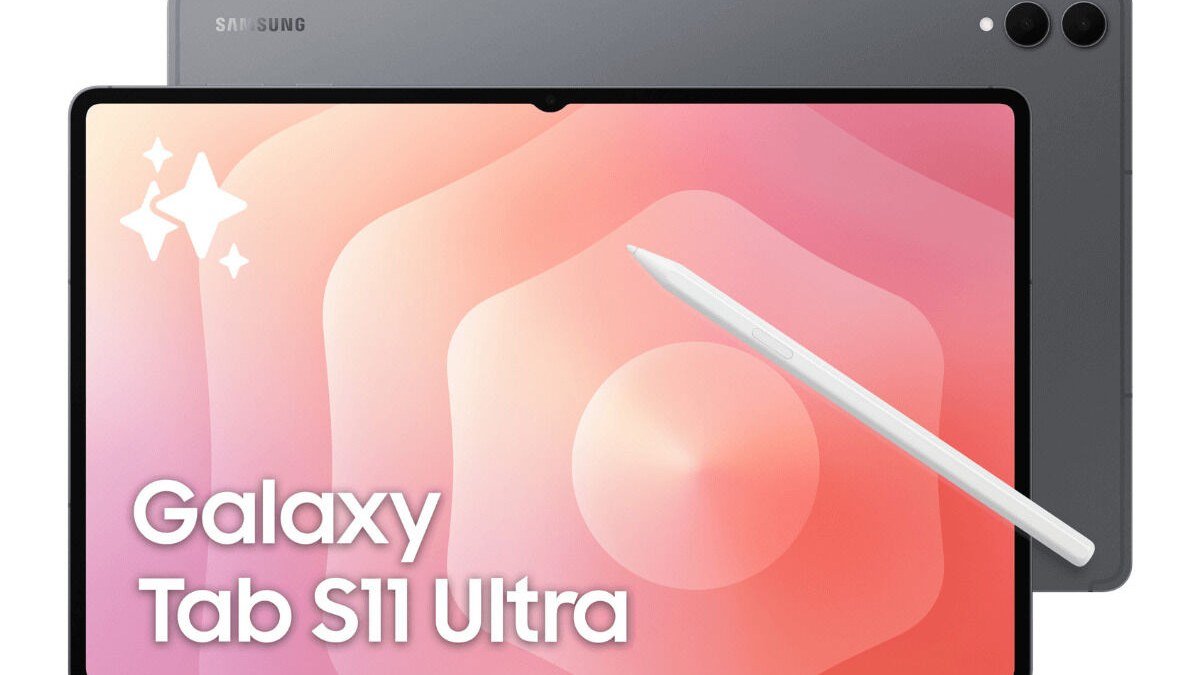
The S Pen comes in the box — real value Apple doesn’t match, since the Apple Pencil is a separate purchase. It’s responsive and great for notes and art, though this generation lost the Bluetooth remote features and the magnetic attachment isn’t the strongest. Throw in IP68 water and dust resistance (rare on tablets), microSD expansion (Apple can’t do this at any price), and Wi-Fi 7, and the spec sheet is genuinely stacked.
Pros:
- Spectacular 14.6-inch 120Hz AMOLED — the best tablet display for media
- S Pen included, IP68 rating, microSD expansion, 7 years of updates
- Strong Dimensity 9400+ performance for everything Android offers
- Excellent battery life for the screen size; great quad speakers
- DeX mode enables a surprisingly capable desktop-like workspace
Cons:
- Heavy and unwieldy at ~692g — not a one-handed or commute tablet
- Expensive: $1,199+ puts it against real laptops
- DeX feels downgraded this generation; no charger in the box; slow full charge
- MediaTek chip trails Snapdragon/Apple silicon in raw benchmarks
Best for: Artists, media lovers, and professionals who want the biggest Android canvas available and will use it at a desk or with a keyboard.
Galaxy Tab S11 Ultra vs iPad Pro: Head to Head
| Galaxy Tab S11 Ultra | iPad Pro 13″ (M5) | |
|---|---|---|
| Display | 14.6″ AMOLED, 120Hz | 13″ Tandem OLED, 120Hz |
| Chip | Dimensity 9400+ | Apple M5 (faster) |
| Pen | S Pen included | Apple Pencil sold separately |
| Storage expansion | microSD yes | No |
| Water resistance | IP68 | No rating |
| Desktop mode | DeX | iPadOS windowing |
| Starting price | ~$1,199 | ~$1,299+ |
Here’s the honest split. Grab the iPad Pro if your work lives in pro creative apps (Procreate, Final Cut, Logic Pro) or you want the fastest tablet chip on earth — creators still lean Apple for color-critical work and app depth. Grab the Tab S11 Ultra if you want the bigger screen, better multitasking, expandable storage, the S Pen in the box, and a more open platform — or if you’re already deep in the Android/Windows world. For pure media and flexibility per dollar, the Samsung wins; for professional creative work, the iPad is still the safer bet.
Galaxy Tab S11 Ultra FAQs
Galaxy Tab S11 Ultra vs iPad Pro — which should I actually buy?
It comes down to priorities. Pick the Tab S11 Ultra for the bigger 14.6-inch display, included S Pen, microSD expansion, IP68 rating, and better value — especially for media, multitasking, and Android/Windows users. Pick the iPad Pro for raw performance (M5 chip), pro creative apps like Procreate and Final Cut, and the Apple ecosystem. Neither is objectively better; they’re built for different workflows.
Can the Tab S11 Ultra replace a laptop?
Sort of. With the keyboard cover and DeX, it handles writing, browsing, media, and light productivity well. But it’s not a full laptop replacement — desktop-class apps, heavy multitasking, and real window management still favor a proper laptop. Buy it as the great tablet it is, not the laptop it isn’t.
How is the Galaxy Tab S11 Ultra battery life?
Really good for its size. The 11,600mAh battery gets most people around 13–15 hours of mixed use — a full demanding day without hunting for a charger. Just budget nearly two hours for a full recharge at 45W, and remember there’s no charger in the box.
Is the S Pen actually good, or a gimmick?
It’s the real deal for note-taking, annotating, and drawing — responsive with low latency. This generation dropped the Bluetooth remote features, and some reviewers find the pen a bit plasticky. But as an included-in-the-box stylus, it’s excellent value next to Apple’s separate purchase.
Should I buy the Ultra or save money with the Tab S10 FE+?
If your needs are browsing, streaming, notes, and light work, the Tab S10 FE+ covers most of the everyday experience for much less money. The Ultra only earns its premium if you’ll actually use the huge AMOLED display, the extra performance, DeX, and the S Pen — otherwise you’re paying for spectacle.
Final Verdict
Verdict first: the Galaxy Tab S11 Ultra is absurd — and that’s kind of the point. It’s the biggest, most unapologetic Android tablet you can buy, with a display that ruins every other tablet for movies, an S Pen in the box, and enough power and battery for serious work. It’s also heavy, expensive, and overkill for most people. Against the iPad Pro, Samsung wins on screen size, flexibility, and value; Apple wins on raw power and creative apps. Buy the Ultra if you want the ultimate Android canvas and will actually use it like one — everyone else should save their money and their shoulders.
Affiliate Disclosure: This article contains affiliate links. If you purchase through them, we may earn a commission at no extra cost to you.
Where to Buy: Check Price on Amazon · See Amazon Deals · Compare Prices on Daraz · Check Daraz Deals · Check AliExpress Price · See AliExpress Deals
Check the price on AliExpress — the global marketplace with millions of tech products.
As an AliExpress affiliate, we may earn a commission on qualifying purchases.