
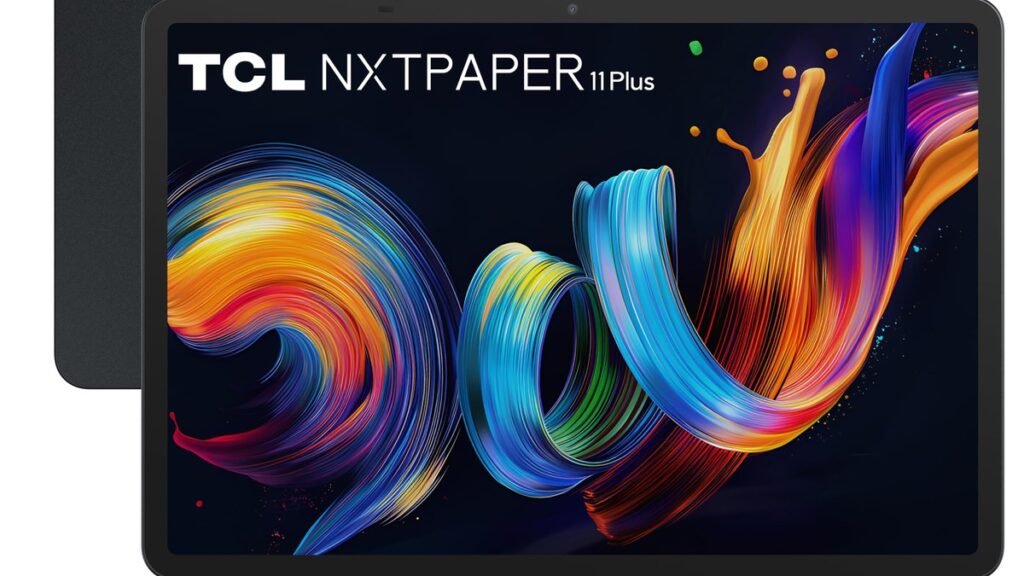
The TCL NXTPAPER 11 Plus for reading is the weirdest tablet you’ll actually love. Here’s the short version: it isn’t trying to beat an iPad on specs. It’s answering a different question — what if a normal Android tablet felt like paper? The answer is a matte, paper-like display with a physical button that flips between three modes: Regular, Ink Paper, and Color Paper. One press turns the same 11.5-inch screen from a regular tablet into something close to an e-reader. If you read for hours on screens, that’s a genuinely compelling trick.
Now the honest part: this isn’t a performance monster, and the matte display comes with real trade-offs. Below, we’ll explain what NXTPAPER technology actually does, who the 11 Plus is really for, where it beats a Kindle or a regular tablet, and where it falls short — so you can decide whether the weirdest tablet of the year belongs in your bag.
What Is NXTPAPER, Exactly?
NXTPAPER is TCL’s proprietary display tech, now in its 4.0 generation, and the 11 Plus is its flagship showcase. Under the hood it’s a matte, nano-etched LCD panel — nano-matrix lithography etching, if you want the technical term — that scatters reflections instead of bouncing them back at you like glossy glass. TCL also filters blue light at the hardware level instead of relying on a software night-mode tint, which should mean less eye fatigue during long reading sessions.
The signature trick is the NXTPAPER Key — a physical button that cycles through three display modes. Regular is the standard full-color tablet experience. Ink Paper goes black-and-white, mimicking an e-ink reader but with LCD-fast refresh rates — text, apps, everything. Color Paper softens colors for comics and magazines. Reviewers keep coming back to how closely Ink Paper mode approximates e-paper, with one huge advantage: everything still scrolls and animates like a normal tablet.
Let’s be clear about what this isn’t. E-ink-style mode aside, this is still an LCD underneath. You won’t get Kindle-like weeks of battery life — though Ink mode stretches it considerably (one reviewer went from a day to over a week of standby in mono mode) — and you won’t get a dedicated e-reader’s sunlight readability. What you do get is a full Android tablet that’s dramatically more comfortable for long reading sessions than any glossy-screen rival.
How to Decide If a Paper-Like Tablet Is Right for You
The NXTPAPER 11 Plus is a specialist device. Run through these questions before you buy.
1. How much of your screen time is reading?
This is the deciding factor. If you spend hours daily on ebooks, articles, PDFs, comics, or documents, the matte display and Ink Paper mode are transformative — multiple reviewers describe noticeably less eye strain, with one reporting milder tension headaches during evening reading. (That’s one person’s experience, not a medical claim.) But if your tablet time is mostly video and games, the muted colors are a downgrade you’ll feel every single day.
2. Can you live with mid-range performance?
The MediaTek Helio G100 with 8GB of RAM is modest by 2026 standards — weaker than the chips in Samsung’s Galaxy Tab A11 Plus or Lenovo’s Idea Tab Plus. In practice, it’s fine. Browsing, streaming, note-taking, split-screen, light multitasking — all smooth, helped along by the 120Hz refresh rate. But heavy games load slowly and run at lower settings, and demanding apps will remind you this isn’t a flagship. Buy it for reading and everyday use. Not as a laptop replacement.
3. Do you want one device or the best device for each job?
The 11 Plus’s whole pitch is consolidation: one device that replaces both your tablet and your e-reader. With the Kindle app installed, it genuinely can — one reviewer packed just the TCL instead of a laptop plus a Kindle. But a dedicated e-reader still wins on battery life and sunlight readability, and a regular tablet wins on color punch and performance. The TCL is a compromise that happens to be excellent at the one specific thing it was designed for.
4. Check the practical details
The practical stuff: the 8,000mAh battery holds standby impressively — reviewers left it for days with minimal drain. There’s no expandable storage. The 8MP cameras are strictly functional — fine for document scanning and video calls. The matte screen also means slightly reduced brightness outdoors. On the plus side, bundles often include a case and stylus, which sweetens the value considerably. For a broader view of the tablet landscape, our iPad Air M4 guide covers what the mainstream alternative offers.
The TCL NXTPAPER 11 Plus in Detail
TCL NXTPAPER 11 Plus — the paper-like tablet
An 11.5-inch Android tablet (Android 15) built around the NXTPAPER 4.0 display: 2.2K resolution, 120Hz refresh rate, 100% sRGB coverage, and a physical NXTPAPER Key for instant mode switching. The Helio G100, 8GB RAM, and 256GB storage handle everyday tasks comfortably. The 8,000mAh battery with 33W charging keeps it going, and the slim 6.5mm metal build stays comfortable through long reading sessions. It’s the rare budget tablet with a genuinely unique reason to exist.
Pros:
- Paper-like matte display dramatically reduces glare and eye strain
- Ink Paper mode mimics an e-reader while keeping LCD speed
- Physical mode-switch button is genuinely useful, not a gimmick
- 120Hz refresh rate keeps everyday use feeling smooth
- Strong value — often bundled with case and stylus
Cons:
- Helio G100 is modest — not for gamers or power users
- Muted colors won’t satisfy anyone who wants display punch
Best for: Heavy readers who want one device for books, articles, comics and everyday tablet tasks.

The alternative: a dedicated e-reader
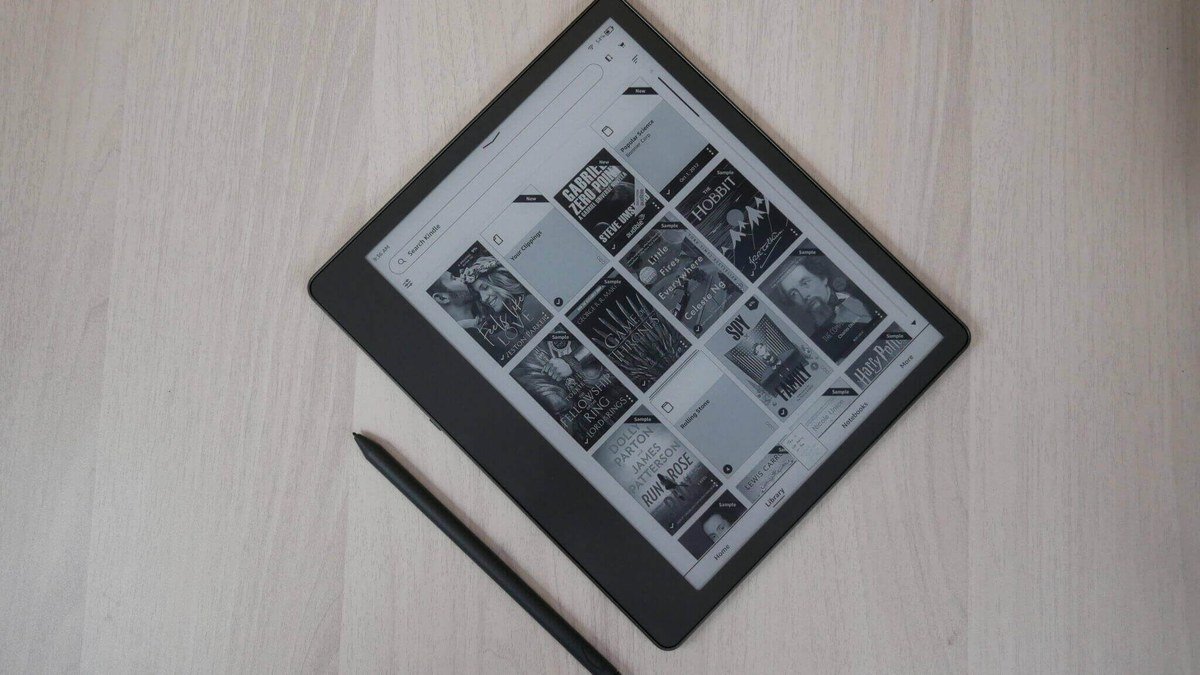
If your reading is 95% books and you value weeks-long battery life and true sunlight readability, a dedicated e-ink reader still wins. You give up apps, color, and speed — but you gain the purest reading experience and a device that disappears into the task. Choose this if you already own a tablet you like and just want a better reading device.
Pros:
- Weeks of battery life; superb sunlight readability
- Cheaper and lighter than any tablet
Cons:
- Slow, monochrome, no real apps
- Another device to carry and charge (occasionally)
Best for: Book purists who read mostly novels and want maximum battery life.
The alternative: a regular tablet
A conventional glossy tablet — iPad, Galaxy Tab, or similar — wins on color vibrancy, performance, and app polish. If your screen time leans toward video, gaming, and creative work with reading as a side activity, the regular tablet is the better buy. You’ll just want night mode on and regular breaks during long reading sessions.
Pros:
- Punchier display, faster chips, better app ecosystems
- Better for video, gaming and creative work
Cons:
- Glossy screens cause more glare and eye fatigue
- No e-reader-like reading mode
Best for: Everyone whose tablet is primarily for media and apps, not books.
Paper-Like Tablet vs E-Reader vs Regular Tablet
| Device type | Reading comfort | Versatility | Battery life | Best for |
|---|---|---|---|---|
| TCL NXTPAPER 11 Plus | Excellent — matte, Ink Paper mode | Full Android tablet | Good; great in Ink mode standby | Readers who want one device |
| Dedicated e-reader | Best — true e-ink | Books only | Weeks | Book purists |
| Regular tablet | Average — glossy screen | Best apps & performance | Good | Media and gaming first |
As an Amazon Associate I earn from qualifying purchases.
TCL NXTPAPER 11 Plus for Reading: FAQs
Is the NXTPAPER 11 Plus a good replacement for a Kindle?
For many readers, yes. Install the Kindle app, flip to Ink Paper mode, and you get a convincing e-reader experience with a much faster screen — plus a full Android tablet whenever you want one. You won’t match a Kindle’s weeks-long battery or sunlight readability. But you gain color, apps, and speed. If you read mostly at night or indoors, that’s a trade worth making.
Does the matte display really reduce eye strain?
The hardware-level blue light filtering and anti-glare etching are real and measurable — NXTPAPER 4.0 filters significantly more blue light than conventional tablets. Multiple reviewers report noticeably more comfortable long reading sessions. Everyone’s eyes are different, but if glossy screens bother you, this is the most comfortable LCD tablet display you can buy.
Can the NXTPAPER 11 Plus handle note-taking?
Yes, reasonably well. The matte texture feels more paper-like under a stylus than glossy glass, and bundles often include a pen. It’s no reMarkable or iPad Pro with Pencil Pro for serious digital artists — but for annotating PDFs, jotting lecture notes, and sketching ideas, it’s perfectly capable.
How does it compare to a regular budget tablet?
On raw specs, it loses: the Helio G100 trails the chips in Samsung and Lenovo budget tablets, and the colors are deliberately muted. On reading comfort, it wins by a mile. So it comes down to what you value. Best budget tablet for general use? Look at a Galaxy Tab. Best budget tablet for reading? This is it. Our OnePlus Pad 4 review covers a strong general-purpose alternative with exceptional battery life.
Is it good for kids or students?
It’s a strong pick for students who read a lot — textbooks, papers, and articles are far more comfortable on the matte display, and the lower blue light is a genuine plus for late-night study sessions. The modest performance is fine for schoolwork. Just don’t buy it for a student who mainly wants to game.
Final Verdict: TCL NXTPAPER 11 Plus
Verdict: the TCL NXTPAPER 11 Plus isn’t the tablet for everyone. Gamers, power users, and anyone chasing flagship performance should look elsewhere. But for its intended audience, it’s quietly one of the best-value tablets of the year. The paper-like display isn’t a gimmick — it’s a meaningful comfort upgrade that changes how much you enjoy reading on a screen, and Ink Paper mode is the rare feature that works exactly as advertised. If you read for hours a day and want one device instead of a tablet plus an e-reader, this weird little tablet might be exactly what you’ve been waiting for.
Affiliate Disclosure: This article contains affiliate links. If you purchase through them, we may earn a commission at no extra cost to you.
Where to Buy: Check Price on Amazon · Compare Prices on Daraz · Check Daraz Deals · Check AliExpress Price · See AliExpress Deals
Check the price on AliExpress — the global marketplace with millions of tech products.
As an AliExpress affiliate, we may earn a commission on qualifying purchases.
















Pingback: Galaxy Tab S11 Ultra vs iPad Pro: Which to Buy?