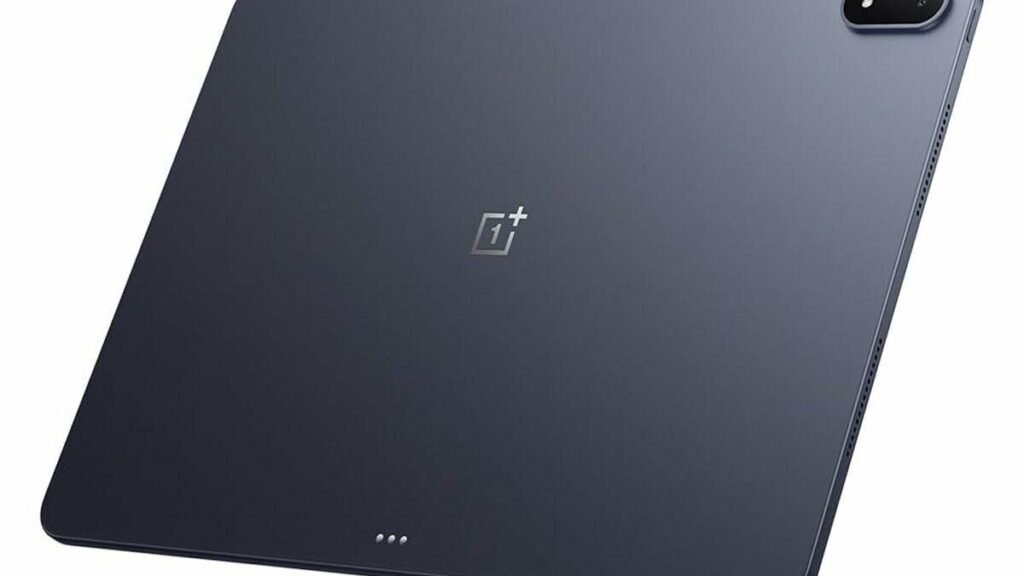
Here’s the thing about tablet batteries: most of them are dead by dinner if you actually use the tablet. The OnePlus Pad 4 is built to fix exactly that — a massive 13,380mAh cell with a tested Wi-Fi runtime of around 25.3 hours. That’s roughly double the Honor MagicPad 4’s 13.1 hours in the same test. Our OnePlus Pad 4 review covers that marathon endurance, the gorgeous 144Hz display, and OxygenOS multitasking — plus the catch hiding in the title. At around 675 grams, your arms will absolutely notice the battery you’re carrying.
So this guide translates the battery specs into actual days — not lab hours. We’ll cover what to check before buying a big Android tablet (weight, software, accessories), how the Pad 4 stacks up against rivals, and answer the questions buyers actually ask. Short version: students with long class days, business travelers, and anyone who treats a low-battery warning as a personal insult will love this thing. But if you read in bed holding a tablet one-handed for hours, the weight is a real problem. Keep reading.
What 13,380mAh actually means in real life
Battery numbers are abstract. Days aren’t. Here’s the real math: a busy day of classes or meetings might mean 8–10 hours of screen time. The Pad 4’s tested ~25 hours of Wi-Fi runtime gets you two full heavy days without charging. More realistically? A week of moderate evenings — a couple of hours of video, reading, and browsing per night — before the low-battery warning ever shows up. Reviewers report 10–11 hours of video playback at full brightness, and one outlet’s PCMark battery test logged over 14 hours. However you slice it, this is the longest-lasting premium Android tablet you can buy.
The rest of the package earns the “premium” label too. The 13.2-inch display pushes 3.4K resolution at 144Hz — sharp, buttery, and bright enough to use near a sunny window. The flagship Snapdragon-class chip posted chart-topping benchmark scores for a tablet. And OxygenOS 16 brings Open Canvas multitasking: three apps side by side plus floating windows, file management that’s actually useful, and cross-device features that make the Pad 4 a plausible laptop stand-in for light work. The 8-speaker setup (four woofers, four tweeters) turns it into a legit media machine.
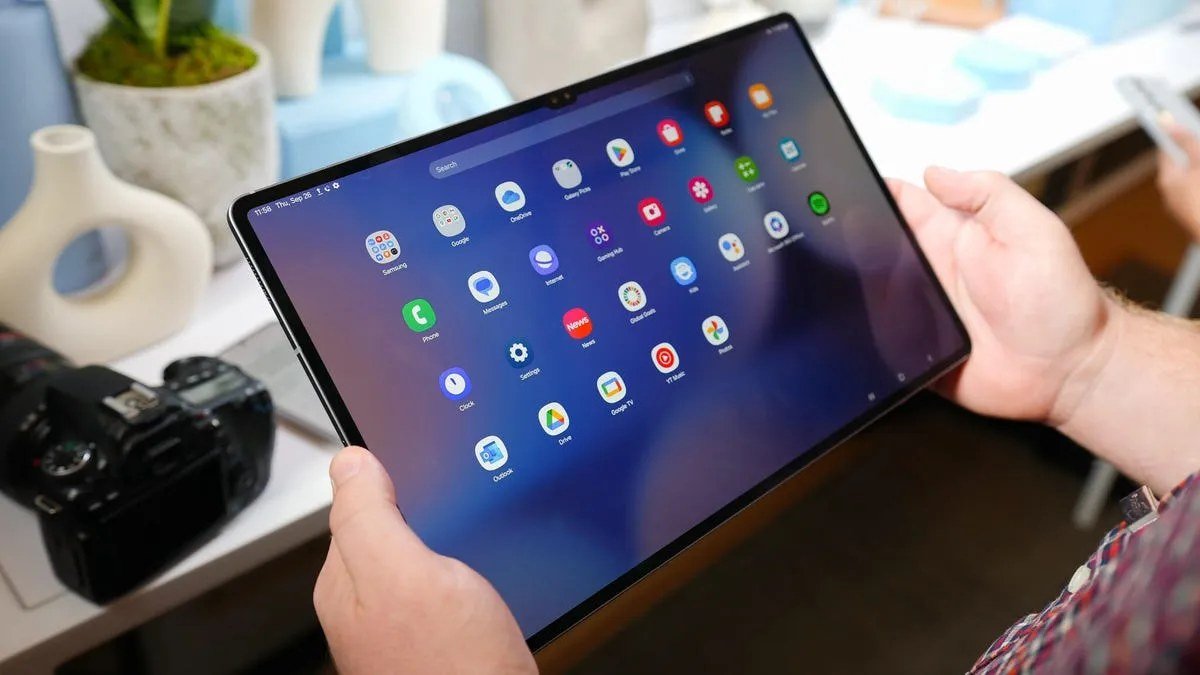
Now the weight. Physics still exists — 13,380mAh of battery weighs something, and the Pad 4 lands at around 675 grams. That’s roughly 50% heavier than a 10-inch tablet. On a desk, a lap, or a stand, you’ll never notice. Hold it one-handed on a train or above your face in bed, and you’ll feel every gram within half an hour. This is the central trade-off of the whole product, and no software update will fix it.
OnePlus Pad 4 review: buying guide
Buying a big tablet is a different decision than buying a small one. Here’s what actually matters.
1. Be honest about how you’ll hold it
This is the decision that matters most, so be honest with yourself. Where will this tablet actually live? Desk, lap, or stand — lectures, a second screen at work, kitchen recipes, bedside video — the Pad 4 is perfect, and the weight never registers. But handheld — reading in bed, standing on transit, wandering the house — the 675g weight becomes the dominant fact of ownership within weeks. Mostly handheld? A lighter tablet like the Amazon Fire HD 10 or an 11-inch iPad will make you happier, even with worse battery. Mostly stationary? The Pad 4’s endurance is pure win. No wrong answer — just a wrong match.
2. Software and updates: the Android tablet question
Android tablets live or die by software support. OnePlus promises around three years of OS updates plus four years of security patches — decent, not exceptional. The software itself, though? OxygenOS 16 is the best Android tablet software going. Open Canvas multitasking genuinely beats split-screen on rivals, and second-screen mode (using the tablet as a wireless display for your laptop) adds real versatility. The one caveat is the ecosystem gap. If you’re deep in Apple-land, our best tablet for most people guide explains why the iPad still wins for most buyers — Android tablet app optimization has improved a lot, but it’s still not at iPad parity.
3. Accessories: budget beyond the tablet
The Pad 4’s laptop-replacement dreams depend on accessories that cost extra. The Stylo Pro stylus (16,000 pressure levels — a real upgrade for note-takers and sketchers) and the keyboard cover are sold separately, and reviewers say the accessory ecosystem still feels like it’s coming together. So price the bundle, not just the tablet. And know the honest limitations reviewers keep flagging: no 5G (Wi-Fi only), no fingerprint scanner, and no HD playback on Netflix or Prime Video at launch. That last one stings on a media-first tablet at this price.
4. Charging: big battery, fast refill
A huge battery is only half the story. The other half: how long you’re tethered when it finally runs dry. The Pad 4 supports 80W SUPERVOOC charging and refills the 13,380mAh cell in about an hour and 45 minutes — and the charger comes in the box. For a battery this size, that’s genuinely fast (plenty of rivals need 3+ hours). Even a 20-minute top-up buys you hours. For travel, pair it with a compact high-wattage brick from our best GaN chargers roundup.
Our pick: the endurance tablet
OnePlus Pad 4
The Pad 4 answers the most common tablet complaint — “it’s always dying.” With ~25 hours of tested Wi-Fi runtime, multi-day real-world endurance, and 80W charging that refills it in under two hours, charging just stops being something you think about. And around that battery, OnePlus built a genuinely premium tablet: a stunning 3.4K 144Hz display, flagship performance, the best multitasking software on any Android tablet, and an 8-speaker system that makes movies a joy.
The compromises: 675g of heft that punishes handheld use. No cellular option. No fingerprint sensor. Accessories sold separately. That Netflix HD playback issue. If your tablet lives on desks and laps, none of this matters. If it lives in your hands, all of it does.
Pros:
- Marathon battery: 13,380mAh, ~25h tested Wi-Fi runtime — best in class
- Gorgeous 13.2″ 3.4K 144Hz display and flagship-level performance
- OxygenOS 16 with Open Canvas — the best Android tablet multitasking
- 80W SUPERVOOC charging (charger included); great 8-speaker audio
Cons:
- Heavy at ~675g — uncomfortable for extended one-handed/handheld use
- No 5G option, no fingerprint scanner, no Netflix/Prime HD playback; accessories cost extra
Best for: Students with long class days, business travelers, and anyone who values battery life above all — provided the tablet mostly lives on a desk, lap, or stand.

OnePlus Pad 4 vs. the alternatives
| Tablet | Battery | Weight | Display | Best for |
|---|---|---|---|---|
| OnePlus Pad 4 | 13,380mAh (~25h tested) | ~675g | 13.2″ 3.4K 144Hz LCD | Maximum endurance + performance |
| Honor MagicPad 4 | 10,100mAh (~13h tested) | 450g | 12.3″ OLED 144Hz | Light + OLED screen |
| Amazon Fire HD 10 | ~13h rated | ~430g | 10.1″ Full HD | Budget media tablet |
The trade-offs couldn’t be clearer. The Pad 4 doubles the MagicPad 4’s tested runtime but weighs 50% more. The Honor trades endurance for OLED and lightness. The Fire HD 10 costs a fraction of the price for casual media use. Pick your priority — endurance, lightness, or price — and the table picks your tablet.
OnePlus Pad 4 review: FAQs
How long does the OnePlus Pad 4 battery really last?
Around 25.3 hours of Wi-Fi runtime in independent testing — roughly double the Honor MagicPad 4’s 13.1 hours — with PCMark tests logging 14+ hours. In day-to-day use, most reviewers land on 10–11 hours of video playback at full brightness and comfortable multi-day mixed use. For a student or traveler, that’s two heavy days or a week of evenings without charging. Best battery life on a premium Android tablet, full stop.
Is the OnePlus Pad 4 too heavy?
At around 675 grams, it’s noticeably heavier than most tablets — and that’s the main downside. On a desk, lap, or stand, the weight doesn’t register. Held one-handed for long reading sessions or standing commutes, it gets tiring. If your tablet life is mostly handheld, buy lighter. If it’s mostly stationary, the weight buys you the best battery life in the class. Worth the trade.
Can the OnePlus Pad 4 replace a laptop?
For light work — surprisingly well. Open Canvas multitasking (three apps side by side plus floating windows), second-screen mode, and solid keyboard/stylus accessories make it a plausible laptop stand-in for notes, documents, email, and media. It won’t replace a laptop for heavy desktop software, coding, or serious content creation. But as a travel companion covering 80% of laptop tasks with far better battery? Convincing.
Does the OnePlus Pad 4 have 5G?
No — Wi-Fi only, with no cellular option. Away from Wi-Fi, you’ll be tethering to your phone’s hotspot (the huge battery handles that fine) or looking at a cellular-capable alternative. For most students and home users on Wi-Fi, it’s a non-issue. For field workers and frequent flyers, good to know upfront.
OnePlus Pad 4 vs iPad: which should I buy?
Buy the Pad 4 if battery life and multitasking flexibility top your list — it outlasts any iPad, and Open Canvas beats iPadOS multitasking for plenty of workflows. Buy the iPad if you want the best tablet app ecosystem, longer software support, better accessory integration (Pencil, Magic Keyboard), or you’re already in the Apple ecosystem. Our best tablet guide breaks down which iPad to get.
Final verdict
Verdict first: the OnePlus Pad 4 fixes the single most annoying thing about tablets — they’re always dying. The 13,380mAh battery delivers ~25 hours of tested runtime, so it goes days between charges, and around it you get a gorgeous 3.4K 144Hz display, flagship performance, and the best multitasking software on any Android tablet. The price is weight — 675 grams your arms will feel — plus the usual Android tablet caveats (no 5G, no fingerprint scanner, accessories extra). If your tablet lives on desks, laps, and stands, this is the endurance champion. Easy recommendation. If it lives in your hands, buy lighter. Either way, it’s the tablet that finally made “forget your charger” a realistic plan.
Affiliate Disclosure: This article contains affiliate links. If you purchase through them, we may earn a commission at no extra cost to you.
Where to Buy: Check Price on Amazon · See Amazon Deals · Compare Prices on Daraz · Check Daraz Deals · Check AliExpress Price · See AliExpress Deals
Check the price on AliExpress — the global marketplace with millions of tech products.
As an AliExpress affiliate, we may earn a commission on qualifying purchases.