Best Video Doorbell 2026: Ring vs Google Nest Compared
Choosing the best video doorbell in 2026 mostly comes down to one question: are you an Alexa household or a Google Home household? Ring and Google Nest dominate the US market, and both make excellent doorbells — but they differ sharply on video quality, subscription costs, and smart features. Pick the wrong ecosystem and you’ll fight your own smart home every day.
In this guide, we compare the Ring Battery Doorbell Pro vs Google Nest Doorbell head-to-head, cover the best alternatives for every budget, and break down the real cost of ownership — because the subscription is where these companies actually make their money.
Best Video Doorbells 2026: At a Glance
| Doorbell | Price | Video | Power | Best for |
|---|---|---|---|---|
| Ring Battery Doorbell Pro | $229.99 | 1536p HD+ head-to-toe | Battery or wired | Best overall |
| Google Nest Doorbell (Battery) | $179.99 | 960×1280 HD, HDR | Battery or wired | Best smart alerts |
| Google Nest Doorbell (Wired, 3rd gen) | $240 | 2K, HDR | Wired | Best wired / Google homes |
| Ring Battery Doorbell | $99.99 | 1440×1440 head-to-toe | Built-in battery or wired | Best budget |
| Eufy Security S220 | ~$150 | 2K | Battery | Best no-subscription |
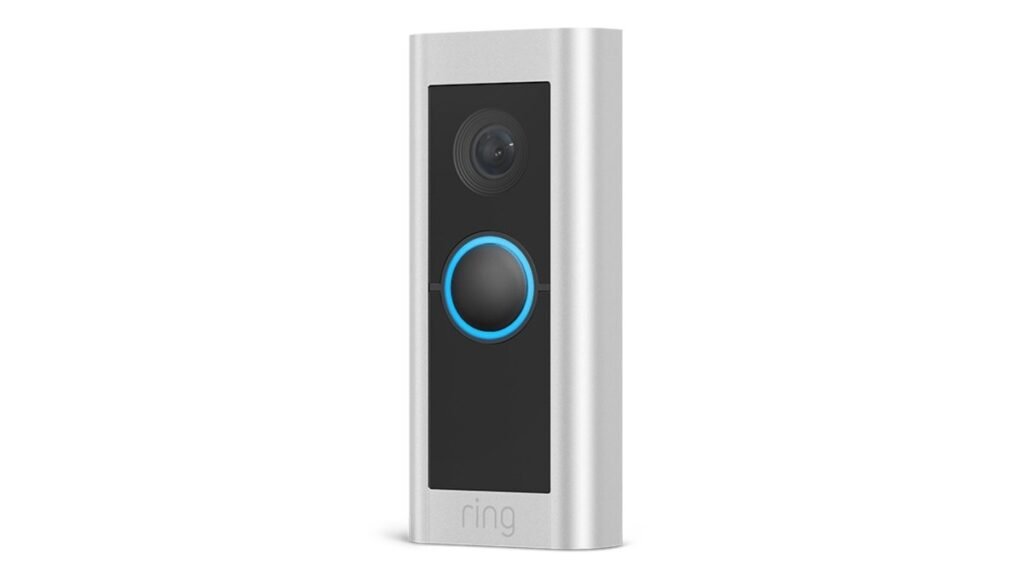
Best overall: The Ring Battery Doorbell Pro combines 1536p head-to-toe video, radar-powered 3D motion detection, and color night vision — the most complete package for Alexa households.
As an Amazon Associate I earn from qualifying purchases.
Ring vs Nest: Head-to-Head Comparison
| Feature | Ring Battery Doorbell Pro | Google Nest Doorbell (Battery) |
|---|---|---|
| Price | $229.99 | $179.99 |
| Resolution | 1536p HD+ head-to-toe (150° × 150°) | 960×1280 HD, HDR (145° diagonal) |
| Night vision | Color night vision (Low-Light Sight) | Infrared black-and-white |
| Motion detection | 3D radar with Bird’s Eye View mapping | On-device AI: person, package, animal, vehicle |
| Power | Quick-release battery pack or hardwired | Rechargeable battery or hardwired |
| Free video history | Live view only — recording needs Ring Home plan | 3 hours of event clips free |
| Subscription | Ring Home from $4.99/mo per device | Nest Aware from $8/mo (covers all devices) |
| Smart home | Alexa (Echo announcements, Echo Show video) | Google Home (Hub/Nest displays, Assistant) |
| Weather rating | -4°F to 122°F | 14°F to 104°F |
Best Overall: Ring Battery Doorbell Pro ($229.99)
The Ring Battery Doorbell Pro is the best video doorbell for most US homes in 2026. Its 1536p HD+ head-to-toe video captures visitors from head to toe plus packages on the ground — the tall 150° × 150° field of view is genuinely more useful than the wider-but-shorter views on rivals. Radar-powered 3D motion detection with Bird’s Eye View maps exactly where a visitor walked on an overhead view of your property, cutting false alerts dramatically.
Low-Light Sight delivers color night vision that keeps working in dim conditions where other doorbells switch to grainy black-and-white, and Two-Way Talk with Audio+ makes conversations with delivery drivers sound natural. The quick-release battery pack pops out for charging without removing the doorbell, and it can also be hardwired to existing doorbell wiring.
The catch is the subscription: without a Ring Home plan (from $4.99/month per device), you get live view and notifications but no recorded video history. Person and package alerts also require the plan. If you’re already in the Alexa ecosystem — Echo speakers for announcements, Echo Show for video — this is the obvious pick.
Best Smart Alerts: Google Nest Doorbell (Battery) ($179.99)
The Nest Doorbell is the best video doorbell for Google Home households, and it wins on intelligence. Its on-device AI distinguishes people, packages, animals, and vehicles without a subscription, and you get 3 hours of event video history free — something Ring doesn’t offer at all without paying.
The 960×1280 HDR video is a step below Ring’s 1536p in raw resolution, and night vision is standard infrared rather than color, but HDR keeps faces readable in harsh backlight. Battery installation takes minutes with no wiring, and it integrates beautifully with Google Home: doorbell announcements on Nest speakers, live video on Nest Hub displays, and familiar-face detection with Nest Aware.
Nest Aware ($8/month) covers all your Nest cameras under one plan with 30 days of event history — better value than Ring if you own multiple cameras. The wired 3rd-gen Nest Doorbell ($240) upgrades to 2K video with Gemini-powered summaries if you have existing doorbell wiring.
Best Budget: Ring Battery Doorbell ($99.99)
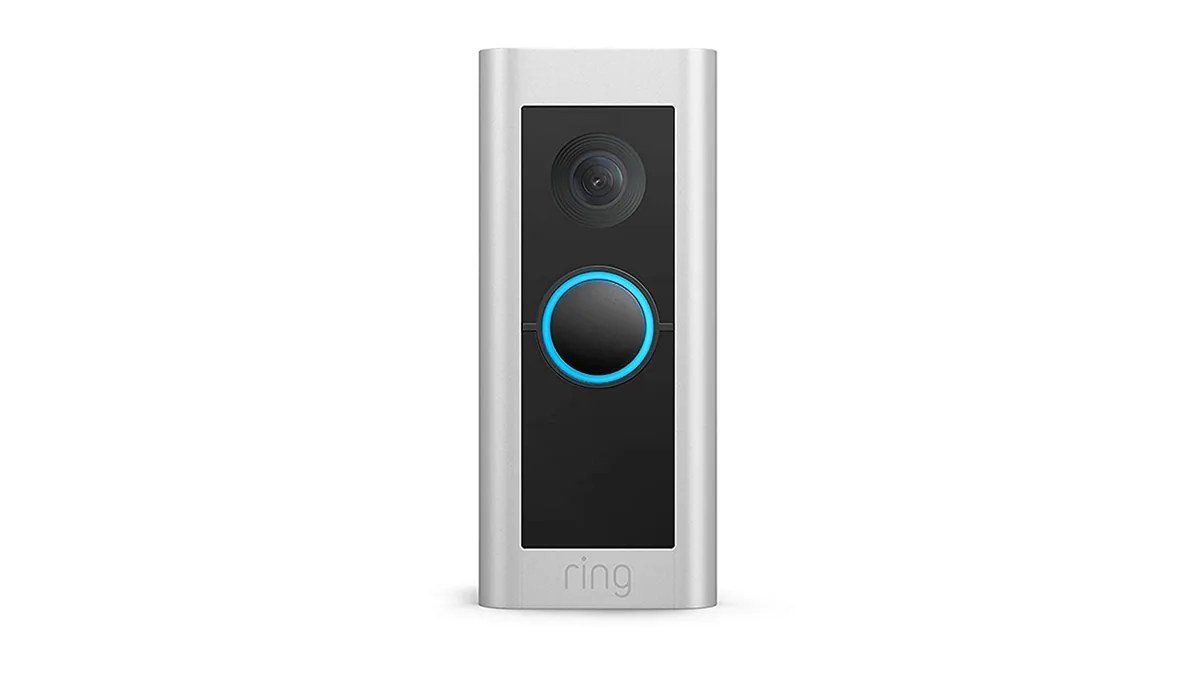
At $99.99 (often on sale under $70), the standard Ring Battery Doorbell is the best video doorbell under $100. You still get head-to-toe 1440×1440 video, color night vision, motion alerts, and two-way talk — the core experience is remarkably close to the Pro. You lose the 3D radar motion detection, the resolution drops a notch, and the battery is built-in rather than swappable, but for renters and budget buyers it’s a fantastic value.
Best No-Subscription: Eufy Security S220 (~$150)
Hate subscriptions? The Eufy S220 records 2K video to local storage (built-in, expandable) with no monthly fee — ever. Video quality is excellent, installation is simple, and it works with both Alexa and Google Home. You give up some AI polish and the deep ecosystem integrations of Ring/Nest, but the total cost of ownership over three years is hundreds less.
Ring vs Nest: The Real Cost Over 3 Years
The sticker price is only half the story. Here’s what each ecosystem costs over three years with one doorbell:
- Ring Battery Doorbell Pro: $229.99 + Ring Home ($4.99/mo × 36 = $179.64) = ~$410
- Nest Doorbell (Battery): $179.99 + Nest Aware ($8/mo × 36 = $288) = ~$468 — but that one plan covers every Nest camera you own
- Eufy S220: ~$150 + $0 = ~$150
With two or more cameras, Nest Aware’s single-plan pricing pulls ahead of Ring’s per-device plans. With zero tolerance for fees, Eufy wins outright.
How to Choose the Best Video Doorbell
- Match your smart home ecosystem. Alexa household → Ring. Google Home household → Nest. This matters more than any spec difference.
- Check your power situation. No existing doorbell wiring? Get a battery model. Have wiring? A wired doorbell never needs charging and enables 24/7 recording options.
- Budget for the subscription. A doorbell without video history is just a fancy peephole. Factor 2–3 years of plan costs into your decision.
- Consider your climate. Ring handles wider temperature extremes (-4°F to 122°F) than Nest (14°F to 104°F) — relevant for northern winters and desert summers.
- Renters: battery doorbells install with adhesive or minimal screws and come with you when you move.
Building a smarter front door? See our roundup of the smart home devices actually worth buying in 2026 for cameras, locks, and hubs that pair with your new doorbell. And since video doorbells live on your WiFi, make sure your network is up to the job with our home tech essentials guide — plus a reliable power bank for the phone you’ll be answering the door from.
Video Doorbell Installation Tips
- Mount at the right height. 48 inches (about chest height) is the sweet spot — high enough to see faces, low enough to catch packages on the ground. Too high and you’ll film the tops of heads; too low and you’ll miss faces entirely.
- Mind your WiFi signal. Video doorbells live at the edge of your home’s WiFi coverage — often on the other side of a brick or metal door. If your router is far from the front door, consider a mesh node or access point nearby. Choppy video is almost always a WiFi problem, not a doorbell problem.
- Angle it toward the walkway. Most doorbells include a 15° corner kit in the box. Use it if your door faces a wall or your walkway approaches from the side — it dramatically improves motion detection and face capture.
- Set motion zones on day one. Both Ring and Nest let you draw custom motion zones and exclude the street. Spend five minutes configuring this and you’ll cut false alerts from passing cars by 90%.
- Charge battery models before mounting. They rarely arrive fully charged. Top them up via USB first so you’re not pulling the doorbell down an hour after installation.
- Check local recording laws. Audio recording consent laws vary by US state, and some HOAs restrict doorbell cameras. A quick check beats an awkward neighbor dispute.
Frequently Asked Questions
Do I need a subscription for a video doorbell?
For Ring, yes — recorded video history, person/package alerts, and rich notifications all require a Ring Home plan (from $4.99/month per device). Nest gives you 3 hours of event history and intelligent alerts free, with Nest Aware ($8/month) adding 30 days of history and familiar-face detection. Eufy records locally with no subscription at all.
Ring vs Nest: which has better video quality?
Ring’s Battery Doorbell Pro (1536p) out-resolves the Nest Doorbell Battery (960×1280) and adds color night vision. However, the wired 3rd-gen Nest Doorbell’s 2K HDR video with Gemini AI features is arguably the best wired option. For most buyers, both are sharp enough to identify faces and read package labels.
Can I install a video doorbell myself?
Yes — battery models install in about 5–10 minutes with basic tools and no wiring. Wired models take 15–30 minutes if you have existing doorbell wiring; if you don’t, hire an electrician or stick with battery.
How long does a battery video doorbell last per charge?
Manufacturers claim 2–6 months, but real-world battery life with moderate motion traffic is typically 3–6 weeks for Ring and 1–3 months for Nest, depending on temperature, activity, and settings. Cold weather shortens battery life significantly.
Will a video doorbell work with my existing chime?
Battery models generally can’t ring a traditional mechanical chime — you’ll rely on phone notifications and smart speakers (Echo or Nest) for indoor alerts. Wired models can usually trigger your existing chime. Both Ring and Nest also sell wireless chime accessories.
Are video doorbells worth it for apartments?
Often yes, with caveats. Battery doorbells are renter-friendly and great for monitoring packages. But check your lease and local laws about recording shared hallways, and note that high foot traffic in apartment buildings can drain batteries faster and generate more alerts.
Affiliate Disclosure: This article contains affiliate links. If you purchase through them, we may earn a commission at no extra cost to you.
Where to Buy: Check Price on Amazon · See Amazon Deals · Compare Prices on Daraz · Check Daraz Deals · Check AliExpress Price · See AliExpress Deals
Check the price on AliExpress — the global marketplace with millions of tech products.
As an AliExpress affiliate, we may earn a commission on qualifying purchases.