Best Desk Lamps for Home Offices in 2026: 5 Eye-Friendly Picks
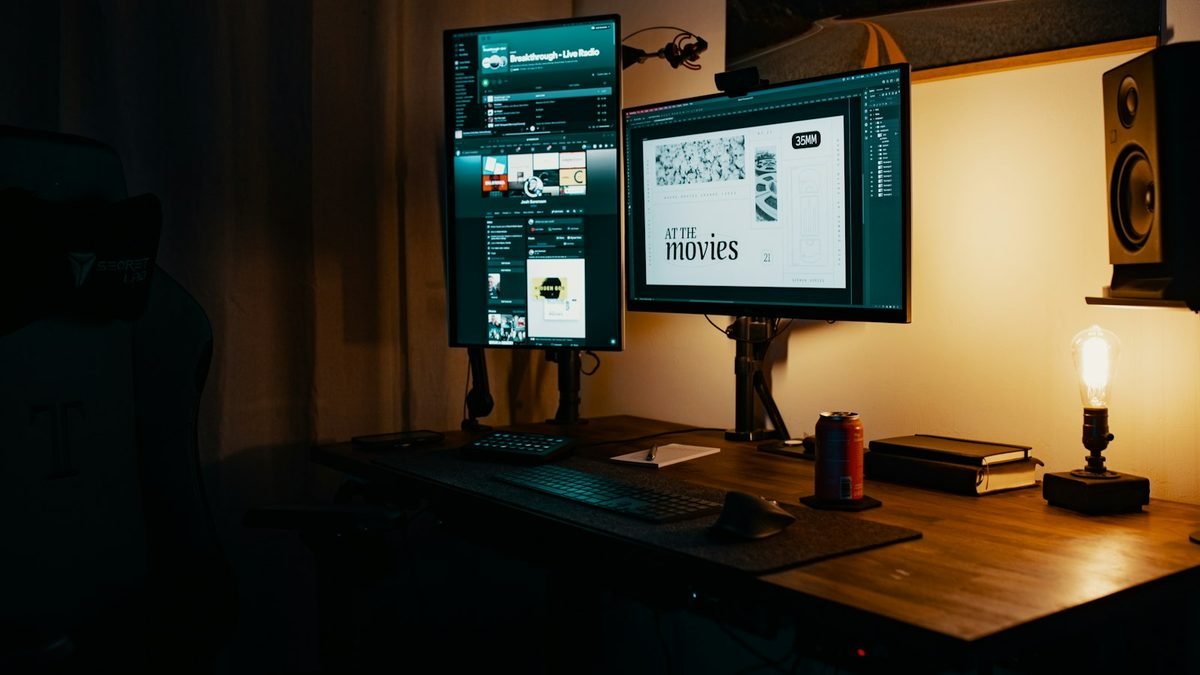
A good desk lamp does a lot more than light up your keyboard — it’s one of those rare upgrades you actually feel. If your workdays end with dry eyes, a dull headache, or that hollowed-out, stared-at-a-screen-too-long fatigue, your lighting is probably the culprit. We rounded up five of the best desk lamps for home offices in 2026, from a serious eye-care flagship down to a $20 IKEA classic that punches way above its price.
Disclosure: This article contains affiliate links. As an Amazon Associate, we earn from qualifying purchases. We may also earn commissions from Daraz and AliExpress purchases made through links on this page, at no extra cost to you.
Why your desk lighting matters more than you think
Be honest: your home office lighting was probably an accident. A ceiling fixture meant for the living room. Whatever bulb happened to be in the socket when you moved in. That light is usually too dim where you actually work, too harsh overhead, and the wrong color for a workday — a perfect recipe for eye strain. The American Optometric Association has linked poor workplace lighting to headaches, neck tension, and fading focus for years. None of that is news. We just keep ignoring it.
What fixes it is task lighting — light aimed at your desk instead of the whole room. You want roughly 500 to 1,000 lux at the work surface (lux just measures light landing on a surface), color temperature you can shift from warm 2700K in the evening to a cooler 4000–5000K when you need to focus, and a CRI (Color Rendering Index) of 90 or higher so colors look like themselves instead of washed out. Nail those three and your eyes get a genuinely easier day.
Then there’s the part most people miss: flicker and glare. Cheap LED lamps pulse faster than your eye can consciously see — point a phone camera at one and you’ll catch the shimmer. Hours of that quietly wears your eyes out. The good lamps are flicker-free and use an asymmetric or shaded head that keeps light off your screen. And if the rest of your place already runs on smart bulbs, our guide to the best smart lights of 2026 will sort out the room around your desk too.
How to pick the right desk lamp
1. Brightness and color temperature
Adjustable brightness, adjustable color temperature — those two matter more than anything else on the spec sheet. Warm light around 2700K feels right in the evening; neutral-to-cool 4000K–5000K keeps you sharp during work hours. A lamp stuck on one setting will feel wrong half the day, guaranteed. If you’re comparing lumens, 400–800 is the sensible range for a desk.
2. Flicker, glare, and CRI
Flicker-free LED drivers and a shaded or asymmetric light head are worth paying for. Honestly, this is the single biggest comfort gap between a $20 lamp and a $100 one. Check the CRI too — 90+ means skin tones, documents, and colors look right. And if your monitor is glossy, matte finishes and diffusers cut the harsh reflections.
3. Adjustability and footprint
An articulating arm, a tilting head, a clamp mount — these let you aim light exactly where you need it and get the base off your desk. Clamp or wall-mounted is the move for small desks; go with a weighted base if you rearrange a lot. One thing people forget: light should come from the opposite side of your writing hand. Right-handed? Put the lamp on the left. Otherwise your own hand throws a shadow right over what you’re writing.
4. Smart features (nice to have)
App control, scheduling, voice-assistant support — genuinely convenient stuff. But don’t pay a premium for smarts on a lamp with mediocre light. The light comes first, always. If you do want the full smart setup, our smart home setup that doesn’t need the cloud has ideas that keep working even when the internet drops.
Our 5 picks for the best desk lamps
1. BenQ WiT MindDuo 2 — Best Overall Desk Lamp for Eye Comfort
Our overall pick, and it’s not particularly close. The BenQ WiT MindDuo 2 was designed around eye comfort from the ground up — the wide, curved head throws a 150cm-wide pool of flicker-free light across the desk, so there are no hot spots or dark corners. The ambient light sensor quietly adjusts brightness as your room changes through the day, and the dual-zone knob lets you set desk and ambient light separately. It also dims down properly for late-night sessions instead of just going “slightly less bright.”
Specs (generic-safe): wide curved head for broad coverage | flicker-free LED | adjustable brightness + color temperature | ambient light sensor with auto-dimming | clamp or base mount
Pros: Remarkably even, wide coverage; truly flicker-free; auto-dimming that actually helps instead of showing off; solid build with flexible mounting.
Cons: Costs a premium; the design is function-first, not a looker; no smart-app control.
Best for: anyone pulling long hours who wants the most comfortable light they can buy.
2. Dyson Lightcycle Morph — Best Premium Smart Desk Lamp
This is the splurge, and we get it — it’s a lot of money for a lamp. The Dyson Lightcycle Morph earns its spot with one genuinely useful trick: it tracks your local daylight and continuously matches its color temperature and brightness to it. The head, arm, and base all pivot, so it works as a focused task lamp or a soft ambient light depending on the moment.
Specs (generic-safe): daylight-tracking light engine | multiple positioning modes (task, indirect, ambient) | adjustable brightness + color temperature | app control
Pros: Daylight tracking you can genuinely feel; extremely flexible positioning; premium build; doubles as ambient room lighting.
Cons: Very expensive; the app is mostly just scheduling; takes up real desk space.
Best for: design-conscious buyers who want one lamp that adapts itself all day long.
3. Philips Hue Iris — Best Smart Desk Lamp
Want your desk lamp to join your smart lighting scenes? The Philips Hue Iris is the easy answer. It’s a compact table lamp that washes the wall behind your desk in color — but flip it to warm-to-cool white and it’s a perfectly good everyday work lamp. It slots into the Hue ecosystem for schedules, routines, and voice control, and the gradient effects make a genuinely nice backdrop for video calls.
Specs (generic-safe): 16 million colors + tunable white | Hue app, schedule, and voice-assistant support | compact sculptural design | requires Hue Bridge for full features
Pros: Best smart lighting ecosystem in the game; doubles as ambient decor; easy setup; schedules just work.
Cons: Not a true task lamp — there’s no focused downward beam; you’ll want a Hue Bridge for the full experience; costs more than basic lamps.
Best for: Hue households that want desk light with scenes and mood lighting built in.
4. LEPOWER Metal Desk Lamp — Best Budget LED Desk Lamp
The LEPOWER metal desk lamp is the budget world’s Amazon bestseller, and here’s the thing: it’s genuinely good. Aluminum swing arm, multiple brightness levels, several color modes — the core feature set of lamps costing three times as much. And the all-metal build feels far sturdier than the plastic competition at this price.
Specs (generic-safe): metal swing-arm construction | multiple brightness levels | multiple color temperatures | touch controls | weighted base
Pros: Outstanding value; solid metal build; adjustable arm and head; bright enough, with enough modes for real work.
Cons: Narrower light pool than premium lamps; touch controls can be finicky; no flicker-free certification.
Best for: students and budget shoppers who want a genuinely capable LED lamp for around $40.
5. IKEA FORSÅ — Best Classic Budget Desk Lamp
The IKEA FORSÅ is the workhorse. A simple steel work lamp — adjustable arm, adjustable shade, about $20. There’s no built-in LED engine, which is actually the point: you supply your own bulb, so you can drop in a high-CRI, flicker-free LED in exactly the color temperature you like. It’s the cheapest route to genuinely good desk lighting, and the retro-industrial look works on pretty much any desk.
Specs (generic-safe): adjustable steel arm and shade | standard bulb socket (bulb not included) | weighted base | powder-coated finish
Pros: Dirt cheap; you pick the exact bulb (color temp, CRI, all of it); durable steel build; timeless look.
Cons: Bulb sold separately; no built-in dimming; one shade means a narrower pool of light.
Best for: minimalists and tight budgets — pair it with a quality LED bulb and it’ll punch far above its price.
Desk lamps compared, side by side
| Lamp | Standout feature | Price | Best for |
|---|---|---|---|
| BenQ WiT MindDuo 2 | Flicker-free wide-coverage light, auto-dimming | ~$150–200 | Best overall eye comfort |
| Dyson Lightcycle Morph | Daylight-tracking smart light | ~$549–649 | Premium smart pick |
| Philips Hue Iris | Smart color + white scenes | ~$99–119 | Smart home desks |
| LEPOWER Metal Desk Lamp | Metal swing arm, multi-mode LED | ~$35–45 | Budget LED pick |
| IKEA FORSÅ | Steel work lamp, bring your own bulb | ~$20 | Cheapest path to good light |
Questions people actually ask
What type of desk lamp is best for eye strain?
A flicker-free LED lamp with adjustable brightness and color temperature, in a design that spreads light evenly without throwing glare on your screen. The BenQ WiT MindDuo 2 is the benchmark — its wide, even coverage and auto-dimming go straight at the strain that uneven lighting causes.
Is warm or cool light better for a home office?
Both — just at different times. Cooler light (4000K–5000K) keeps you alert and focused during the day; warm light (2700K–3000K) is easier on tired eyes in the evening and messes with your sleep less. One lamp with adjustable color temperature covers both, which is exactly why adjustability matters so much.
How bright should a desk lamp be?
Roughly 500 lux on your work surface. Most decent LED desk lamps in the 400–800 lumen range get there without breaking a sweat. And make sure it’s dimmable — you need way less light on a sunny afternoon than at midnight.
Are LED desk lamps bad for your eyes?
The good ones, no. The worry is cheap LEDs that flicker or skew very blue — those can genuinely wear your eyes out over a long day. Pick a flicker-free lamp with adjustable color temperature and a CRI of 90 or higher, and take the 20-20-20 rule seriously: every 20 minutes, look at something 20 feet away for 20 seconds. Your eyes will notice the difference.
Where should I place my desk lamp?
Opposite your writing hand — left side if you’re right-handed — so your hand doesn’t throw shadows across your work. Keep the beam off your monitor’s screen to dodge reflections, and aim it at your papers and desk surface, not at your eyes.

The verdict
For most home offices in 2026, it’s the BenQ WiT MindDuo 2 — wide, flicker-free, eye-friendly light that adapts to your room without you thinking about it. If money is no object, the Dyson Lightcycle Morph is the luxury smart pick. Running a smart home? Grab the Philips Hue Iris. On a budget, the LEPOWER metal desk lamp (~$35–45) is the one, and if you’re spending as little as humanly possible, the IKEA FORSÅ (~$20) with a good LED bulb will still treat your eyes right. Honestly, whichever of these you pick, your eyes will feel the difference within a week. Compare desk lamp prices on AliExpress.
Where to Buy: Compare Prices on Daraz · Check AliExpress Price
Check the price on AliExpress — the global marketplace with millions of tech products.
As an AliExpress affiliate, we may earn a commission on qualifying purchases.