Best WiFi 7 Router 2026: Top Picks for Speed, Coverage, and Home Offices
Shopping for the best WiFi 7 router in 2026 is confusing. Shelves are packed with tri-band flagships, budget dual-band options, and mesh wifi systems that all claim record speeds — but the right pick depends on your internet plan, your home’s size, and how many devices you’re actually running. Buy too little router and your 4K streams stutter; buy too much and you’ve wasted $400 on bandwidth you’ll never touch.
This guide cuts through the noise. We’ve compared the top WiFi 7 routers and mesh systems of 2026 — from a $87 budget standout to whole-home mesh kits — so you can match your network to your home and your work-from-home needs.
Best WiFi 7 Router 2026: At a Glance
| Router | Price | Bands | Best for |
|---|---|---|---|
| TP-Link Archer BE550 | $299.99 list (~$220 street) | Tri-band (BE9300) | Best overall |
| TP-Link Archer BE230 | $119.99 list (~$87 street) | Dual-band | Best budget |
| TP-Link Deco BE63 (3-pack) | $499.99 | Tri-band mesh | Best mesh for large homes |
| Asus ZenWiFi BT6 (2-pack) | ~$450 | Tri-band mesh | Easiest mesh setup |
| Netgear Nighthawk RS700 | $600 | Tri-band | Premium performance |
| TP-Link Archer GE800 | $599.99 list | Tri-band | Gaming |
| Asus ROG Rapture GT-BE98 Pro | $799.99 list (~$599 street) | Quad-band | Flagship / multi-gig fiber |
Best overall: The TP-Link Archer BE550 delivers tri-band WiFi 7, full 2.5G ports, and EasyMesh expansion at a mid-range price — the sweet spot for most home offices.
As an Amazon Associate I earn from qualifying purchases.
Best Overall: TP-Link Archer BE550
The Archer BE550 is our pick for the best WiFi 7 router for most people in 2026. It’s a tri-band BE9300 router with Multi-Link Operation, 320 MHz channels, and 4K-QAM — the full WiFi 7 feature set — but the real story is the value. With one 2.5G WAN port and four 2.5G LAN ports, six internal antennas, EasyMesh support for expanding coverage later, and TP-Link’s HomeShield security suite, it handles gigabit-plus internet plans and dozens of devices without breaking a sweat.
At $299.99 list (frequently discounted to around $220 on Amazon), it undercuts most tri-band WiFi 7 rivals by $100 or more while matching them on the features that matter: VPN server/client support, a private IoT network, robust parental controls, and genuinely strong 5 GHz and 6 GHz throughput in independent benchmarks.
Best Budget: TP-Link Archer BE230
If your internet plan tops out at 500 Mbps–1 Gbps and you live in an apartment or small home, don’t overbuy. The dual-band Archer BE230 brings genuine WiFi 7 to the budget tier at $119.99 list — and it’s frequently spotted around $87 at Amazon and Walmart. You get a 2.5 GbE WAN port, USB sharing, and the same HomeShield software as its pricier siblings. The catch: no 6 GHz band and shorter range, so it’s best for smaller spaces.
Best Mesh WiFi System: TP-Link Deco BE63 (3-Pack)
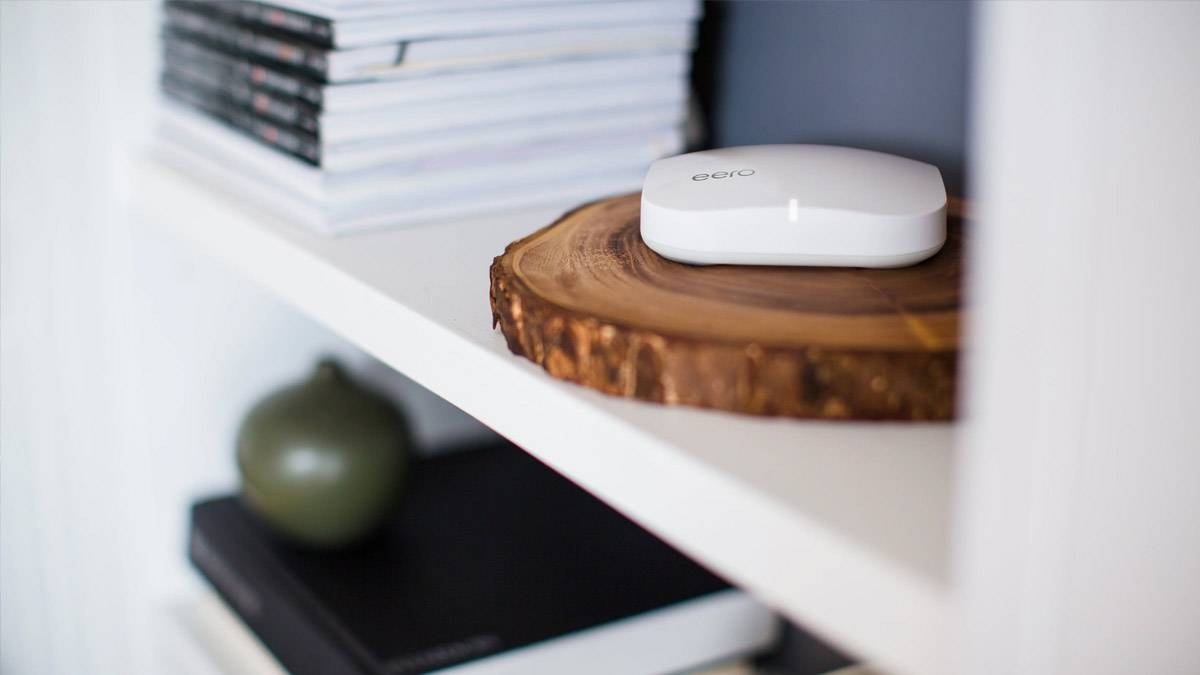
For homes over 3,000 square feet — or houses with dead zones that no single router can fix — a mesh wifi system is the answer. The Deco BE63 3-pack covers up to 5,800 square feet with tri-band WiFi 7, including a dedicated wireless backhaul band so your satellites don’t halve your speed. Each node carries a 2.5G WAN port and 5G LAN ports, and the app-guided setup takes about 15 minutes.
At $499.99 for three nodes, it’s the best value in premium mesh. If you want the absolute easiest setup and don’t mind a subscription upsell, Amazon’s eero 7 remains the beginner-friendly alternative.
Best for Large Homes: Asus ZenWiFi BT6 (2-Pack)
The Asus ZenWiFi BT6 is the mesh system reviewers keep recommending to people who hate fiddling with network settings. The 2-pack covers large multi-story homes with tri-band WiFi 7, and Asus includes its AiProtection security and full parental controls for free — no subscription, ever. That’s a meaningful long-term saving over Netgear, whose Armor security costs around $100/year after the first year.
Best Premium: Netgear Nighthawk RS700
At $600, the Nighthawk RS700 is for households that want the fastest possible WiFi 7 without stepping into $800 flagship territory. It’s a tri-band router with two 10-Gbps Ethernet ports, four gigabit ports, USB 3.2, and a striking tower design that actually looks good on a shelf. In testing it posted some of the fastest 6 GHz speeds of any router in its class. Just budget for Netgear’s subscription extras if you want Armor security or advanced parental controls.
Best for Gaming: TP-Link Archer GE800
Gamers should look at the Archer GE800: a tri-band WiFi 7 gaming router with game-traffic prioritization, dual 10 GbE ports, and a distinctive design with a customizable LED display. At $599.99 list (often discounted), it sits well below Asus’s gaming flagships while delivering the low-latency QoS features competitive players actually need.
Best Flagship: Asus ROG Rapture GT-BE98 Pro
If money is no object and you have multi-gig fiber, the GT-BE98 Pro is the fastest consumer router you can buy — quad-band WiFi 7 with a dedicated 10 Gbps port and consistently chart-topping benchmark throughput. List is $799.99, but street prices around $599 at Best Buy make it a (relatively) sane flagship buy. Overkill for most homes, but unbeatable for NAS owners and content creators moving huge files.
How to Choose the Best WiFi 7 Router for Your Home Office
- Match the router to your internet plan. On a 300 Mbps plan, a budget dual-band WiFi 7 router is plenty. Only buy tri-band or 10G-port models if your plan is 1 Gbps or faster.
- Count your square footage. Under 2,000 sq ft, a single router works. Over that — or with thick walls — get a mesh system.
- Check your ports. Home office workers with a desktop PC, NAS, or work laptop dock should prioritize 2.5G or faster Ethernet ports.
- Think about subscriptions. Asus and TP-Link include security and parental controls free; Netgear charges annually after year one.
- WiFi 7 is backwards compatible. Older laptops, phones, and smart home gear connect fine — you just won’t get WiFi 7 speeds until your devices support it.
Building out your home office? Pair your new router with one of the best laptops of 2026, keep everything powered with a fast GaN charger, and see our roundup of the smart home devices actually worth buying to put all that new bandwidth to work.
Single Router vs Mesh System: Which Does Your Home Need?
One of the most common mistakes when shopping for the best WiFi 7 router is buying a powerful single router for a home that actually needs mesh. Here’s the rule of thumb: if your home is under 2,000 square feet with standard drywall, a single tri-band router like the Archer BE550 will blanket it in fast WiFi. If you’re over 3,000 square feet, have multiple floors, or deal with plaster, concrete, or brick walls, no single router — no matter how expensive — will beat a well-placed mesh system.
Mesh systems like the Deco BE63 or ZenWiFi BT6 use multiple nodes that talk to each other, handing your devices seamlessly from one node to the next as you move through the house. Modern tri-band mesh kits include a dedicated wireless backhaul band, so the satellites communicate with the main router without stealing bandwidth from your devices — the flaw that made early mesh systems feel sluggish.
For home offices specifically, consider wiring what you can. Even one Ethernet cable from the router to your desk — for your work laptop dock or desktop — removes your most important device from WiFi contention entirely. The 2.5G ports on routers like the BE550 make this a genuine upgrade over older gigabit gear if your internet plan exceeds 1 Gbps.
Getting the Most From Your New WiFi 7 Router
- Place it centrally and elevated. A router stuffed in a closet or behind the TV loses 30–50% of its effective range. A central shelf at chest height or higher is ideal.
- Use the 6 GHz band for nearby devices. 6 GHz is the fastest band but has the shortest range — perfect for the office devices near the router. Let distant smart home gadgets live on 2.4 GHz.
- Enable Multi-Link Operation (MLO). WiFi 7’s headline feature lets compatible devices use multiple bands simultaneously for lower latency and more stable connections. It’s on by default on most 2026 routers, but worth confirming in the app.
- Set up a separate IoT network. Quarantining smart bulbs, cameras, and plugs on their own SSID improves both security and performance for your main devices.
- Update firmware on day one. Router makers ship meaningful performance and security fixes in the first months after launch — don’t skip the update.
As an Amazon Associate I earn from qualifying purchases.
Frequently Asked Questions
Is WiFi 7 worth it in 2026?
Yes, if you’re buying a new router anyway. WiFi 7 routers now start under $90, and the standard brings real benefits: Multi-Link Operation for more stable connections, 320 MHz channels for higher throughput, and better performance in crowded device environments. Just don’t expect miracles on older devices that only support WiFi 5 or 6.
Do I need a mesh WiFi system or a single router?
A single good router covers most apartments and homes up to ~2,000 sq ft. If you have dead zones, multiple floors, or thick plaster/concrete walls, a mesh system like the Deco BE63 will give you far more consistent coverage than any single router.
What’s the difference between WiFi 7 and WiFi 6E?
WiFi 6E added the 6 GHz band. WiFi 7 keeps it and adds Multi-Link Operation (devices can use multiple bands simultaneously), wider 320 MHz channels, and 4K-QAM modulation — together delivering up to ~4x the theoretical throughput of WiFi 6E and noticeably lower latency.
Will a WiFi 7 router work with my older devices?
Yes. WiFi 7 routers are fully backwards compatible with WiFi 6, 6E, 5, and older devices. You’ll only get WiFi 7 speeds on devices with WiFi 7 hardware, like recent flagship phones and laptops.
How much should I spend on a WiFi 7 router?
Budget buyers can get genuine WiFi 7 for under $100. Most households should spend $200–$350 for a tri-band model like the Archer BE550. Expect $450–$600 for a quality mesh system, and $600+ only if you have multi-gig fiber or a serious home lab.
Do I need to upgrade my modem too?
Maybe. Your router can only deliver the speed your modem (or ONT, for fiber) provides. If your modem is more than 4–5 years old or doesn’t support your plan’s full speed, upgrade it alongside the router.
Affiliate Disclosure: This article contains affiliate links. If you purchase through them, we may earn a commission at no extra cost to you.
Where to Buy: Compare Prices on Daraz · Check Daraz Deals · Check AliExpress Price · See AliExpress Deals
Check the price on AliExpress — the global marketplace with millions of tech products.
As an AliExpress affiliate, we may earn a commission on qualifying purchases.