Ray-Ban Meta Glasses Review: Is the $799 Display Model Worth It in 2026?
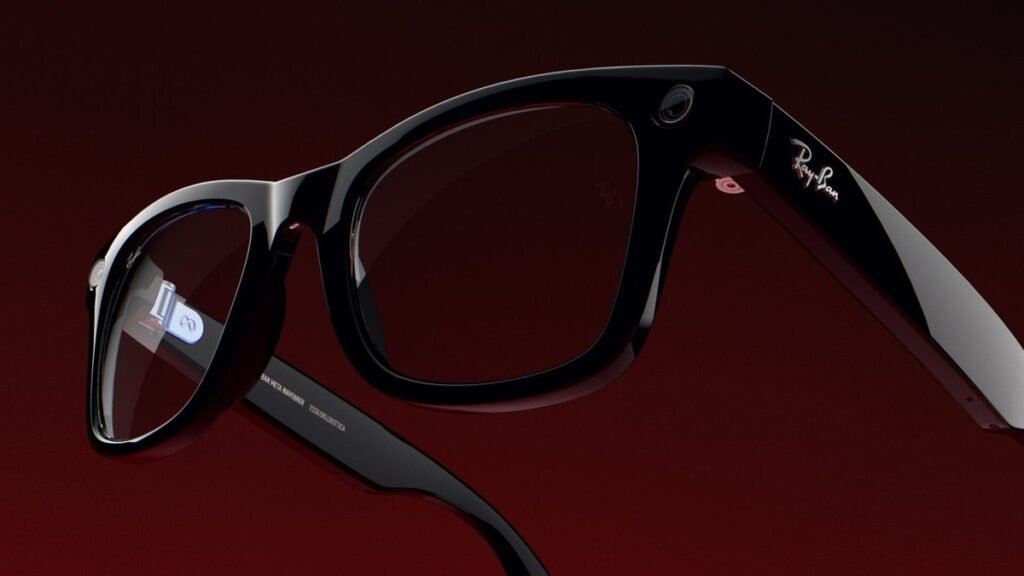
This Ray-Ban Meta glasses review focuses on the most ambitious pair Meta has ever made: the Meta Ray-Ban Display. At $799 including the Meta Neural Band, it’s the first Ray-Ban with an actual screen built into the lens — a private, full-color display that floats messages, directions, captions, and Meta AI answers in front of one eye. After a year on the market and a wave of software updates, here’s whether this first-gen experiment is worth your money in 2026.
Ray-Ban Meta Glasses Review: The Short Version
The Meta Ray-Ban Display is genuinely the future — and priced like it. The in-lens display works, the Neural Band’s wrist-gesture control feels like science fiction, and the hands-free AI is useful dozens of times a day. But at $799, you’re paying early-adopter tax for first-gen compromises: ~6 hours of glasses battery, a still-small app ecosystem, chunky frames, and a Meta account requirement for everything.
Verdict: tech enthusiasts and creators should try the demo; everyone else should consider the $449 Ray-Ban Meta Gen 3 instead. If you can find the Display model on sale or refurbished around $500, the math changes completely.
What Makes the Meta Ray-Ban Display Different
This is not the same product as the regular Ray-Ban Meta glasses. Here’s what the $799 Display model adds:
- A real in-lens display: a 600×600 full-color monocular screen in the right lens with a 20-degree field of view — private to you, invisible to everyone else
- Visual Meta AI: AI answers appear as text and images, not just voice replies
- Glanceable info: messages, live captions, turn-by-turn directions, translations, and music controls without pulling out your phone
- Meta Neural Band (included): a wristband that reads faint muscle signals so you can scroll, select, and even handwrite messages with subtle finger movements
- 12MP camera with 3x digital zoom that doubles as a viewfinder on the display
The key concept: this is a monocular display for quick glances, not a VR headset. It’s designed for small hits of information — checking a text, reading a caption in a noisy restaurant, glancing at directions while walking — not for watching video or replacing your phone.
Specs That Actually Matter
| Spec | Meta Ray-Ban Display |
|---|---|
| Price | $799 (includes Meta Neural Band) |
| Display | 600×600 full-color, monocular (right lens), 20° field of view |
| Camera | 12MP ultra-wide, 3x digital zoom |
| Battery (glasses) | ~6 hours mixed use; ~30 hours with charging case |
| Battery (Neural Band) | ~18 hours |
| Frames | Standard and Large sizes; Transitions Gen 8 lens option |
| Compatibility | iPhone and Android via Meta AI app |
The Display: Useful, Not Magical
In practice, the display shines at exactly what Meta promised: private, glanceable information. Reading a WhatsApp message without taking your phone out at dinner. Live captions during a loud conversation. Step-by-step directions while your hands are full. Reviewers consistently call these moments genuinely useful — and consistently note the display is too small and one-sided for anything immersive.
The 600×600 resolution sounds low, but at this size and distance it’s sharp enough for text. The bigger limitation is brightness outdoors and the simple fact that only one eye sees it — some users report mild eye strain on long sessions. Meta has improved things with software updates through 2026, including a teleprompter feature, neural handwriting for messaging, cycling and transit directions, and on-display photo editing.

The Neural Band: The Best Part
Ask owners what they love most and many point past the display to the wristband. The Neural Band reads electromyography (EMG) signals — tiny electrical impulses from your wrist muscles — so a small pinch or finger slide controls the interface without touching the glasses or speaking aloud. After a short learning curve, reviewers describe it as surprisingly natural, and it’s the closest thing to “real” AR interaction available in 2026.
The catch: it’s another thing to charge (rated ~18 hours), another thing to wear, and it only works with the Display glasses. But as a glimpse of how we’ll eventually control all wearables, it’s remarkable.
Ray-Ban Meta Glasses Lineup 2026: Which Pair Is for You?
After the September 2026 Meta Connect event, the lineup is a three-rung ladder:
- Ray-Ban Meta Audio — $349: no camera at all, just open-ear speakers, microphones, and Meta AI with up to 12 hours of battery. The cheapest, least socially awkward entry point.
- Ray-Ban Meta Gen 3 — $449: the mainstream pick. 12MP camera with 3K video, 9-hour battery, slimmer frames, six-microphone array. No display, but the best camera and battery of the bunch.
- Meta Ray-Ban Display — $799: everything above plus the in-lens display and Neural Band. The future, at a future price.
Here’s the honest buying advice from this Ray-Ban Meta glasses review: most people should buy the Gen 3. Its 3K camera is actually better than the Display model’s, the battery lasts 50% longer, and you save $350. The Display model is for people who specifically want the screen — early adopters, accessibility users who benefit from live captions, and creators who want the viewfinder.
The Downsides, Honestly
- Battery anxiety is real. Six hours of mixed use means heavy users will hit the charging case by afternoon. The case helps, but it’s another thing to carry.
- The app ecosystem is still small. As of late 2026 there were only a couple dozen apps, installed through a beta panel — this is not a mature platform yet.
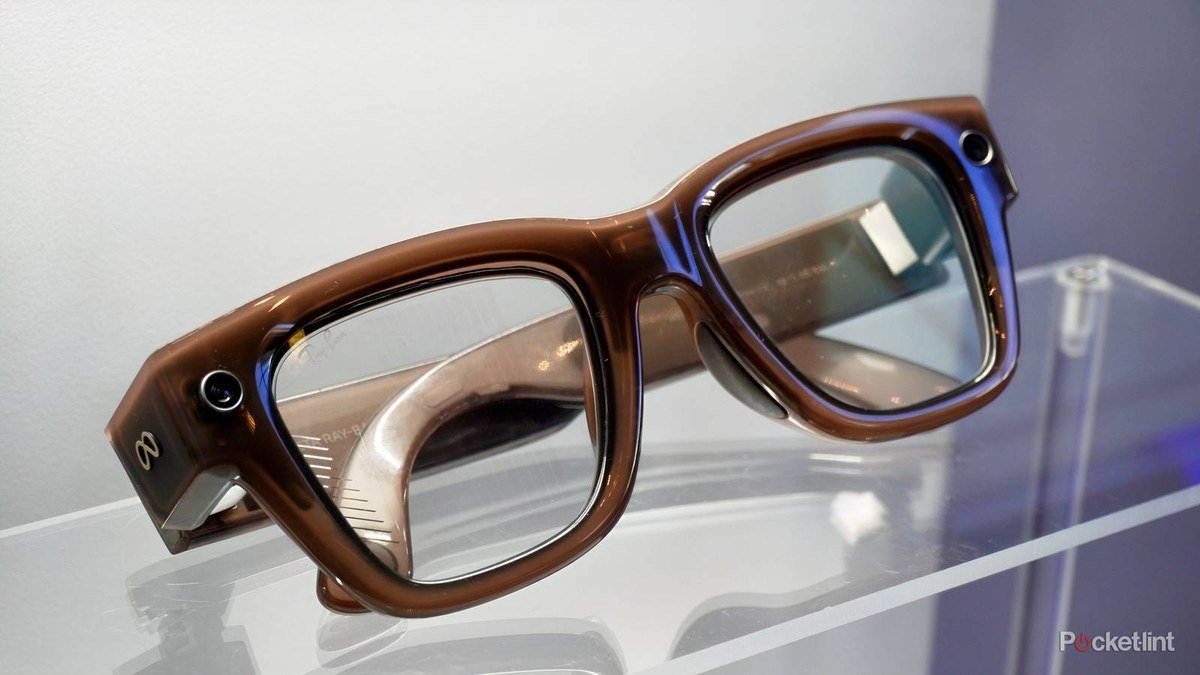
- They’re chunky. Noticeably heavier and thicker than normal glasses. Fine for most faces, but not the featherweight look of the standard Ray-Bans.
- Meta account required. Everything runs through Meta’s ecosystem. If you’re not comfortable with that, these aren’t for you.
- Buying friction. Meta initially sold these in-store only after a fitting demo; online availability expanded in 2026, but stock can still be limited and they’re not on Amazon.
- Camera privacy. Like all camera glasses, they raise eyebrows in gyms, workplaces, and anywhere people don’t expect to be recorded. The LED recording indicator helps, but social norms are still catching up.
If open-ear audio without the camera drama appeals to you, compare with the best wireless earbuds of 2026 — and if you’re building out a hands-free setup at home, our smart home devices worth buying guide covers the voice-controlled side.
Who Should Buy the Meta Ray-Ban Display — and Who Shouldn’t
Buy it if: you’re an early adopter who loves first-gen tech, you rely on live captions or translations daily, you create POV content and want the in-lens viewfinder, or you spend your day in WhatsApp and Messenger and want messages without the phone-pull dance. Developers and accessibility users get the most practical value today.
Skip it if: you just want great camera glasses (get the $449 Gen 3), you’re sensitive to weight on your nose, you’re not comfortable with a Meta account powering your eyewear, or you expect a mature app ecosystem. And if you’re an iPhone user who dislikes Meta’s apps, the friction is real — though the hardware itself works fine on iOS.
The most interesting buyers might be the patient ones. Meta’s 2026 updates — handwriting input, transit directions, the teleprompter — show the software improving steadily. A second-generation Display model with better battery and a lower price would be very hard to resist. If this Ray-Ban Meta glasses review has you curious but the $799 stings, waiting for a sale or the next generation is the rational move.
Frequently Asked Questions
How much do the Meta Ray-Ban Display glasses cost?
$799 in the US, which includes the Meta Neural Band and charging case. The non-display Ray-Ban Meta Gen 3 starts at $449, and the camera-free Ray-Ban Meta Audio starts at $349.
Can other people see the display?
No. The monocular display is only visible to the wearer — it’s projected inside the right lens. That’s what makes features like private messaging and live captions work in public.
Do the Meta Ray-Ban Display glasses work with iPhone?
Yes. They work with both iPhones and Android phones through the Meta AI app. Some features integrate more deeply with Messenger and WhatsApp, which are Meta’s own apps.
How is the Display model different from the regular Ray-Ban Meta?
The regular Ray-Ban Meta (Gen 3) has a camera, speakers, and Meta AI but no screen — all interactions are voice or touch. The Display model adds the in-lens screen and Neural Band gesture control, so AI answers, messages, directions, and captions appear visually.
Can you get prescription lenses?
Yes, prescription lenses are supported, including Transitions options — though they add to the price and require fitting. Given the in-store demo requirement at launch, getting fitted properly is worth the effort.
Is the Meta Ray-Ban Display worth $799?
For most people, no — not at full price. The $449 Gen 3 gives you a better camera and longer battery for $350 less. The Display is worth it for early adopters, people who’ll use live captions daily, and anyone who specifically wants glanceable info without reaching for a phone. At a discounted ~$500, it becomes a much easier recommendation.
Affiliate Disclosure: This article contains affiliate links. If you purchase through them, we may earn a commission at no extra cost to you.
Where to Buy: Check Price on Amazon · See Amazon Deals · Compare Prices on Daraz · Check Daraz Deals · Check AliExpress Price · See AliExpress Deals
Check the price on AliExpress — the global marketplace with millions of tech products.
As an AliExpress affiliate, we may earn a commission on qualifying purchases.