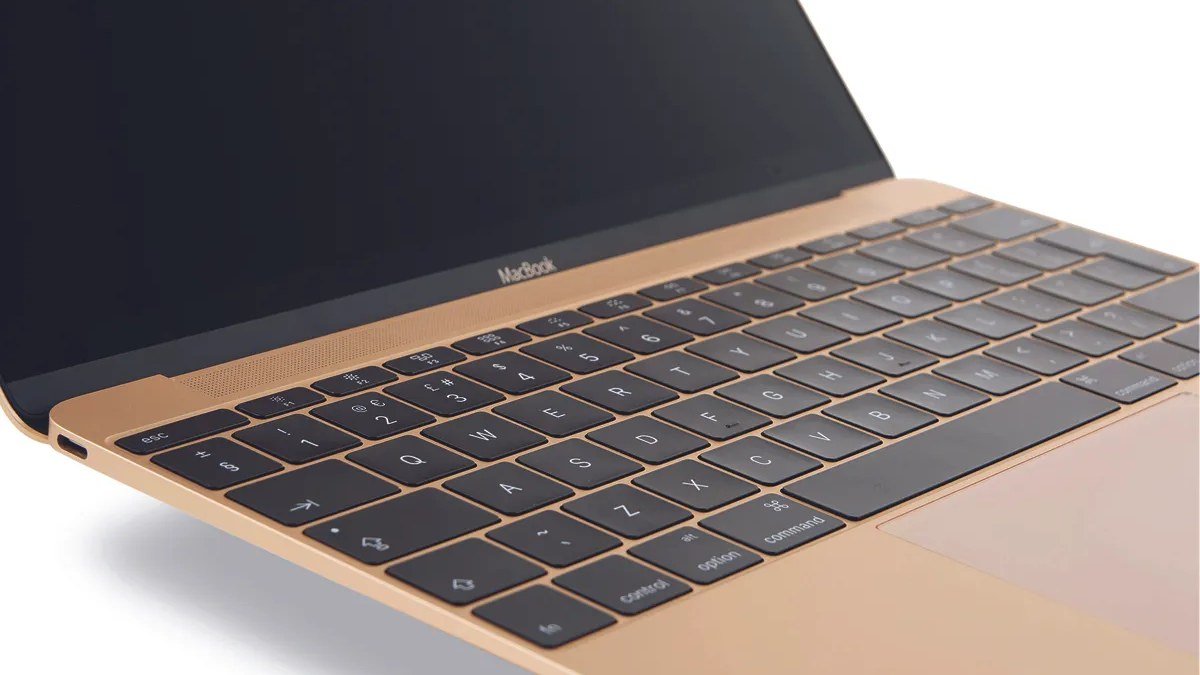
Best Laptops for College Students in 2026: 5 Picks for Campus Life

Finding the best laptops for college students is one of the smartest purchases you’ll make before the semester starts. Your laptop is your notebook, your textbook, your research library, your entertainment system, and the thing you’ll carry across campus every single day for four years. It needs to be light enough not to wreck your back, tough enough to survive a backpack, and strong enough to last through graduation without slowing to a crawl.
The good news: 2026 is a great year to buy. Efficient chips mean even affordable laptops now get all-day battery life, and real competition has pushed prices down. We’ve narrowed the field to five laptops that handle actual student life — from lecture halls to dorm desks — starting with our top pick, the MacBook Air 13.
Disclosure: This article contains affiliate links. As an Amazon Associate, we earn from qualifying purchases. We may also earn commissions from Daraz and AliExpress purchases made through links on this page, at no extra cost to you.
What Makes a Laptop Good for College
A college laptop lives a harder life than almost any other computer. It gets tossed in a backpack five days a week, used on wobbly lecture-hall desks, plugged into random library outlets, and kept running through 12-hour study days. The specs that matter most aren’t the ones that look impressive on a box — they’re the ones you feel at 11 PM in the library.
Weight comes first — anything under 3.5 pounds disappears into a backpack. Battery life is next: a laptop that dies mid-lecture is useless, so look for all-day real-world endurance. The keyboard matters more than the processor for most majors, and build quality decides whether it lasts four years or needs replacing junior year.
One more thing: check what your major actually requires. Engineering, architecture, and film students may need specific software (CAD, MATLAB, Adobe suites) that runs better on certain machines. Humanities and business majors can save money — Google Docs, Zoom, and a browser don’t need much power.
College Laptop Buying Guide: What to Look For
1. Weight and size — you’ll carry it every day
Thirteen or 14 inches is the sweet spot for students. A 13-inch laptop slides into any backpack and works on cramped lecture desks; a 14-inch gives you more screen without much extra bulk. Fifteen and 16-inch machines are fine as dorm-desktop replacements, but hauling one across campus daily gets old. Aim for under 3.5 pounds if you walk everywhere.
2. Battery life — all-day really matters
Manufacturer battery claims are optimistic, so read “18 hours” as “a full day of classes” and “10 hours” as “bring your charger.” Modern Apple Silicon and the latest Intel Core Ultra / AMD Ryzen chips are genuinely efficient — most of our picks last a full school day of notes, browsing, and video. Pair your laptop with a compact high-capacity power bank and you’ll never hunt for an outlet again.
3. Performance — match the chip to your major
For writing, research, spreadsheets, and video calls, any modern processor with 8GB of RAM is fine — and 16GB is the safer buy for a four-year machine. STEM majors running simulations or virtual machines should step up to 16GB minimum. Film and design students: prioritize a good screen and a stronger GPU. Don’t pay for power you won’t use; do pay for RAM, since it’s usually not upgradeable later.
4. Build quality and the keyboard
A laptop that flexes when you pick it up won’t survive four years of backpacks. Metal lids, solid hinges, and spill-resistant keyboards (the ThinkPad’s is legendary) pay off over time. Test the keyboard if you can — you’ll live on it. Also check the warranty: a one-year depot warranty means shipping your laptop away for weeks during midterms, so consider accidental-damage coverage if the budget allows.
The 5 Best Laptops for College Students in 2026
1. Apple MacBook Air 13 (M4) — Best Overall Laptop for College
The MacBook Air 13 is our pick for the best laptop for college students in 2026. The M4 chip handles everything from 40-tab research sessions to light video editing, the battery genuinely lasts a full day of classes, and at 2.7 pounds it’s one of the lightest machines here. The fanless design means silent lectures — no whirring during exams.
The keyboard is excellent for long typing sessions, the 13.6-inch Liquid Retina display is easy on tired eyes, and macOS is low-maintenance with years of software updates. Around $999 (often less on sale, with education pricing), it’s an investment — but students routinely use MacBook Airs for five-plus years.

Pros: Exceptional battery life; silent fanless design; premium build that lasts years; great keyboard and display.
Cons: Pricier than Windows alternatives; limited ports (two USB-C); macOS doesn’t run some Windows-only engineering software.
Best for: Most students — especially humanities, business, and anyone who wants a buy-it-once machine.
2. Lenovo IdeaPad Slim 5 (14″) — Best Windows Value
If you’re a Windows user (or your major needs Windows-only software), the Lenovo IdeaPad Slim 5 is the smartest money in student laptops. Recent models pair efficient AMD Ryzen or Intel Core Ultra chips with bright 14-inch displays, all-metal-feeling builds, and battery life that covers a school day — for around $600–700, hundreds less than the MacBook Air.
What we like: the keyboard is genuinely good for the price, the port selection is generous (USB-C, USB-A, HDMI — no dongle life), and Lenovo’s student discounts are aggressive. It’s slightly heavier than the Air at around 3.3 pounds, but that trade buys you full Windows compatibility for engineering and business software.
Pros: Great performance per dollar; solid port selection; good keyboard; frequent student discounts.
Cons: Shorter software support lifespan than a Mac; display quality varies by configuration — check the panel before buying.
Best for: Windows users and STEM students who need full software compatibility on a budget.
3. Acer Aspire 5 — Best Budget College Laptop
College is expensive enough — the Acer Aspire 5 proves your laptop doesn’t have to be. Regularly available for around $450–550, it delivers a 15.6-inch Full HD display, a capable Ryzen or Intel processor, and enough RAM and storage for four years of essays, slideshows, and streaming. It’s the laptop we recommend when every dollar counts.
Keep expectations honest: the plastic chassis won’t wow anyone, and the battery is good-not-great (plan on carrying the charger). But the screen is fine for documents, the keyboard is full-size with a number pad, and performance is perfectly adequate for schoolwork. For a freshman who needs something reliable right now, it’s hard to argue with.
Pros: Very affordable; big 15.6″ screen; full-size keyboard; handles all standard schoolwork easily.
Cons: Plastic build; heavier at ~3.9 lbs; middling battery life and speakers.
Best for: Budget-conscious students who need a capable machine for the lowest possible price.
4. Lenovo ThinkPad E14 — Most Durable Student Laptop
The ThinkPad E14 meets military-grade durability testing, shrugs off backpack abuse, and has the best laptop keyboard ever made. If your laptop will live a rough life, this is the one that survives.
Beyond toughness you get business-class reliability and easy serviceability, with solid performance for schoolwork and light development. Around $700–800, it’s the laptop least likely to need replacing before graduation — cheap in the long run.

Pros: Legendary durability and keyboard; easy to service and upgrade; great for heavy daily use.
Cons: Plain, businesslike looks; display decent rather than great; slightly heavier than ultrabooks.
Best for: Students who are hard on their gear and want a laptop that survives all four years.
5. Asus Zenbook 14 (Intel Core Ultra) — Best Premium Ultraportable
The Asus Zenbook 14 brings MacBook Air polish to Windows: stunningly thin and light (around 2.6–2.8 pounds), gorgeous OLED display options, and Intel Core Ultra chips with genuinely good battery life.
This is the pick for design students and anyone who appreciates great hardware — the OLED screen is a real upgrade for reading and media. Around $900–1,100 is premium territory, but back-to-school sales often bring it down.
Pros: Beautiful OLED display option; extremely light; strong Core Ultra performance; premium feel.
Cons: Premium pricing; OLED drains battery faster at high brightness; fewer ports than chunkier rivals.
Best for: Students who want a premium Windows ultrabook with a standout display.
Best Laptops for College Students: Comparison Table
| Laptop | Key specs | Weight | Around | Best for |
|---|---|---|---|---|
| Apple MacBook Air 13 (M4) | Apple M4, 13.6″ Liquid Retina, 18-hr battery | 2.7 lbs | ~$999 | Best overall |
| Lenovo IdeaPad Slim 5 (14″) | Ryzen/Core Ultra, 14″ display, all-day battery | ~3.3 lbs | ~$650 | Best Windows value |
| Acer Aspire 5 | Ryzen/Intel, 15.6″ FHD, full-size keyboard | ~3.9 lbs | ~$500 | Best budget pick |
| Lenovo ThinkPad E14 | Ryzen/Intel, 14″ display, MIL-STD tested | ~3.2 lbs | ~$750 | Most durable |
| Asus Zenbook 14 | Intel Core Ultra, 14″ OLED option | ~2.7 lbs | ~$1,000 | Best premium ultraportable |
Frequently Asked Questions
How much should a college student spend on a laptop?
Around $500–700 gets you a solid machine for all standard schoolwork. Spending $900–1,100 buys premium build quality, better battery, and a machine more likely to last all four years. Below $400, you’re gambling on quality — fine as a stopgap, risky as a four-year plan.
Is a MacBook or Windows laptop better for college?
It depends on your major. MacBooks bring the best battery life, build quality, and longevity for most students. Windows is required for some engineering, architecture, and accounting software — check your department’s requirements before deciding. When in doubt, ask your school’s IT department.
How much RAM does a college laptop need in 2026?
16GB is the sweet spot for a laptop you’ll keep through graduation — browsers and apps only get hungrier. 8GB works for light use (writing, streaming, video calls) but feels tight by year three. Since most thin laptops have soldered RAM, buy the memory you’ll need later, not just today.
Should I get a 2-in-1 laptop for taking notes?
If you prefer handwriting notes or diagrams (common in STEM), a 2-in-1 with a stylus is genuinely useful. For most students, a traditional laptop plus a cheap notebook works fine. See our guide to the best 2-in-1 laptops of 2026 if you’re considering one.
What accessories should I buy with a college laptop?
A compact GaN charger replaces the bulky brick in your bag, a laptop sleeve protects it in the backpack, and a power bank covers long library days. A simple USB-C hub helps if your laptop is short on ports.
Final Verdict
The MacBook Air 13 (M4) is the best laptop for college students in 2026 for most people — silent, featherweight, all-day battery, built to last past graduation. Windows users should grab the Lenovo IdeaPad Slim 5 for the best value; the Acer Aspire 5 is the honest budget pick; the ThinkPad E14 is for students who destroy things; and the Asus Zenbook 14 is the premium Windows ultrabook. Whatever you choose, buy before the semester starts — back-to-school sales are real. You can also compare student laptop deals on Daraz or check laptop prices on AliExpress for accessories and bundles.
Where to Buy: Compare Prices on Daraz · Check AliExpress Price
Check the price on AliExpress — the global marketplace with millions of tech products.
As an AliExpress affiliate, we may earn a commission on qualifying purchases.