Best Standing Desks 2026: 5 Picks for a Healthier Workday
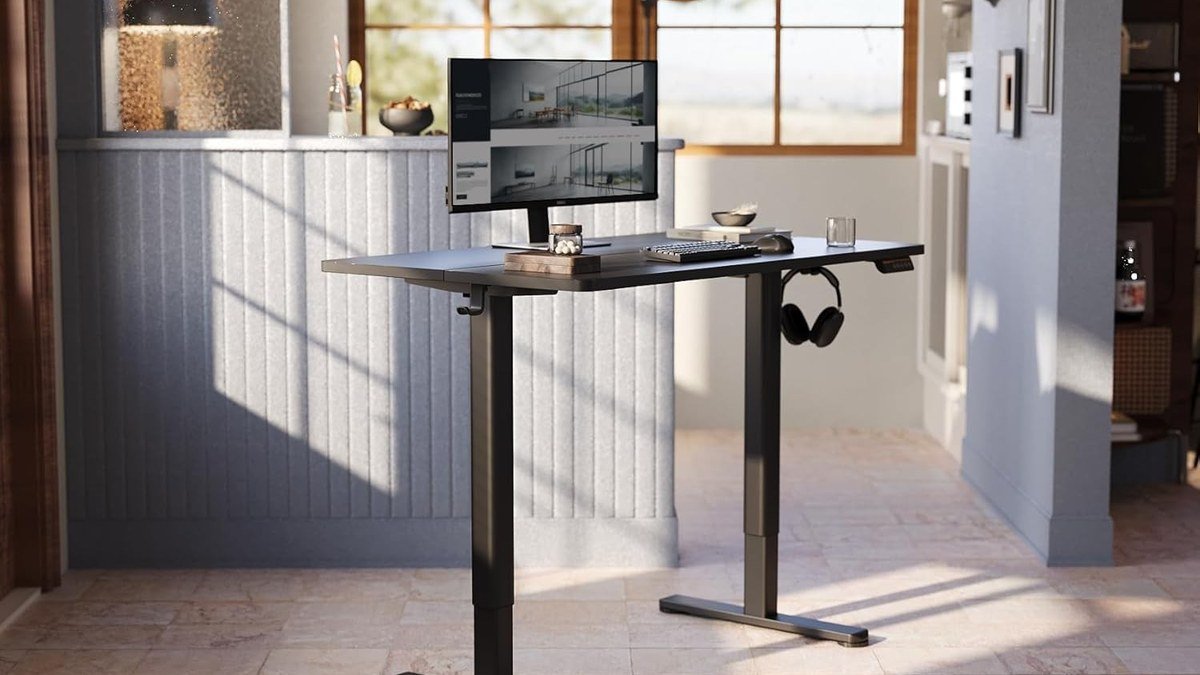
The best standing desk is the one you’ll actually raise every day — and in 2026, there’s never been a better time to buy one. Electric sit-stand desks have gotten quieter, more stable, and dramatically cheaper, with solid options starting under $250. Alternating between sitting and standing eases lower-back stiffness and keeps afternoon energy from cratering. We compared this year’s leading electric standing desks on stability, motor quality, height range, and value to find the five worth your money.
Best Standing Desks: Quick Comparison
Here’s how our five picks for the best standing desks of 2026 compare at a glance.
| Desk | Key spec | Price | Best for |
|---|---|---|---|
| FLEXISPOT EN1 55×28″ | Single motor, 28.9–46.5″, 154 lb capacity | ~$250 | Best value pick |
| FlexiSpot E7 | Dual motor, 22.8–48.4″, 355 lb capacity | ~$500 | Best stability & strength |
| UPLIFT V2 | Dual motor, 25.3–50.9″, 355 lb capacity | ~$599 | Best premium desk |
| SHW 55″ Electric | Single motor, 28–45″, 110 lb capacity | ~$190 | Best budget desk |
| Vari Electric Standing Desk | Dual motor, 25–50.5″, 220 lb capacity | ~$595 | Best design & warranty |
1. FLEXISPOT EN1 55×28″ — Best Value Standing Desk
The FLEXISPOT EN1 is our hero pick because it nails the fundamentals at an accessible price. The 55×28-inch one-piece desktop fits a monitor (or two), a laptop, and real desk accessories. The electric lift runs 28.9–46.5 inches with four memory presets, so your sit and stand heights are one tap away. The 154 lb capacity handles a full dual-monitor setup.
What sets the EN1 apart from cheaper single-motor desks is refinement: the lift is smooth and reasonably quiet, the steel frame feels planted, and assembly takes about 30–40 minutes. It’s also a top-15 bestseller in Home Office Desks on Amazon, backed by thousands of real-world reviews. If you’re standing-desk curious and want the best standing desk value in 2026, start here — and complete the ergonomic picture with one of our best ergonomic office chairs for the hours you do sit.
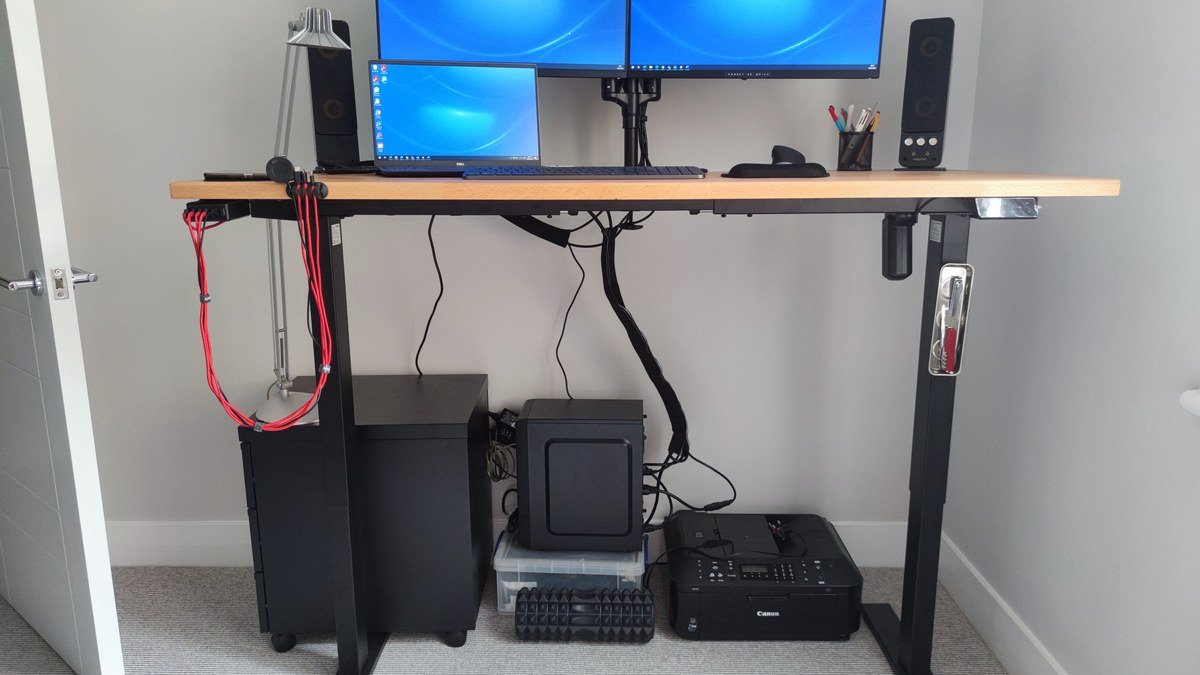
Specs: 55×28″ one-piece desktop | Height 28.9–46.5″ | 154 lb capacity | Single motor | 4 memory presets | Headphone hook included
Pros: Outstanding value; spacious one-piece top; smooth quiet lift; easy assembly; proven bestseller.
Cons: Single motor (slower than dual); 154 lb capacity limits very heavy setups; basic handset.
2. FlexiSpot E7 — Best Standing Desk for Stability
If you want the tank of standing desks, the FlexiSpot E7 is it. Dual motors, a three-stage lifting column, and a 355 lb capacity make this the desk that stays rock-solid at full height with dual 27-inch monitors on an arm — the scenario where cheap desks wobble embarrassingly. The 22.8 to 48.4-inch range suits users from petite to 6’5″, and the anti-collision sensor stops the desk if it meets an obstacle (your chair, a cabinet, a curious pet).
The E7’s real-world reputation is its superpower: it’s the enthusiast community’s default recommendation, with a 15-year frame warranty. The premium keypad adds sit-stand reminders and a child lock. At around $500, it’s double the EN1’s price — but for heavy multi-monitor setups, the upgrade pays for itself in stability.
Specs: Height 22.8–48.4″ | 355 lb capacity | Dual motors | 3-stage columns | Anti-collision sensor | 4 memory presets | 15-year frame warranty
Pros: Exceptionally stable at height; huge weight capacity; wide height range; 15-year warranty; beloved by enthusiasts.
Cons: Costs twice the budget picks; heavier and bulkier; top sold separately in some configs.
3. UPLIFT V2 — Best Premium Standing Desk
The UPLIFT V2 is the standing desk for people who want everything: best-in-class stability, the widest range of desktop materials in the industry (from laminate to solid wood butcher block), and a 15-year warranty that covers the frame, motors, and electronics. The dual-motor frame lifts 355 lbs across a 25.3 to 50.9-inch range — the tallest max height here — and UPLIFT’s accessory ecosystem (monitor arms, cable management, under-desk drawers, even treadmill integration) is unmatched.
What justifies the ~$599 starting price is the total package: free design consultation, 30-day free returns, and build quality a class above. The V2’s crossbar-free design means more legroom and easier treadmill use. If your home office doubles as your professional identity, the furniture-grade finishes look the part. Pair it with a 4K work monitor on a proper arm and you’ve built an endgame workstation.
Specs: Height 25.3–50.9″ | 355 lb capacity | Dual motors | Crossbar-free frame | 4 memory presets | Huge desktop material options | 15-year warranty
Pros: Best overall build and stability; beautiful desktop options; unmatched accessories; free returns and design help.
Cons: Premium price; shipping large desktops takes time; accessories add up fast.
4. SHW 55″ Electric Standing Desk — Best Budget Standing Desk
The SHW 55-inch electric desk is the Amazon classic that proved standing desks don’t need to cost a fortune. At around $190, you get a 55×28-inch top, electric height adjustment from 28 to 45 inches, and a digital display handset with memory presets — features that were premium-only five years ago. Tens of thousands of reviews make it one of the most battle-tested desks you can buy.
Trade-offs are honest: the single motor is slower and louder, the 110 lb capacity means skipping the triple-monitor arm, and there’s slight wobble at max height. But for a single monitor or laptop setup, it’s perfectly serviceable — often the desk that converts skeptics into believers. For a first standing desk on a tight budget, nothing beats it. Add an anti-fatigue mat (about $40) and your feet will thank you.
Specs: 55×28″ top | Height 28–45″ | 110 lb capacity | Single motor | Digital handset with memory presets | ~$190
Pros: Unbeatable price for electric adjustment; huge user base and reviews; memory presets; easy assembly.
Cons: Slower, louder motor; wobbles at max height; limited capacity; basic materials.
5. Vari Electric Standing Desk — Best Design & Warranty
Vari (formerly Varidesk) brings commercial-office pedigree to the home: their electric standing desk is TAA-compliant, built for office environments, and backed by a 5-year warranty with genuinely good US-based support. The dual-motor frame lifts 220 lbs across a 25 to 50.5-inch range, and Vari’s desktops come in finishes that look like real office furniture rather than flat-pack — because they are.
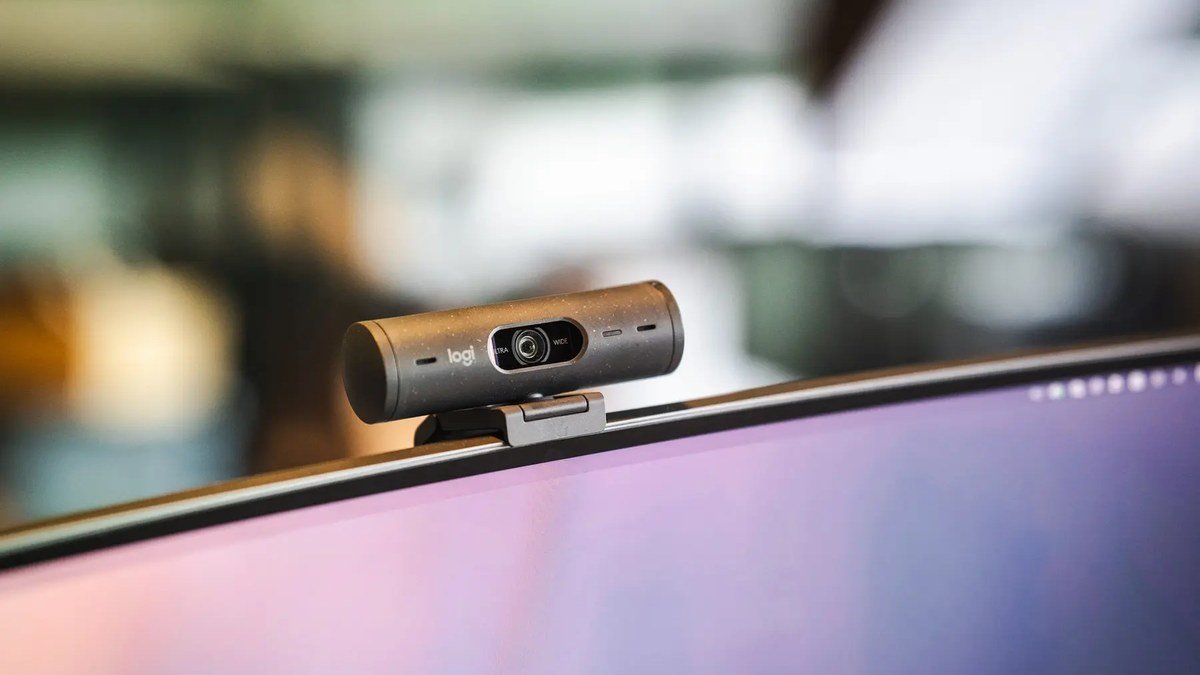
The standout is how fast and quiet the lift is, plus built-in cable management and an optional VariStone top that’s practically indestructible. At ~$595, it competes directly with the UPLIFT V2; choose Vari for its cleaner aesthetic and commercial-grade support, UPLIFT for maximum customization. Standing during calls is the easiest way to build the habit — see our best webcams for video calls.
Specs: Height 25–50.5″ | 220 lb capacity | Dual motors | 4 memory presets | Commercial-grade build | 5-year warranty | 30-day returns
Pros: Commercial build quality; fast quiet lift; excellent support; furniture-grade finishes.
Cons: Pricier than FlexiSpot equivalents; fewer desktop size options; 220 lb capacity trails UPLIFT.
Buying Guide: How to Choose the Best Standing Desk
Single vs. dual motors. Dual-motor desks (E7, UPLIFT V2, Vari) lift faster, quieter, and handle more weight with less wobble. Single-motor desks (EN1, SHW) cost far less and suit single-monitor setups. Mounting dual 27-inch monitors on an arm? Go dual-motor — no exceptions.
Height range matters more than you think. Your standing elbow height determines the right desk height: for someone 5’9″, that’s roughly 43–44 inches. Check the max height reaches your standing elbow height with room to spare, and the minimum goes low enough for sitting. Taller users should prioritize 48″+ max height.
Stability at height is the real quality test. Every desk feels solid sitting down; the difference shows at 45+ inches with monitors mounted, where cheap frames sway as you type. Look for 3-stage lifting columns, wide feet, and crossbar-free designs.
Desktop size: go bigger than you think. 55×28 inches is the practical minimum for a monitor plus laptop plus writing room. Dual monitors? Consider 60×30. A deeper desk (30″) lets you push monitors back to a healthy viewing distance.
Don’t forget the accessories. A standing desk without an anti-fatigue mat is half-finished — your feet need cushioning while they adapt. A monitor arm frees space and positions screens at eye level in both modes. Route cables with slack so nothing yanks when the desk rises.
Final Verdict
The FLEXISPOT EN1 (~$250) is the best standing desk for most people in 2026 — the core sit-stand experience at a price anyone can justify. Heavy multi-monitor users should step up to the FlexiSpot E7 (~$500); the UPLIFT V2 (~$599) is the premium endgame. The SHW 55″ (~$190) is the unbeatable budget entry, and Vari (~$595) is the pick for commercial-grade build. Start with 30–60 minutes of standing per day, build gradually, and pair your new desk with an ergonomic chair — your back gets the best of both worlds.
FLEXISPOT EN1 Standing Desk
As an Amazon Associate I earn from qualifying purchases.
Frequently Asked Questions
Are standing desks actually good for you?
Alternating between sitting and standing is what’s good for you — not standing all day. Research links sit-stand rotation to reduced back pain and higher energy. Build up to 2–4 hours of standing spread across the day, and keep moving: shift weight, stretch, walk.
How long should I stand at a standing desk?
Start with 20–30 minute standing sessions, 2–3 times a day, and add time weekly. Most ergonomists suggest a 1:1 or 2:1 sit-to-stand ratio once adapted — for example, 30 minutes standing per hour. An anti-fatigue mat and supportive shoes make a huge difference.
Single motor vs dual motor standing desk — does it matter?
Yes. Dual-motor desks lift faster, quieter, and stay more stable under load — important for multi-monitor setups. Single-motor desks are cheaper and perfectly fine for a laptop or single monitor. If your setup weighs over ~100 lbs, dual motor is worth the premium.
What size standing desk do I need?
55×28 inches is the sweet spot for most people: room for a monitor, laptop, keyboard, and accessories. Dual-monitor users should consider 60×30 inches. Depth matters too — 28–30 inches lets you position monitors at a healthy viewing distance.
Can a standing desk hold dual monitors?
Easily — but check the weight capacity. A dual 27-inch monitor setup with an arm weighs 40–60 lbs, well within the 154 lb capacity of the FLEXISPOT EN1. For triple monitors or heavy all-in-one PCs, choose a 220+ lb capacity desk like the E7 or UPLIFT V2.
Do standing desks wobble?
Cheap ones can at max height, especially with monitor arms. Quality desks with 3-stage columns and wide feet (like the E7 and UPLIFT V2) stay planted. Rule of thumb: heavier desk plus wider feet equals less wobble.
The hardest part of owning a standing desk isn’t choosing one — it’s building the habit. Set a reminder to raise it after lunch, and within a month standing will feel as natural as sitting.
Affiliate Disclosure: This article contains affiliate links. If you purchase through them, we may earn a commission at no extra cost to you.
Where to Buy: Check Price on Amazon · Compare Prices on Daraz · Check Daraz Deals · Check AliExpress Price · See AliExpress Deals
Check the price on AliExpress — the global marketplace with millions of tech products.
As an AliExpress affiliate, we may earn a commission on qualifying purchases.