Best Webcams 2026: 5 Picks for Sharp, Professional Video Calls
Your laptop’s built-in camera is holding your professional image hostage — grainy, washed-out, and angled straight up your nose. The best webcams 2026 has to offer fix all of that for less than a nice dinner out: sharper sensors, auto-framing, noise-reducing mics, and proper low-light performance. Whether you’re interviewing, pitching clients, or streaming, these are the five worth buying this year.
Best Webcams 2026: Quick Comparison
Short on time? Here’s how our five picks compare.
| Webcam | Key spec | Price | Best for |
|---|---|---|---|
| Logitech Brio 500 | 1080p, auto-framing, dual mics, USB-C | $129.99 | Best overall webcam |
| Insta360 Link 2C | 4K, 1/2″ sensor, AI tracking, gesture control | $149.99 | Best for presenters |
| Anker PowerConf C200 | 2K, AI noise-canceling mics, adjustable FOV | ~$69.99 | Best budget webcam |
| Logitech MX Brio 705 | 4K, AI image enhancement, large sensor | $199.99 | Best 4K webcam |
| EMEET Nova 4K | 4K, PDAF autofocus, dual noise-canceling mics | ~$79.99 | Best cheap 4K webcam |
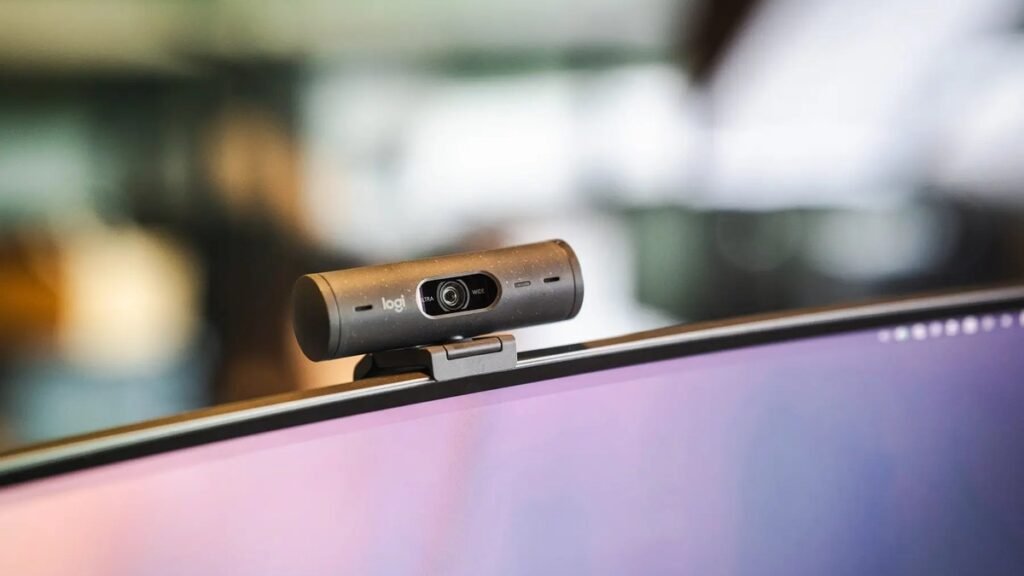
1. Logitech Brio 500 — Best Overall Webcam
The Logitech Brio 500 remains the default answer to “which webcam should I buy?” in 2026. Its 1080p sensor with HDR and Logitech’s RightLight correction produces a clean, natural image in dim home offices. Auto-framing keeps you centered as you shift, Show Mode tilts down to show desk documents, and dual noise-reducing mics cut keyboard clatter better than any laptop mic.
It’s the details that make it the best webcam 2026 all-rounder: a physical privacy shutter, USB-C connectivity, and Teams/Zoom/Meet certifications IT departments approve sight unseen. At $129.99 it’s firmly impulse-upgrade territory, and it mounts on any monitor or tripod. If you do one thing to look more professional on calls this year, make it this — then mount it on one of the best 4K monitors for work for a proper eye-level setup.
Specs: 1080p Full HD with HDR | Auto-framing + RightLight 4 | Dual noise-reducing mics | Privacy shutter | USB-C | Teams/Zoom/Meet certified
Pros: Excellent image in real-world lighting; auto-framing and Show Mode; great mics; privacy shutter; universal platform support.
Cons: 1080p only (fine for calls, less future-proof); Logi Tune software not on ChromeOS; premium over basic 1080p cams.
2. Insta360 Link 2C — Best Webcam for Presenters & Creators
The Insta360 Link 2C is what happens when a gimbal-camera company builds a webcam: a 4K camera on a 2-axis gimbal head that physically follows you around the room. Walk to a whiteboard, pace while presenting, lean back — AI tracking keeps you framed while the 1/2-inch sensor and HDR deliver best-in-class image quality. Gesture control (raise your hand to zoom, make an L for tracking) feels like magic the first time.
At $149.99 it’s barely more than the Brio 500 while offering 4K, and the desk-view overhead mode is genuinely useful for demos. The dual AI noise-canceling mics are clear, and it doubles as a capable streaming camera. Downsides: the gimbal adds moving parts (and a faint whir), and setup takes longer than plug-and-play rivals. For teachers, trainers, and anyone who presents rather than attends, nothing else touches it. Pair it with a USB-C dock and your laptop becomes a portable studio.
Specs: 4K UHD, 1/2″ sensor, HDR | 2-axis gimbal AI tracking | Gesture control | Dual AI noise-canceling mics | Desk-view mode | USB-C
Pros: Best-in-class tracking and image quality; 4K at a mid-range price; gesture controls; great for presenters and streamers.
Cons: Gimbal makes faint noise; bulkier than bar-style webcams; overkill for basic meeting attendance.
3. Anker PowerConf C200 — Best Budget Webcam
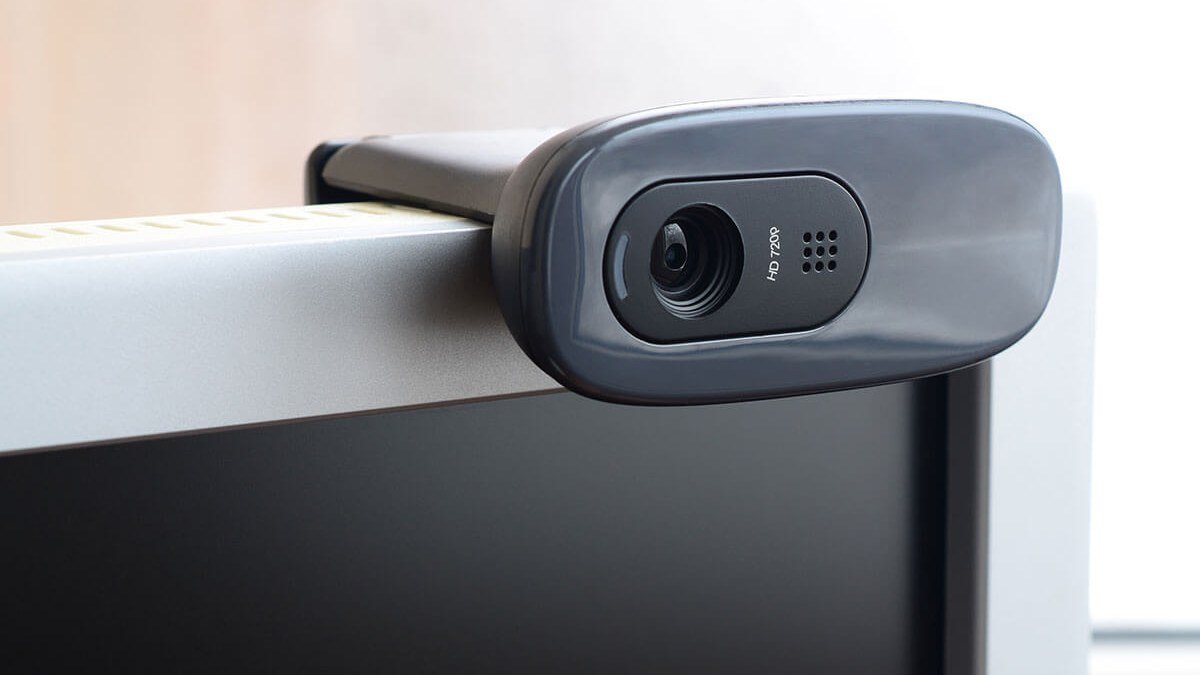
The Anker PowerConf C200 proves you don’t need to spend $100+ to escape laptop-camera purgatory. For around $69.99 you get a 2K (2560×1440) sensor — a real step up from 1080p — with AI noise-canceling mics, adjustable field of view (65°/78°/95°), and solid low-light correction. The image is noticeably sharper than any integrated camera.
It’s no-frills in the best way: plug it in, pick your framing, and get on with your day. No auto-framing or 4K here, and fixed focus is tuned for desk distances. But as the cheapest meaningful upgrade on this list, it’s our pick for students, new remote workers, and budget home offices. Combine it with noise-cancelling headphones and your call setup is transformed for under $200.
Specs: 2K QHD (2560×1440) | AI noise-canceling dual mics | Adjustable FOV 65°/78°/95° | Low-light correction | Privacy cover | USB
Pros: 2K sharpness under $70; good mics; adjustable field of view; simple plug-and-play.
Cons: No auto-framing; fixed focus; build feels budget; 2K (not 4K).
4. Logitech MX Brio 705 — Best 4K Webcam
For those who want the absolute best image on a video call, the Logitech MX Brio 705 is the 4K flagship to beat. Its larger sensor captures significantly more light than typical webcam sensors, and Logitech’s AI image enhancement cleans up noise while keeping skin tones natural — the most “expensive-looking” video on this list, even in mediocre lighting. Dual beamforming mics with AI noise reduction isolate your voice impressively.
At $199.99 it’s a business-grade purchase: USB-C, premium aluminum build, integrated privacy shutter, and certifications across every major platform. Show Mode and auto-framing carry over from the Brio 500, refined further. It’s for executives, client-facing consultants, and creators who want maximum quality without a mirrorless rig. Everyone else will be happy with the Brio 500 — but if your face is your brand, the MX Brio earns its premium.
Specs: 4K UHD with AI enhancement | Large low-light sensor | Dual beamforming AI mics | Auto-framing + Show Mode | Privacy shutter | USB-C | Platform certified
Pros: Best outright image quality; superb low-light performance; premium build; excellent mics.
Cons: $199.99 is steep for a webcam; 4K mostly matters for recording, not calls; heavier on CPU for processing.
5. EMEET Nova 4K — Best Cheap 4K Webcam
The EMEET Nova 4K is the value disruptor: genuine 4K resolution with fast PDAF autofocus for around $79.99. The autofocus is the standout — it locks onto your face quickly and holds it, where many budget 4K cameras hunt. Dual noise-canceling mics, auto light correction, and a 73° field of view round out a strong spec sheet.
Image quality won’t match the MX Brio 705 — the smaller sensor shows more noise in dim rooms — but in decent lighting it’s remarkably close for less than half the price. It includes a privacy cover, works plug-and-play everywhere, and the build is solid. If you want 4K (and genuinely useful detail for recorded videos) without the flagship price, the Nova 4K is the smart buy — a great match for a 4K work monitor.
Specs: 4K UHD | PDAF autofocus | Dual noise-canceling mics | 73° FOV | Auto light correction | Privacy cover | USB plug-and-play
Pros: Real 4K under $80; fast reliable autofocus; good mics; excellent value.
Cons: Noisier in low light than flagships; no auto-framing; software is basic.
Buying Guide: How to Choose the Best Webcam
Resolution: 1080p is enough for calls, 4K is for recording. Zoom and Teams compress video heavily — they won’t show 4K anyway. Buy 4K if you record content, stream, or want digital zoom; otherwise a great 1080p camera (like the Brio 500) beats a mediocre 4K one.
Low-light performance beats specs on paper. Most home offices are dimmer than you think. A larger sensor and good auto-exposure matter far more than resolution — it’s why the MX Brio 705 and Link 2C look so much better than cheap 4K cameras in real rooms.
Autofocus vs. fixed focus. Autofocus (especially PDAF, as on the EMEET Nova) keeps you sharp as you lean in and out. Fixed-focus cameras are tuned for a set distance — fine if you sit still, annoying if you don’t. For presenting or moving around, autofocus or tracking is worth paying for.
Microphones matter more than you think. Bad audio kills calls faster than bad video. Dual noise-canceling mics (standard on everything here) cut keyboard noise and room echo. For important calls, a dedicated headset or mic still wins.
Field of view and framing. 65–78° frames one person naturally; 90°+ fits groups but makes individuals small. Auto-framing (Brio 500, MX Brio) and AI tracking (Link 2C) solve the “am I centered?” problem. A physical privacy shutter is a must-have — never buy a webcam without one.
Final Verdict
The Logitech Brio 500 ($129.99) is the best webcam for most people in 2026 — superb real-world image, auto-framing, great mics, universal compatibility. Presenters should grab the Insta360 Link 2C ($149.99) for gimbal tracking and 4K. Budget buyers get 2K from the Anker PowerConf C200 (~$69.99), maximalists want the Logitech MX Brio 705 ($199.99), and the EMEET Nova 4K (~$79.99) is the cheapest real 4K. Mount it at eye level — a $130 webcam at the right height beats a $300 one staring up your nose. Pair it with an ergonomic chair for the complete setup.
Logitech Brio 500 Webcam
As an Amazon Associate I earn from qualifying purchases.
Frequently Asked Questions
Is a dedicated webcam better than a laptop camera?
Dramatically. Even a $70 webcam has a larger sensor, better lens, and proper processing than laptop-lid modules. Expect sharper detail, better color, superior low-light performance, and a more flattering eye-level angle.
Do I need a 4K webcam for Zoom and Teams?
No — Zoom, Teams, and Meet all compress video well below 4K, so a 4K sensor won’t look sharper to other callers. 4K matters if you record videos, stream, or want digital zoom without quality loss. For pure meetings, a high-quality 1080p camera is the smarter buy.
What is auto-framing on a webcam?
Auto-framing uses software (or a gimbal, in the Insta360 Link 2C’s case) to keep you centered in frame as you move. It’s genuinely useful — no more half-out-of-frame calls when you lean back. The Logitech Brio 500, MX Brio 705, and Insta360 Link 2C all offer it.
How do I look better on video calls?
Camera at eye level (stack books under your laptop or use a monitor-mounted webcam), face a window or lamp rather than sitting with your back to one, and keep the background tidy or blurred. These three free fixes improve your image more than any camera upgrade.
Are webcam microphones good enough?
The dual noise-canceling mics on modern webcams are fine for everyday calls — far better than laptop mics. For interviews, podcasts, or important presentations, a dedicated USB mic or quality headset still sounds noticeably better.
What’s the best budget webcam in 2026?
The Anker PowerConf C200 (~$69.99) — 2K resolution, AI noise-canceling mics, and adjustable field of view at a price that makes it an easy upgrade from any laptop camera. The EMEET Nova 4K (~$79.99) is worth the small step up if you want 4K.
A good webcam is one of the highest-ROI home office upgrades: for around $100–$150, every meeting and call looks professional for years. Pick your match, get it to eye level, face the light — and never apologize for your video quality again.
Affiliate Disclosure: This article contains affiliate links. If you purchase through them, we may earn a commission at no extra cost to you.
Where to Buy: Check Price on Amazon · Compare Prices on Daraz · Check Daraz Deals · Check AliExpress Price · See AliExpress Deals
Check the price on AliExpress — the global marketplace with millions of tech products.
As an AliExpress affiliate, we may earn a commission on qualifying purchases.