Best PS5 Accessories of 2026: 5 Upgrades Worth Buying
The best PS5 accessories fix real annoyances: the controller dying mid-session, storage filling up after four installs, the headset that makes dialogue sound like it’s coming through a wall. A few well-chosen upgrades genuinely change the daily experience. This guide covers the five best PS5 accessories of 2026 — the ones worth your money, with honest notes on who should skip each. No filler, no RGB tax, just upgrades that earn their place next to your console.
Disclosure: This article contains affiliate links. As an Amazon Associate, we earn from qualifying purchases. We may also earn commissions from Daraz and AliExpress purchases made through links on this page, at no extra cost to you.
How PS5 Accessories Actually Improve Your Experience
Think of accessories in three buckets. Control — how games feel in your hands. The DualSense is already great, but competitive players and people with specific ergonomic needs have real reasons to upgrade. Convenience — charging, storage, remote play: never hunting for a cable, never deleting a game to make room, playing in bed while someone else uses the TV. Immersion — audio, mostly. The jump from TV speakers to a good headset beats any graphics setting.
Don’t buy accessories for a problem you don’t have: casual players don’t need a pro controller, and a small library doesn’t need 2TB of extra storage yet. The best accessory purchases start from an annoyance you actually feel. Still building out your setup? Our gaming headset guide and gaming monitor guide cover the bigger-ticket companions to your console.
How to Choose PS5 Accessories: 4 Things That Actually Matter
1. Match the accessory to how you actually play
Competitive multiplayer players get the most from pro controllers with back paddles and adjustable triggers. Story-game players get more from audio and storage upgrades. Remote-play users should prioritize the Portal or a good phone mount. Know your weekly play pattern before spending — the right purchases become obvious.
2. Official vs third-party: the compatibility line
Sony licenses some third-party accessories and blocks others from key features. For controllers with haptics or headsets with 3D audio, official or officially licensed products are the safe bet. For storage, stands, and charging docks, reputable third-party brands are fine and often cheaper. When in doubt, confirm the product explicitly lists PS5 compatibility.
3. Storage: check the speed spec, not just the size
The PS5’s expansion slot needs an NVMe SSD hitting Sony’s speed minimum (5,500 MB/s sequential read) plus a heatsink that fits the bay. A fast drive without a heatsink, or a slow drive with one, both end badly. Stick to drives explicitly marketed as PS5-ready and skip the headache entirely.
4. Don’t overpay for features you’ll never touch
Pro controllers pack customization most players never open. Before buying the flagship, ask whether you’ll actually remap paddles, tune stick deadzones, and swap stick caps — or just want a second controller. A spare standard DualSense plus a charging dock from AliExpress covers most households completely.

Our 5 Picks for the Best PS5 Accessories of 2026
1. DualSense Edge — Best Pro Controller
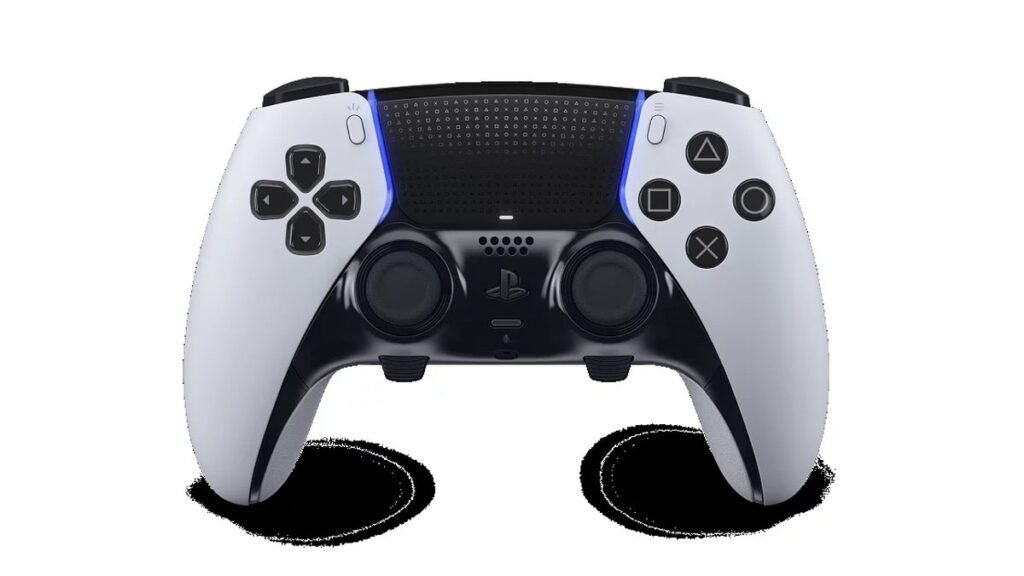
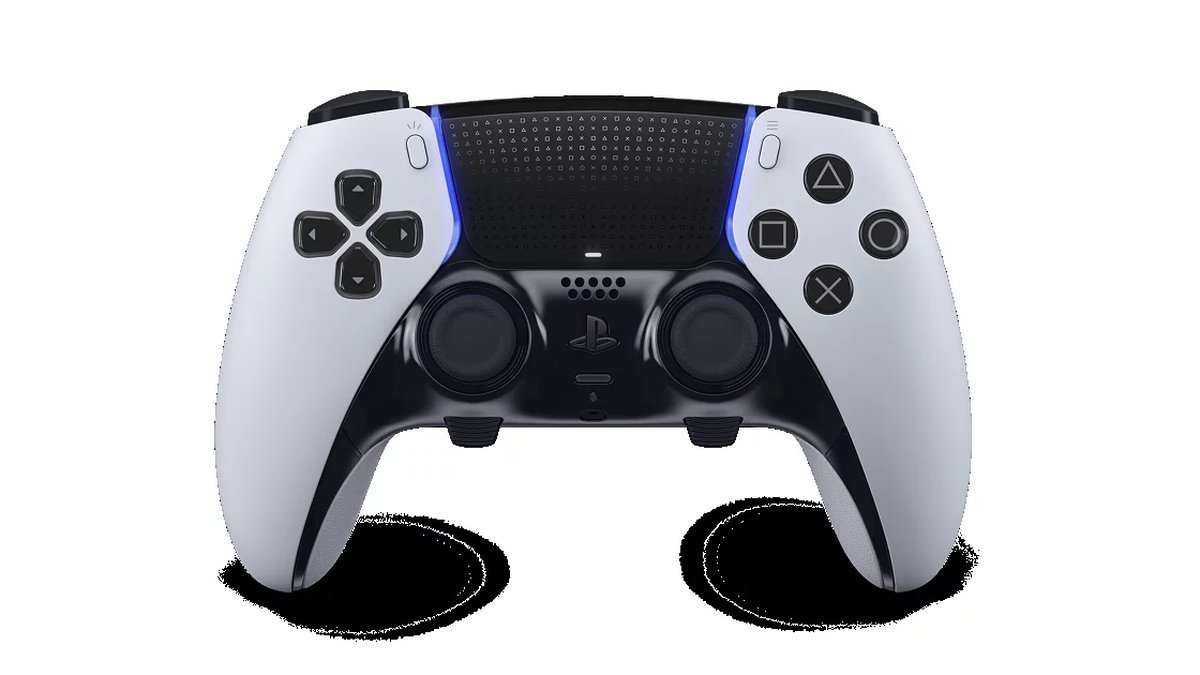
The DualSense Edge is Sony’s answer to the pro-controller market, and it’s the real thing: remappable back buttons, adjustable trigger travel, swappable stick caps, and replaceable stick modules — a direct answer to stick drift. Every adjustment happens in the PS5’s own interface. No companion-app friction.
The price is steep — roughly three times a standard DualSense — and battery life is shorter than the regular controller. But for competitive players, the back buttons and trigger stops are genuine performance tools, and replaceable sticks mean this controller can outlive two standard ones. Play ranked shooters or fighters seriously? It earns its keep.
Pros: Remappable back buttons and adjustable triggers; replaceable stick modules fight drift; deep on-console customization; premium build.
Cons: Expensive; shorter battery than the standard DualSense; overkill for casual players.
Best for: Competitive players who will actually use the pro features.
2. PlayStation Portal — Best for Remote Play
The PlayStation Portal looked like an odd product at launch and has quietly become one of Sony’s smartest accessories. It’s a dedicated remote-play handheld: an 8-inch screen with a full DualSense split around it, streaming games from your PS5 over your home network. No cloud subscription, no separate library — your console in your hands, anywhere your Wi-Fi reaches.
It lives or dies on network quality. On a solid home network the experience is remarkably good — near-console responsiveness for everything short of twitch shooters. It doesn’t play games natively and needs your PS5 on (or in rest mode). But for households sharing one TV, or for playing in bed, it solves the problem completely. Phone-based remote play with a clip-on controller is the lighter travel alternative.
Pros: Excellent remote play on good Wi-Fi; full DualSense features built in; great screen; no library to rebuild.
Cons: Streaming-only — needs your PS5 and a good network; not great for competitive online play; single-purpose device.
Best for: Anyone sharing a TV or who wants to play PS5 games around the house.
3. WD_BLACK SN850P 2TB — Best Storage Upgrade
Modern games are enormous, and the PS5’s internal storage fills fast — four or five big titles and you’re deleting things. The WD_BLACK SN850P is the officially licensed answer: an NVMe SSD built to Sony’s spec with a pre-attached heatsink that fits the expansion bay perfectly. Installation takes about ten minutes, and the console formats it automatically.
The 2TB capacity is the sweet spot — roughly triple the usable space without the steep per-GB cost of 4TB. Officially licensed, so compatibility is guaranteed, and load times match or slightly beat the internal drive. It’s the least exciting purchase here and the one you’ll appreciate most — every time you install without deleting.
Pros: Officially licensed for PS5; 2TB triples your storage; heatsink pre-installed; fast load times.
Cons: Pricier than unlicensed equivalents; 4TB version is poor value; requires opening the console.
Best for: Anyone tired of the storage shuffle — which is nearly every PS5 owner.

4. DualSense Charging Station — Best Convenience Upgrade
The cheapest pick on this list is also one of the most satisfying. Sony’s DualSense Charging Station docks two controllers and charges them through the bottom contacts — no cables to fumble with, no USB ports occupied, and your controllers always have a home. Dock them after playing; grab full controllers next time.
Simple product, done right: charges as fast as a cable, the click-in docking feels solid, and it tidies the area around your console. Own two controllers — and most households eventually do — and this is a no-brainer.
Pros: Charges two controllers cable-free; keeps controllers organized; fast, reliable charging; affordable.
Cons: Only useful with two controllers; takes some shelf space; no battery level display.
Best for: Multi-controller households that are tired of cable juggling.
5. PULSE Elite Wireless Headset — Best Audio Upgrade
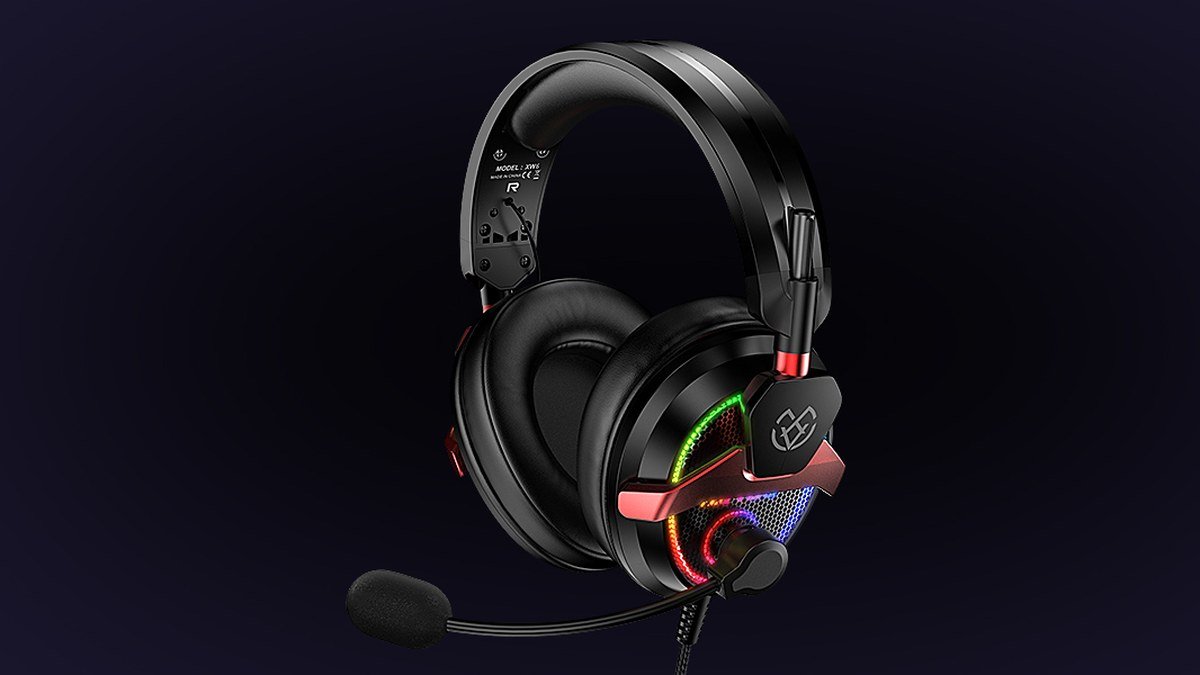
Audio is the most underrated upgrade in console gaming, and the PULSE Elite is Sony’s flagship answer. Planar magnetic drivers — the same tech as high-end audiophile headphones — deliver clearer sound than typical gaming headsets, and the retractable mic with AI noise rejection keeps your voice clean. The PlayStation Link wireless connection keeps latency low, which matters.
It’s tuned for PlayStation’s Tempest 3D audio, so spatial effects in supported games are genuinely impressive — hearing footsteps positioned in space changes how you play shooters. Check Price on Daraz for regional deals and bundles.
Pros: Planar magnetic drivers sound excellent; low-latency wireless; great 3D audio with PS5; effective noise-rejecting mic.
Cons: Pricey for a headset; fit can be tricky with glasses; the PlayStation Link dongle takes a USB port.
Best for: Players who want the full immersive audio experience their PS5 can deliver.
Best PS5 Accessories: Comparison Table
| Accessory | What it does | Price | Best for |
|---|---|---|---|
| DualSense Edge | Pro controller with back buttons | ~$199 | Competitive players |
| PlayStation Portal | Remote-play handheld | ~$199 | Shared-TV households |
| WD_BLACK SN850P 2TB | Storage expansion SSD | ~$179 | Everyone (storage) |
| DualSense Charging Station | Two-controller dock charger | ~$29 | Convenience |
| PULSE Elite Headset | Wireless planar magnetic audio | ~$149 | Immersion |
Frequently Asked Questions
What is the most useful PS5 accessory to buy first?
Extra storage. The PS5’s built-in drive fills faster than new owners expect, and the constant install-delete cycle is the most common daily annoyance. A 2TB expansion SSD is the upgrade that improves every session. Second place: a second controller and charging dock for multiplayer households.
Is the DualSense Edge worth it over the standard controller?
Only if you’ll use the pro features. Back buttons, trigger stops, and stick customization genuinely help competitive players — but do nothing for casual story-game sessions. For most players, a second standard DualSense is the smarter buy. Its replaceable stick modules are the most underrated feature for heavy users.
Can I use any NVMe SSD in the PS5?
No — it must meet Sony’s requirements: PCIe Gen4 with at least 5,500 MB/s sequential read, and a heatsink that fits the expansion bay. Drives marketed as PS5-ready (like the WD_BLACK SN850P) remove all guesswork. A non-compliant drive risks poor performance or overheating.
Does the PlayStation Portal work outside my home?
Yes, as long as both your PS5 and the Portal have good internet — the PS5 needs solid upload speed, the Portal solid download speed. It works well on good hotel or office Wi-Fi; it struggles on congested public networks. For competitive online games, play on the console itself.
Do I need Sony’s headset, or will any gaming headset work?
Any good headset works with the PS5 via the controller’s 3.5mm jack or USB. Sony’s headsets add full Tempest 3D audio integration and low-latency wireless tuned for the console — a real but incremental edge. Already own a quality gaming headset? No need to replace it.
Final Verdict
The WD_BLACK SN850P 2TB is the best PS5 accessory for nearly everyone — storage is the universal pain point, and this solves it cleanly at around $179. Competitive players should invest in the DualSense Edge; shared-TV households will love the PlayStation Portal; the DualSense Charging Station (~$29) is the cheapest quality-of-life win; and the PULSE Elite delivers the audio upgrade your games deserve. Buy for the annoyance you actually feel, and skip the rest.
Where to Buy: Compare Prices on Daraz · Check AliExpress Price
Check the price on AliExpress — the global marketplace with millions of tech products.
As an AliExpress affiliate, we may earn a commission on qualifying purchases.