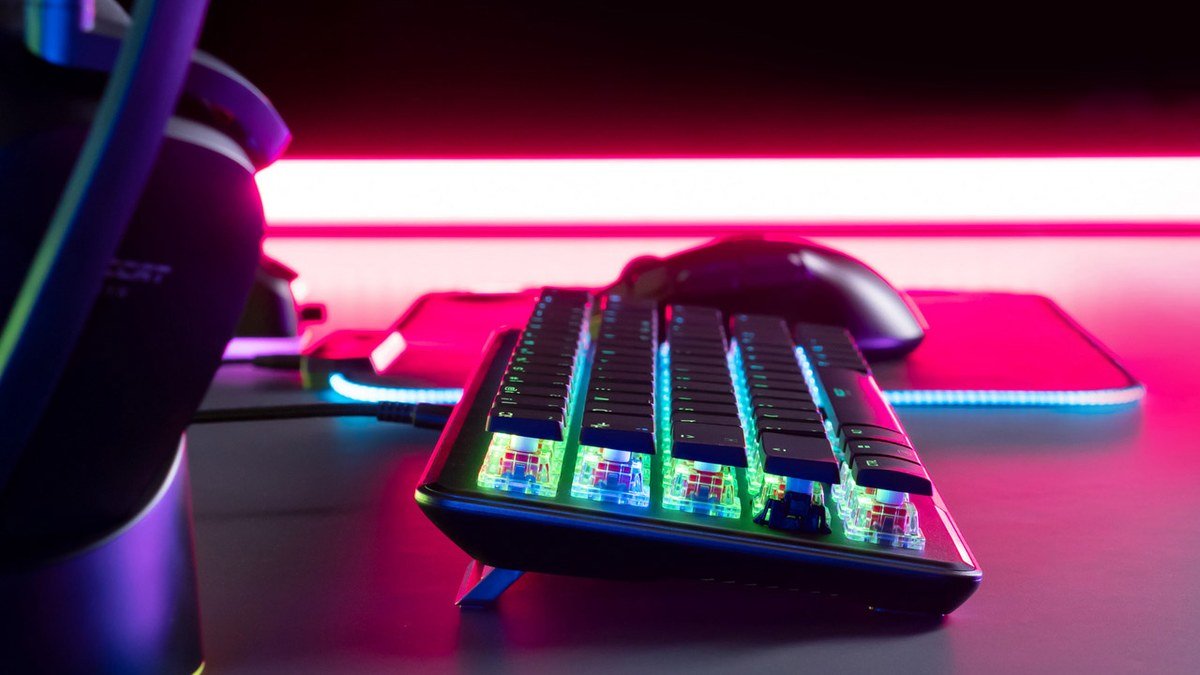
The best lightweight gaming mouse for FPS isn’t simply the lightest one you can buy. In 2026, flagship gaming mice have settled into the 55–65 gram range with 8,000Hz wireless polling, sensors pushing past 40,000 DPI, and battery life measured in weeks rather than days — yet the mouse that wins your aim duels is still decided by shape, grip, and control, not the spec sheet. This guide compares the three lightweight wireless mice that matter most right now: the Razer DeathAdder V4 Pro (the critical darling), the Logitech G Pro X Superlight 2 (the esports staple), and the Razer Viper V3 HyperSpeed (the budget wireless pick). We’ll also cover how to actually choose between them — grip style, weight philosophy, and why that 45,000 DPI number means less than you think.
Why weight became the whole conversation
A decade ago, gaming mice weighed 100+ grams and nobody questioned it. Then competitive FPS players discovered that less mass means faster flicks, less wrist fatigue over long sessions, and finer micro-adjustments. Manufacturers responded with honeycomb shells, then with engineering that hit sub-60g weights in solid bodies. In 2026 the conversation has matured: most reviewers agree the sweet spot for control is roughly 50–65 grams. Go much lighter and the mouse starts feeling twitchy and hard to stop precisely; go heavier and you lose the speed advantage.
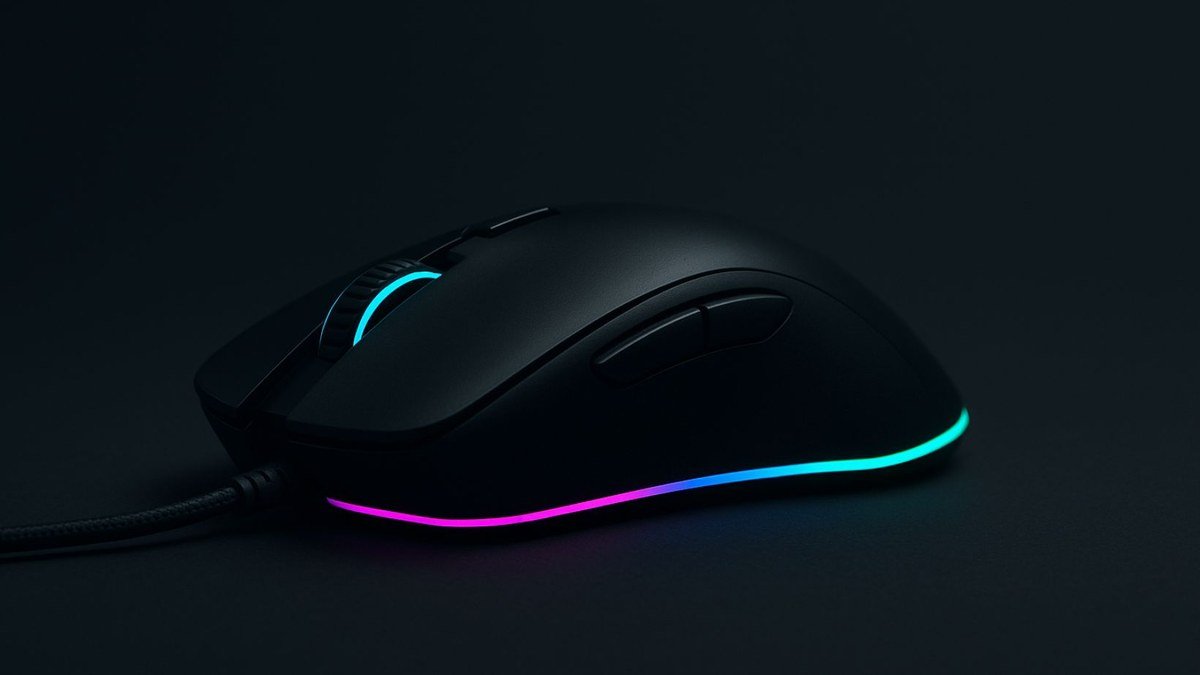
How to choose a gaming mouse
Before the picks, the buying framework that actually matters — because the wrong shape at the right weight is still the wrong mouse.
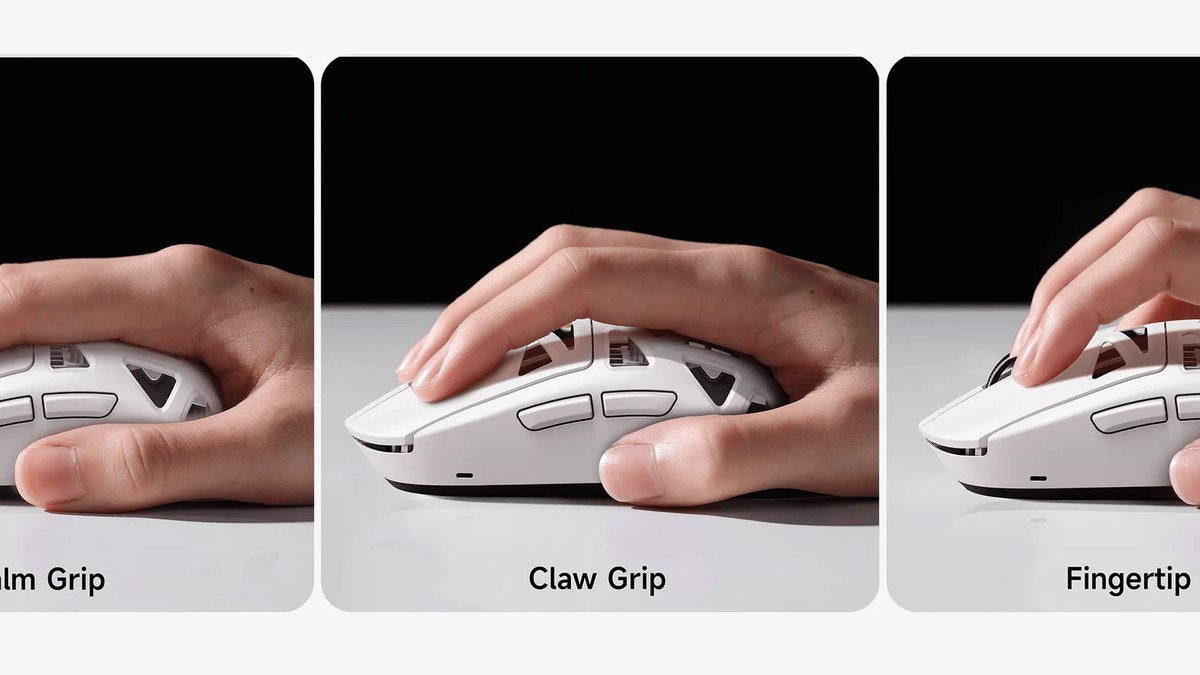
1. Grip style and shape first
There are three main grips: palm (whole hand on the mouse), claw (arched fingers, palm contact at the back), and fingertip (only fingertips touch). Ergonomic right-handed mice like the DeathAdder suit palm grips best; symmetrical mice like the Superlight 2 and Viper V3 suit claw and fingertip. Don’t know your grip? Look at how your hand sits on your current mouse — or try a friend’s. Shape compatibility beats every spec.
2. Weight is a preference, not a leaderboard
Lighter is faster for flicks, but heavier gives more stability for tracking and micro-adjustments. Most FPS players land between 55 and 70 grams; below 50g the mouse can feel nervous and hard to control. Don’t chase the lowest number — chase the weight where your aim feels most consistent.
3. Sensor specs have diminishing returns
A 45,000 DPI sensor won’t make you aim better than a 25,000 DPI sensor — almost every pro plays between 400 and 1,600 DPI. What matters is flawless tracking: no acceleration, no angle snapping, no spinouts at high speeds. All three picks here track flawlessly; the DPI race is marketing.
4. Wireless done right: 2.4GHz, not Bluetooth
For competitive gaming, use the included 2.4GHz dongle — it’s engineered for sub-millisecond latency and high polling rates. Bluetooth adds latency and caps polling; fine for office work, not for ranked. Wired is still the theoretical gold standard, but modern wireless has closed the gap to imperceptibility.
The best lightweight gaming mice of 2026
Best all-rounder: Razer DeathAdder V4 Pro
The DeathAdder V4 Pro is the mouse of the moment — Eurogamer called it the new king of ultralights, and it’s easy to see why. The iconic DeathAdder ergonomic shape, refined over generations, now sits in a 65-gram wireless body with Razer’s flagship 45,000 DPI sensor, true 8,000Hz wireless polling, and a 150-hour battery. Optical switches and scroll wheel promise long-term durability without double-click issues. It’s the complete package: shape, sensor, battery, and build, with no obvious compromise.
Pros:
- Superb ergonomic shape, refined over generations — great for palm grip
- Flagship sensor (45,000 DPI, 8000Hz polling, 900 IPS tracking)
- Excellent 150-hour battery life
- Optical scroll wheel and switches for long-term durability
Cons:
- Right-handed ergonomic shape won’t suit everyone
- Premium pricing for the feature set
Best for: Palm-grip FPS players who want the most refined ergonomic wireless mouse available.
Best wireless esports pick: Logitech G Pro X Superlight 2
The Superlight 2 is the mouse the pros actually use — the default recommendation on pro stages for years. Its strength is subtraction: a clean, symmetrical ~60g body with no RGB, no extra buttons, nothing to distract. Logitech’s LIGHTSPEED wireless delivers lag-free performance with ~95 hours of battery, and the HERO2 sensor tracks flawlessly up to 32,000 DPI. It’s not flashy — it’s the tool the best players in the world trust when money is on the line.
Pros:
- The esports standard — proven at the highest competitive level
- Clean, light symmetrical shape ideal for claw and fingertip grips
- Reliable LIGHTSPEED wireless with ~95-hour battery
- No RGB or bloat — pure performance focus
Cons:
- Minimalist feature set for the price (no Bluetooth on some configs)
- Symmetrical shape won’t fill larger palms like an ergonomic mouse
Best for: Competitive FPS players who want the tournament-proven, no-distraction choice.
Best budget wireless: Razer Viper V3 HyperSpeed
The Viper V3 HyperSpeed is the pick that makes expensive mice hard to justify. It’s lightweight, has Razer’s HyperSpeed wireless with strong battery life, and costs a fraction of the flagships. PCGamesN called it the best budget gaming mouse you can buy — and at this price, the value argument is overwhelming. You give up Bluetooth and some premium trimmings, but the core experience — light, fast, reliable wireless — is all here.
Pros:
- Flagship-grade wireless performance at a budget price
- Lightweight with strong battery life
- Excellent value — hard to justify spending 3x more
Cons:
- No Bluetooth limits versatility beyond the gaming PC
- Fewer premium features than the flagship picks
Best for: Budget-conscious gamers who want real wireless FPS performance without paying flagship prices.
Lightweight gaming mouse comparison
| Feature | DeathAdder V4 Pro | G Pro X Superlight 2 | Viper V3 HyperSpeed |
|---|---|---|---|
| Weight | 65g | ~60g | Lightweight (budget class) |
| Sensor | 45,000 DPI optical | Up to 32,000 DPI | HyperSpeed wireless sensor |
| Polling rate | 8,000Hz wireless | Up to 8,000Hz | 2.4GHz HyperSpeed |
| Battery life | Up to 150 hours | ~95 hours | Strong (class-leading for price) |
| Shape | Right-handed ergonomic | Symmetrical | Symmetrical |
| Bluetooth | — | — | No |
| Best for | Palm grip, all-round excellence | Claw/fingertip, esports | Budget wireless |
Pair your mouse with the rest of a proper setup: our best gaming keyboards of 2026 and best gaming monitors of 2026 guides complete the picture, and our gaming headset guide covers audio to match.
As an Amazon Associate I earn from qualifying purchases.
Gaming mouse FAQs
DeathAdder V4 Pro vs G Pro X Superlight 2 — which should I buy?
It comes down to grip and shape. The DeathAdder V4 Pro’s ergonomic right-handed body suits palm-grippers and larger hands; the G Pro X Superlight 2’s symmetrical shape suits claw and fingertip grips. Relaxed palm grip? Get the DeathAdder. Claw or fingertip? Get the Superlight 2. Both have elite sensors and wireless — neither will hold you back.
Is a lighter mouse actually better for FPS?
Up to a point. Less weight means faster flicks and less fatigue, which is why the competitive scene moved lighter. But below ~50g, mice can feel twitchy and hard to stop precisely, especially in tracking-heavy games. Most players aim best in the 55–70g range — the control zone, not the weightlessness zone.
What DPI should I use for FPS games?
Most professional players use between 400 and 1,600 DPI, paired with an appropriate in-game sensitivity. Ultra-high DPI numbers (25,000+) are marketing-relevant but practically irrelevant — no human aims better at 45,000 DPI. Set your DPI in the pro range, adjust in-game sensitivity until a comfortable wrist or arm movement does a 180° turn, and leave it alone.
Is wireless really as good as wired for competitive gaming?
With a modern 2.4GHz gaming connection, yes — latency is effectively imperceptible, and wireless is what the pros use on stage. The key is the included 2.4GHz dongle, not Bluetooth. Bluetooth adds noticeable latency and is best reserved for productivity and casual use.
Do I need an 8,000Hz polling rate?
It helps marginally — 8,000Hz cuts input latency versus 1,000Hz — but it’s not the upgrade that transforms your aim. It also drains battery faster. Shape, weight, and sensor accuracy matter far more. Treat 8,000Hz as a nice bonus on a mouse you already like, not a reason to buy one you don’t.
Final verdict
The best lightweight gaming mouse for FPS in 2026 is the Razer DeathAdder V4 Pro for most players — its ergonomic shape, flagship sensor, and 150-hour battery make it the most complete package. Competitive purists who prefer a symmetrical body should get the Logitech G Pro X Superlight 2, the tournament standard that never distracts. And if you want 90% of the experience for a fraction of the price, the Razer Viper V3 HyperSpeed is almost unfairly good value. Whichever you choose, remember the real lesson of 2026’s mouse market: shape and grip decide your aim, not the spec sheet. Pick the mouse that fits your hand, give it a week, and your flicks will thank you.
Affiliate Disclosure: This article contains affiliate links. If you purchase through them, we may earn a commission at no extra cost to you.
Where to Buy: Check Price on Amazon · Compare Prices on Daraz · Check Daraz Deals · Check AliExpress Price · See AliExpress Deals
Check the price on AliExpress — the global marketplace with millions of tech products.
As an AliExpress affiliate, we may earn a commission on qualifying purchases.