Best USB-C Cables of 2026: 5 That Won’t Fray in a Month
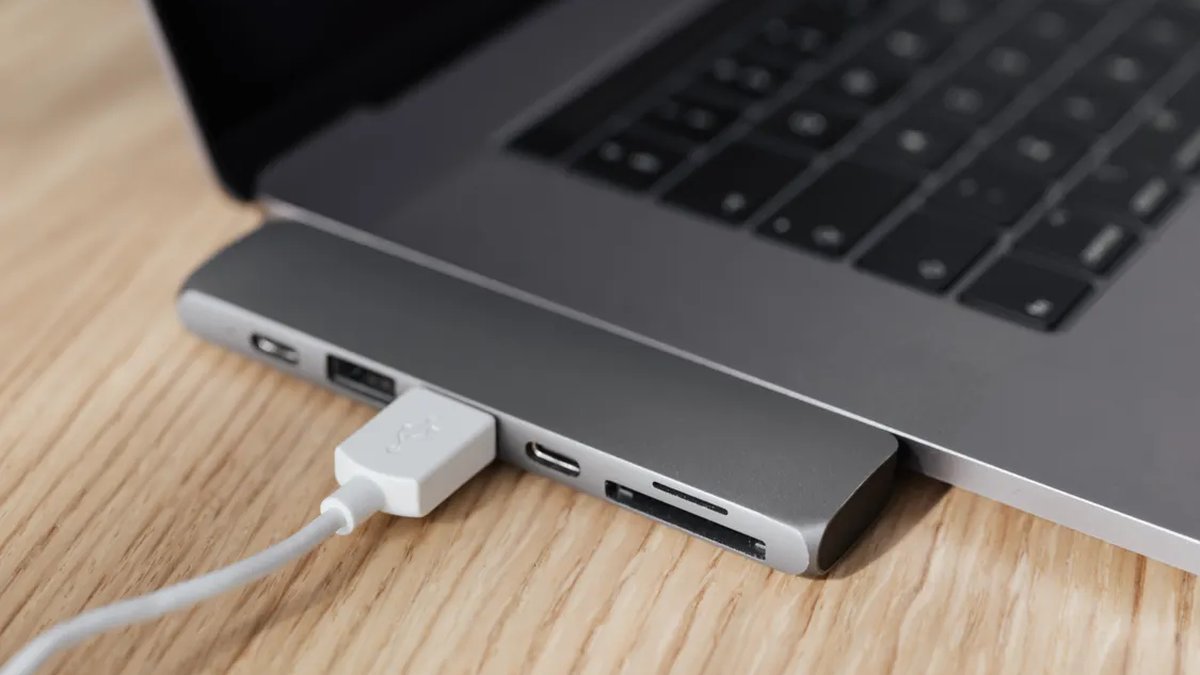
Here’s how the average USB-C cable dies: the connector frays, the braid unravels, or — the sneaky one — it quietly stops fast-charging and you don’t notice for weeks. The five cables below fix all of that. Proper strain relief, dense braiding, and honest wattage ratings that match what your charger can actually push.
We picked five cables for the jobs that actually matter: a daily-driver charging cable, a high-wattage laptop cable, a high-speed data cable for creators, Apple’s own braided cable, and a cheap-but-good spare. Every one comes from a brand with a real warranty behind it — because a cable is only as good as the company that replaces it. And since the cable is only half the equation, check our best GaN chargers of 2026 to make sure your brick isn’t holding it back.
Disclosure: This article contains affiliate links. As an Amazon Associate, we earn from qualifying purchases. We may also earn commissions from Daraz and AliExpress purchases made through links on this page, at no extra cost to you.
What Actually Makes a USB-C Cable Good
A USB-C cable has two jobs — power and data — and cheap cables usually flunk at least one of them. Power is measured in watts: 60W charges a phone just fine but throttles a laptop, while 240W handles basically anything. Data speed is a separate spec entirely. Basic cables crawl along at 480Mbps (fine for topping up, painful for file transfers), while USB4 cables hit 40Gbps for external SSDs and monitors. A cable can be brilliant at power and useless at data, or the other way around — so know which one you’re buying for.
Durability is all about construction, and cables almost always die where the wire meets the connector. Good ones have long, flexible strain-relief collars there instead of a hard plastic joint. Braided nylon shrugs off tangling and abrasion way better than rubber, and thicker copper inside handles high wattage without getting warm.
One more thing people miss: USB-C is a connector shape, not a capability. Two identical-looking cables can have wildly different specs — which is exactly why you buy on brand reputation and stated ratings, not price or looks.
How to Choose a USB-C Cable
1. Match the wattage to your most demanding device
Start with the hungriest device you’ll charge. Phones want 20–45W, tablets up to 45W, laptops 60–140W. A 100W cable covers most laptops; 240W covers everything, full stop. There’s no penalty for buying more wattage than you need — a 240W cable charges a phone just as happily as a 60W one — so when in doubt, buy up.
2. Decide if you need data speed or just charging
Most people just need charging, and a good charge-focused cable costs less and bends easier. But the moment you start moving files to an external SSD or hooking up a monitor, you need a real data cable (USB4/40Gbps) — a charge-only cable turns those transfers into a crawl. If you create stuff, own at least one high-speed cable. Everyone else can just prioritize charging.
3. Look at the strain relief, not the braid
Braiding gets all the marketing, but the little joint at the connector decides how long your cable lives. Look for long, tapered, flexible collars where the wire enters the plug — they spread bending stress instead of concentrating it in one spot. Short, stiff, glossy plastic joints? That’s the classic look of a cable that frays in three months. Zoom in on the collar in product photos; if it looks rigid, keep scrolling.
4. Pick the right length
Three feet (1m) works for desks and power banks. Six feet (2m) is the sweet spot for bedside and couch use — long enough to actually use your phone while it charges, short enough not to become a tangled nest. Ten-footers exist, but they get heavy and lose a bit of charging efficiency; skip them unless the outlet is genuinely far away. When in doubt, 6 feet is the one length that works almost everywhere.
The 5 Best USB-C Cables of 2026
1. Anker 765 USB-C to USB-C Cable (140W) — Best overall
The Anker 765 is the cable we’d hand to anyone who asks. It’s rated for 140W — enough for every phone, tablet, and most laptops — with a dense nylon braid, properly flexible strain relief, and connectors that seat with a satisfying click. Anker’s cables have earned their reputation for surviving years of daily abuse, and the warranty support is real if one ever gives up.
Data speed is USB 2.0 (480Mbps), so treat this as a charging-first cable — perfect for 95% of real life, not the pick for shuffling big video files. At around $15–20 for the 6-foot version, it costs barely more than no-name cables that die in months. If you buy exactly one cable from this list, make it this one. It charges everything you own, and it’ll still be going next year.
Pros:
- 140W covers phones, tablets, and most laptops
- Tough braiding and genuinely good strain relief
- Strong warranty from a brand that honors it
- Great price at around $15–20
Cons:
- USB 2.0 data — don’t buy it for fast file transfers
- A touch thicker than ultra-slim cables
Best for: Everyone. If you only buy one cable, this is it.
2. UGREEN 100W Braided USB-C Cable — Best budget pick
UGREEN has quietly become the budget brand that doesn’t feel like settling, and this 100W braided cable is the proof. You get full 100W charging — plenty for phones, tablets, and 13–14 inch laptops — a tight nylon braid, aluminum connector housings, and strain relief that’s honestly decent at this price.
At around $10–13 it’s often the cheapest reputable cable you’ll find, with multiple lengths including a handy 3-footer for power banks. Like the Anker, data runs at USB 2.0 — charging first, files second. The braid can fray a little at the very ends after hard use, but at this price you can buy two and still spend less than one premium cable. The smart pick for spares, travel kits, and gloveboxes.
Pros:
- Full 100W charging for around $10–13
- Tight braid, aluminum housings, solid feel
- Multiple lengths to choose from
Cons:
- USB 2.0 data only — a charging cable at heart
- Braid ends can fray a bit under very heavy use
Best for: Budget buyers, spares, and travel kits. Honestly, stock up.
3. Apple USB-C Charge Cable (240W) — Best for Apple users
This is Apple’s official braided USB-C charge cable, and it’s better than Apple’s old rubber cables in every way that matters. The woven braid resists tangles, the 240W rating covers even the hungriest MacBook, and the 2-meter length is genuinely generous. It feels premium in hand — at around $29, it’d better.
Worth it over the Anker? Honestly, only if you want the guaranteed-Apple option — or you charge a 16-inch MacBook Pro at full tilt, where that 240W headroom actually matters. For iPhones and iPads, the Anker 765 does the same job for less money. But if flaky third-party cables have burned you before, the certainty here counts for something, and the build quality is genuinely excellent. The safe, no-drama pick for an Apple household.
Pros:
- 240W — charges anything Apple makes
- Premium woven braid with a generous 2m length
- Guaranteed compatibility, zero guesswork
Cons:
- Around $29 — steep for a cable
- USB 2.0 data speeds only
Best for: Apple households that want the official cable and zero doubts.
4. Cable Matters USB4 Cable (40Gbps) — Best for data and creators
Moving serious gigabytes — external SSDs, 4K monitor hookups, docks — a plain charging cable won’t cut it. This is Cable Matters’ territory, and their’ USB4 cable is the one we’d grab. Full 40Gbps data plus 240W power delivery in one cable, which means your fastest SSD and your laptop’s charging run off the same cord, at the same time.
Fair warning: this is a thicker, stiffer cable than the charging-first picks — physics insists on it — and at around $25–35 it’s priced like the specialist tool it is. Most people don’t need it. But if you edit video, back up to external drives, or drive a USB-C monitor, this is the cable that keeps your transfers from crawling. Every creator should have one in the bag, and it’s easy to find on AliExpress or Daraz alongside the usual retailers.
Pros:
- Full 40Gbps data and 240W power in a single cable
- Built for SSDs, monitors, and docks
- Certified USB4 — the specs are real
Cons:
- Thick and less flexible than charging cables
- Overkill (and overpriced) if you only need charging
Best for: Creators moving big files — SSDs, monitors, docks.
5. Amazon Basics USB-C to USB-C 2.0 Cable (6-foot, 2-pack) — Best cheap spare
Every household needs beater cables. The one living in the car. The one behind the couch. The one you lend out and never see again. Amazon Basics’ 2-pack of 6-foot USB-C cables was made for exactly this: around $10–12 for two, 60W charging (plenty for phones and small tablets), and strain relief that’s surprisingly decent for the money.
No braid here, and they won’t outlast the Anker in a durability contest — but as cheap spares they’re genuinely excellent, and Amazon’s return policy has your back. Keep the good cables where they matter and deploy these anywhere a nice cable might vanish. Just don’t ask them to fast-charge a laptop; 60W is the ceiling.
Pros:
- Two 6-foot cables for around $10–12
- 60W handles phones with room to spare
- Perfect as lendable, losable travel spares
Cons:
- No braid — shorter lifespan than the premium picks
- 60W max, so no fast-charging bigger laptops
Best for: Spares everywhere: car, couch, travel bag, and that friend who never returns cables.
USB-C Cable Comparison Table
| Cable | Max power | Data speed | Around |
|---|---|---|---|
| Anker 765 (140W) | 140W | 480Mbps | $15–20 |
| UGREEN 100W braided | 100W | 480Mbps | $10–13 |
| Apple USB-C Charge Cable | 240W | 480Mbps | $29 |
| Cable Matters USB4 | 240W | 40Gbps | $25–35 |
| Amazon Basics 2-pack | 60W | 480Mbps | $10–12 |
USB-C Cable FAQs
Are expensive USB-C cables worth it?
Up to a point, yes. Jumping from a $3 no-name cable to a $12–15 reputable one (Anker, UGREEN) buys you real durability, honest wattage ratings, and an actual warranty — money well spent. Past $20–30, you’re paying for brand, extreme wattage, or data speed. Worth it only if you genuinely need those specs.
Why did my cable stop fast-charging?
Usually it’s damage, not age. A partially broken wire can still carry enough current for slow charging while failing the handshake that enables fast charging. So if a cable that used to fast-charge suddenly doesn’t — same brick, same phone — the cable is your prime suspect.
Can a bad USB-C cable damage my phone?
With any modern phone, basically no. USB-C Power Delivery negotiates before high wattage flows, so a cheap cable just charges slowly instead of causing damage. Stick to reputable 2026 cables from the brands on this list and you’re safe.
What’s the difference between USB-C and Thunderbolt cables?
Thunderbolt cables are a certified subset of USB-C that guarantees 40Gbps+ speeds — the ones you want for docks and high-res monitors. For charging phones and tablets, a standard USB-C cable like the Anker 765 is all you’ll ever need.
How long should a USB-C cable last?
A well-made braided cable should survive 2–4 years of daily use. What kills them: sharp bends right at the connector, yanking the cord instead of the plug, and car doors. Coil loosely, unplug by the housing, and yours will last.
Final Verdict
Our overall pick is the Anker 765 — 140W, tough braiding, around $15–20. It’s the cable for almost everyone. On a budget? Grab the UGREEN 100W. Deep in the Apple ecosystem? The official 240W braided cable. Editing video or shuffling huge files? The Cable Matters USB4. And fill every drawer with the Amazon Basics 2-pack as spares. Stop buying mystery cables — buy one good one and be done with it.
Where to Buy: Compare Prices on Daraz · Check AliExpress Price
Check the price on AliExpress — the global marketplace with millions of tech products.
As an AliExpress affiliate, we may earn a commission on qualifying purchases.