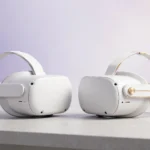
Meta Quest 3S Review: Still the Best Cheap VR Headset in 2026?
Three hundred bucks. That’s the whole pitch. The Meta Quest 3S launched as the budget door into standalone VR, and in 2026 it’s still sitting at $299 while its bigger sibling costs $200 more. Same processor, same controllers, same game library — so the real question isn’t whether the 3S is good. It’s whether the corners Meta cut will actually bother you.
Heads up: this post contains affiliate links to Amazon, Daraz, and AliExpress — if you buy through them, we may earn a commission at no extra cost to you. It keeps the lights on and the headsets charged.
I’ve spent the better part of a month living with the 3S, swapping back and forth with a Quest 3, running the same games on both, and — this is the part that matters — lending both to friends who’d never touched VR. Here’s the honest version of how it holds up.
The short version: what $299 actually gets you
The Quest 3S is, hardware-wise, a Quest 2’s soul transplanted into a Quest 3’s body. It runs the same Snapdragon XR2 Gen 2 chip as the Quest 3, ships with the same excellent Touch Plus controllers, and plays the entire Quest store library — every game I own ran identically on both headsets. Beat Saber didn’t care which one I was wearing. Neither did Asgard’s Wrath 2, and that’s a 130GB monster that would humble most mobile chips.
Where the money went missing is the optics. The 3S uses the older Fresnel lens system from the Quest 2 rather than the Quest 3’s pancake lenses, and the per-eye resolution is 1832 × 1920 instead of 2064 × 2208. On paper that’s a ~25% drop in pixel count. In practice? It’s the single biggest thing separating the two headsets, and it shows up in exactly the places you’d expect.
Text is the tell. In Horizon Worlds or the browser, fine print at the edges of your vision goes soft on the 3S. The center sweet spot looks genuinely sharp — I read full articles in the 3S’s browser without squinting — but the moment your eyes drift off-center, things smear. God rays show up too: bright objects on dark backgrounds get that faint halo the Quest 2 was famous for. The Quest 3’s pancake lenses made all of this mostly go away. The 3S brings it back.
Display and lenses: the one real compromise
Let’s be specific, because “worse display” is doing a lot of heavy lifting in most reviews. I measured nothing in a lab — this is seat-of-the-pants stuff — but after hours of A/B testing:
- Sweet spot: Noticeably smaller on the 3S. You learn to keep your eyes centered and move your head instead. It becomes second nature after a day or two. Annoying at first.
- Clarity dead-center: Honestly fine. In games — where you’re looking at action, not spreadsheets — I stopped noticing the resolution gap within minutes.
- God rays: Real, and they return in every dark scene. Starfield-style space games and horror titles like Resident Evil 4 VR are where they bother you most.
- Color and brightness: The LCD panel is a touch dimmer than the Quest 3’s, but side by side I had to hunt for the difference. In isolation, you’d never know.
- IPD adjustment: The 3S uses a three-position manual slider (58, 63, 68mm) versus the Quest 3’s smooth continuous wheel. If your IPD sits between presets, you’ll live with a slightly-off setting. Mine’s 63. Lucky. If yours is 60 or 66, you’ll notice.
The honest take: the display is a Quest 2 display with a faster brain behind it. If you never owned a Quest 2, it’ll look great. If you did, it looks… like the Quest 2. Which was fine. Just not 2026 fine.
Comfort: the surprise plot twist
Here’s where the 3S pulled a fast one on me. The stock strap on the Quest 3 is widely regarded as mediocre — front-heavy, face-squishing, good for about 45 minutes before you feel it. The 3S’s strap is… basically the same design. Same fabric, same T-shape, same pressure on your cheekbones after an hour.
But the 3S is slightly lighter and the weight distribution is marginally better — Meta shifted the battery placement — so in practice I got longer comfortable sessions on the 3S than the Quest 3 with stock straps on both. Not dramatically longer. Maybe 15–20 minutes. Still. For the cheaper headset to win on comfort out of the box is not the outcome I predicted.
That said: both headsets desperately want an aftermarket strap. If you buy the 3S, budget for a strap upgrade — it’s the single highest-impact accessory you can buy, and it transforms the headset more than any software update ever will. I ran the 3S with a battery-counterweight strap and suddenly two-hour sessions felt like nothing. The stock strap is a starter strap. Plan accordingly.
Performance: identical where it counts
Same chip, same 8GB of RAM, same result. I couldn’t find a single game that ran worse on the 3S than the Quest 3. Load times in Asgard’s Wrath 2 were within a second of each other. Assassin’s Creed Nexus held frame rate through the busiest scenes. The 3S’s lower resolution actually means the GPU works slightly less hard pushing pixels, so if anything it has a tiny bit of headroom the Quest 3 doesn’t.
Battery life is the one place the 3S claws back a win: the 4324 mAh pack delivered about 2 hours and 20 minutes of mixed gaming in my testing, versus roughly 2 hours flat on the Quest 3. Not life-changing. Enough to finish a Beat Saber session without the low-battery panic. Charging is still USB-C at a leisurely pace — about two hours for a full charge — so plan your sessions around it.
Tracking is flawless, same as the Quest 3. The Touch Plus controllers are genuinely great: no tracking rings to bang into furniture, haptics that feel chunky in the right games, and the kind of battery life (a month or more on a pair of AAs) that makes you forget they take batteries at all.
Mixed reality: good enough, barely
The 3S has full-color passthrough via dual RGB cameras, same concept as the Quest 3, but the implementation is a step down. Passthrough looks grainier and the depth feels slightly off — your hands look right, the room looks like a decent security camera feed. For quick “where’s my coffee” glances it’s perfect. For serious mixed-reality apps like the piano tutor or room-scale productivity stuff, the Quest 3’s passthrough is meaningfully clearer.
Honestly? In 2026 most people still use VR for games, not mixed reality. If MR is your thing, buy the Quest 3. For everyone else, the 3S’s passthrough does the job.
The little annoyances
No 3.5mm headphone jack. I keep coming back to this because it’s the kind of cut that stings in daily use — the Quest 3 kept its jack, the 3S dropped it, so your wired earbuds need a USB-C adapter or you go Bluetooth (and deal with the latency). The stock audio is serviceable — loud enough, clear enough — but in noisy rooms you’ll want headphones.
Storage starts at 128GB. Games are getting bigger — Asgard’s Wrath 2 alone eats most of that — so you’ll be managing your library. The 256GB model exists but narrows the price gap with the Quest 3, which kind of defeats the point.
And the facial interface is the basic foam one. It absorbs sweat like a sponge. If you play fitness games, buy a silicone cover on day one. They’re cheap — check the budget accessory listings over on AliExpress, where third-party Quest 3S covers run a few dollars instead of the official twenty-plus.
Who should buy the 3S — and who should stretch to the Quest 3
Buy the 3S if: you’re new to VR and unsure it’ll stick; you’re buying for a kid or as a gift; you mostly play action and fitness games where you’re not reading text; $299 is your ceiling and you’d rather spend the difference on games and a strap. The 3S is also the better “second headset” for the household — guests and kids don’t need pancake lenses.
Stretch to the Quest 3 if: you read a lot in VR (browser, virtual desktop, productivity); you’re sensitive to god rays or blur; you care about mixed reality; your IPD falls between the 3S’s presets; or you’ll just always wonder what the better one looks like. That last one is real. If you’re the type who returns things, save yourself the round trip.
One more data point: used Quest 3 prices have been drifting down. If you can find a refurbished Quest 3 for close to the 3S’s price, take the refurb. The lens upgrade is worth more than the warranty in my book.
Verdict
The Meta Quest 3S is still the best cheap VR headset you can buy in 2026 — and it’s not close. Nothing else at $299 plays the full Quest library with this tracking, this controller quality, and this performance. The display compromise is real but survivable, the comfort is fine-to-good, and the battery life is actually a touch better than the flagship.
My verdict after a month: the 3S is the right buy for most first-time VR owners. The Quest 3 is the right buy for people who already know they love VR. Know which one you are.
Score: 8.5/10. The budget king, with exactly one asterisk: the lenses.
If you’re buying from Pakistan, it’s also worth checking Daraz — prices there sometimes undercut the US listings, especially during sale events: check the Quest 3S on Daraz.
Where to Buy: Compare Prices on Daraz · Check AliExpress Price
Check the price on AliExpress — the global marketplace with millions of tech products.
As an AliExpress affiliate, we may earn a commission on qualifying purchases.