Buying a laptop in 2026 is weirdly stressful. You walk into a store — or, more realistically, open a retailer tab at 1 AM — and you’re hit with a wall of nearly identical silver rectangles, every single one promising “AI-powered performance” and “all-day battery life.” They can’t all be telling the truth. They aren’t.
Here’s the thing nobody at the store will tell you: most people overthink this decision massively, then underthink the two or three things that actually determine whether they’ll love their laptop or resent it for three years. This guide is the no-BS version. No jargon dumps, no spec-sheet worship — just how to match a laptop to your actual life.
Looking for the best deal?
Step one: figure out what you actually do
Sounds obvious, right? But honestly, most buyers start with specs and work backward, which is how you end up with a gaming laptop to check email. So let’s be real for a second. Grab a mental list: what does a normal day on your laptop look like?
If it’s mostly browser tabs, Google Docs, Netflix, Spotify, and the occasional Zoom call, you are what the industry calls a “mainstream user” — and I mean that as a compliment. You do not need a dedicated graphics card. You do not need 32GB of RAM. You need something light, with a good screen and a battery that survives a full day, and anything beyond that is money you’re burning for bragging rights.
If you’re editing video, running code, doing 3D work, or gaming regularly, you’re in “power user” territory and the math changes. The frustrating middle — designers, students running CAD, people who stream — is where most buying mistakes happen, because that’s where marketing does its heaviest lifting. Be honest about which bucket you’re in. I’ve seen too many people pay for performance they’ll never touch.
Step two: pick your ecosystem before you pick a laptop
Mac or Windows? This is the first real fork in the road, and it matters more than any individual spec.
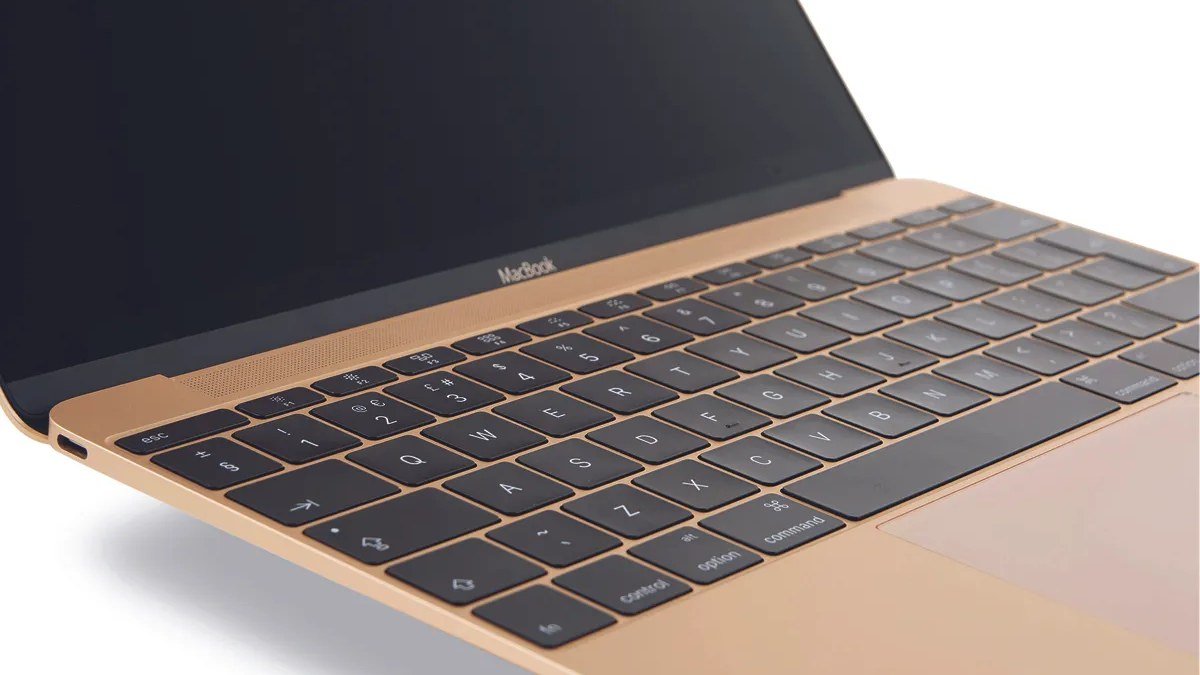
If your phone is an iPhone, your tablet is an iPad, and you live in iMessage and AirDrop — just get a MacBook. Apple’s silicon chips (the M-series) made this an easy call a few years ago, and the lead has only solidified: the battery life is genuinely absurd, the trackpads are still the best in the business, and everything syncs without you thinking about it. The MacBook Air is the best laptop for most people, full stop. I don’t say that as an Apple fanboy — it’s just where the value is.
If you game on PC, need specific Windows-only software for work or school, or just prefer the platform, Windows is the move. The good news is that Windows laptops have closed the battery-life gap dramatically with the newer ARM-based options and efficient Intel/AMD chips. The bad news: the Windows market is a minefield of nearly identical model numbers, and quality varies wildly between a $400 plastic special and a proper midrange machine. Stick to established lines from Lenovo, HP, Dell, or Asus, and read reviews of the exact model — not just the brand.
The trade-off, honestly: macOS is the smoother, more predictable ride with less choice. Windows is more choice, more flexibility, and more ways to buy the wrong thing. Neither is wrong; just pick the one that matches the rest of your digital life.
The specs that actually matter (and the ones that don’t)
Let’s talk processors without the alphabet soup. For most buyers in 2026, chip tiers break down pretty simply: entry-level chips handle everyday tasks fine and sip power; midrange chips add headroom for heavier multitasking and light creative work; high-end chips exist for people who know why they need them. If you don’t know which one you need, you need entry-level or midrange. Done.
RAM is where I’d spend your attention instead. Eight gigs is the floor for a pleasant 2026 experience, and even that’s getting tight if you live with 40 Chrome tabs open (no judgment). Sixteen gigs is the sweet spot — it’s the config that keeps a laptop feeling fast three years from now. And here’s the critical part: on most thin laptops, RAM is soldered and can never be upgraded. So if you’re choosing between more storage and more RAM, take the RAM. Storage can live on an external drive; RAM is forever.
Speaking of storage: 256GB fills up faster than you think, especially once apps, photos, and a few games pile in. If you can swing 512GB, do it. A fast NVMe SSD is standard now, and it’s one of the biggest reasons modern laptops feel snappy — if you’re coming from an old machine with a spinning hard drive, literally any current laptop will feel like a rocket ship.
What doesn’t matter as much as marketing claims: “AI” branding on the chip box (cool sticker, marginal real-world difference for most users so far), exotic cooling claims on thin laptops, and raw clock speeds. Ignore the gigahertz. Seriously.
The screen, keyboard, and battery: the stuff you touch every day
Here’s my hottest take in this whole guide: the display matters more than the processor for 90% of buyers. You’re staring at this thing for hours. A dim, washed-out screen will annoy you every single day, while the difference between two modern chips is invisible in a browser. Look for a bright panel with good color — IPS is fine, OLED is gorgeous if your budget stretches — and don’t settle for a dim screen to save a few bucks. You’ll regret it daily.
The keyboard and trackpad are the same story. You cannot evaluate these from a spec sheet, which is why I always tell people: if you can, go touch the thing before you buy it. Type a paragraph. Scroll around. A mushy keyboard will make you hate a laptop that benchmarks beautifully.
Battery life: take manufacturer claims and subtract 20–30%. That’s your real-world number with normal brightness and actual work. If a company claims 18 hours, expect 12–14 of real use — which is still excellent. Anything genuinely delivering 10+ hours of mixed use is a winner for students and travelers.
Ports, webcams, and build quality
The port situation in 2026 is mostly fine — USB-C everywhere — but check the details. How many ports? Do they all support charging, or just one? If you live the dongle life, count on buying a hub. A full-size HDMI port or an SD card slot is a genuine quality-of-life win for creators, so factor that in if it applies to you.
Webcams finally got decent across the board after the remote-work era forced everyone’s hand, but they’re still the weakest link on budget machines. If you’re on video calls all day, this is worth checking in reviews rather than assuming.
Build quality is the quiet differentiator. An aluminum chassis doesn’t just look nicer — it survives backpacks, coffee shops, and the general chaos of real life. Plastic isn’t automatically bad (some of the best-value machines are plastic), but flimsy hinges and flexing keyboards are. Again: reviews of the exact model, not vibes.
When to buy (and how to not overpay)
Laptop prices are seasonal, and timing genuinely matters. The back-to-school window and the holiday sales season are when the real discounts show up. New model launches also push previous-gen machines down in price — and here’s a secret: last year’s model at a discount is often the smartest buy in the entire store, because laptop improvements year-over-year are incremental now.
One more thing: don’t buy more laptop than your current needs plus a little headroom. The “future-proofing” instinct is how retailers upsell you two tiers. A well-chosen midrange machine today will serve you better than an overpowered one you bought out of anxiety.
The verdict
Choosing a laptop in 2026 comes down to five decisions: what you do, which ecosystem, 16GB of RAM if you can, a screen you actually enjoy looking at, and buying at the right time. Get those right and the rest is noise.
Start with your shortlist based on this guide, then check the current price on Amazon before you commit — deals rotate constantly, and the “best” laptop is often just the right laptop at the right price.
As an Amazon Associate I earn from qualifying purchases.
Check the price on AliExpress — the global marketplace with millions of tech products.
As an AliExpress affiliate, we may earn a commission on qualifying purchases.